Challenge Setup
Files Provided
- Audio file (
secretaudio.wav) — for spectrogram analysis - Image files — for steganography analysis
Tools Used:
- CyberChef — Decoding binary, base encodings, and ciphers
- Sonic Visualiser — Spectrogram analysis of audio files
- Steghide — Extracting hidden data from images
- Linux Terminal — Inspecting raw file contents
Environment:
- TryHackMe virtual room with downloadable challenge resources
- Kali Linux (attacker machine)
Challenge Overview
The room was divided into four sections: Translation & Shifting, Spectrograms, Steganography, and Security through Obscurity. The latter three sections each had downloadable files to analyse.
Solution
Section One — Translation & Shifting
Task 1: c4n y0u c4p7u23 7h3 f149?
This is leet speak — a substitution system where numbers replace visually similar letters (4→a, 0→o, 7→t, etc.). Translating it directly gives:
Flag: can you capture the flag
Task 2:
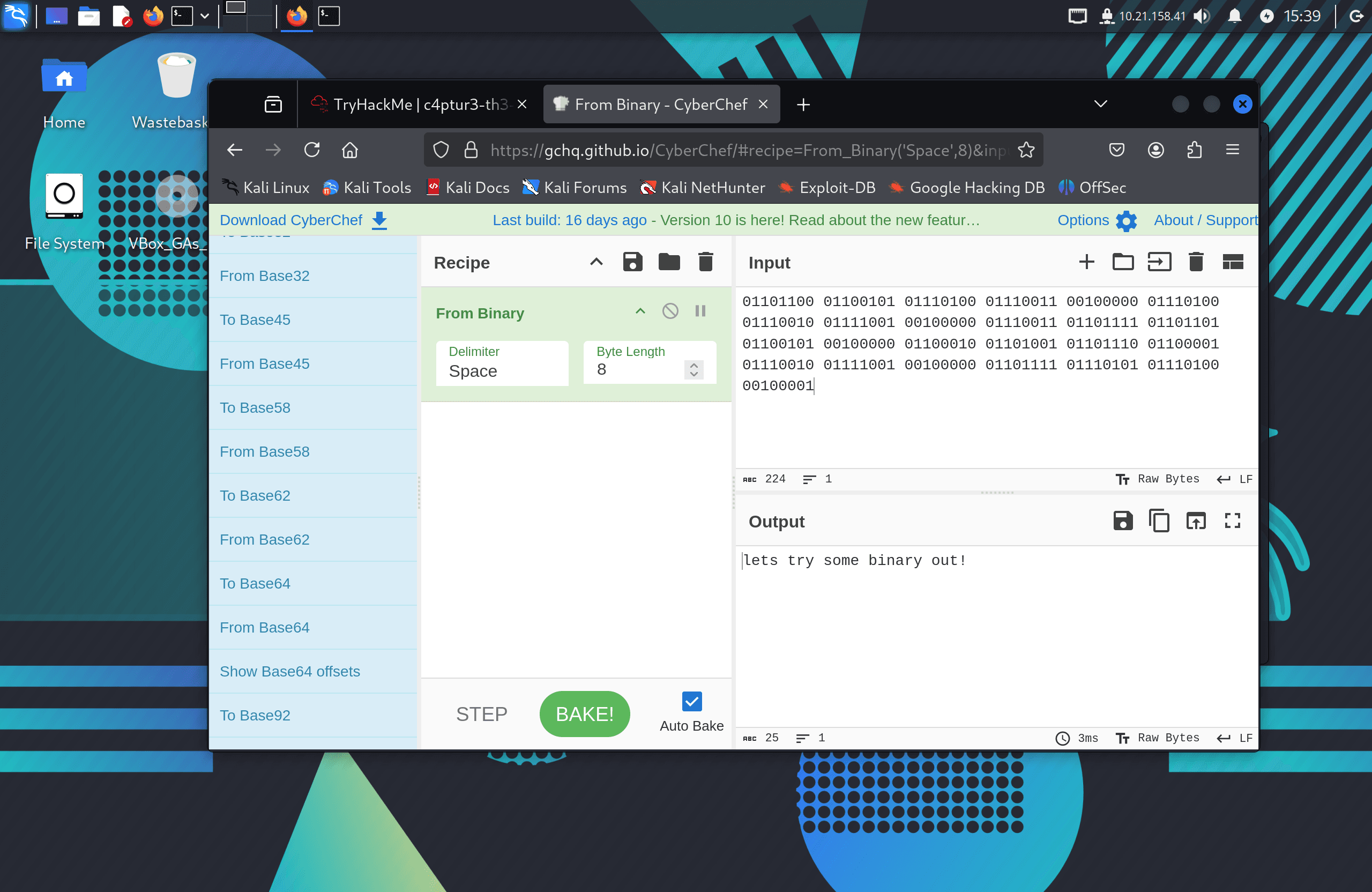
01101100 01100101 01110100 01110011 00100000 01110100 01110010 01111001 00100000
01110011 01101111 01101101 01100101 00100000 01100010 01101001 01101110 01100001
01110010 01111001 00100000 01101111 01110101 01110100 00100001
Eight-bit groups of 0s and 1s indicate binary encoding. Decoded via CyberChef's "From Binary" recipe:
Flag: lets try some binary out!
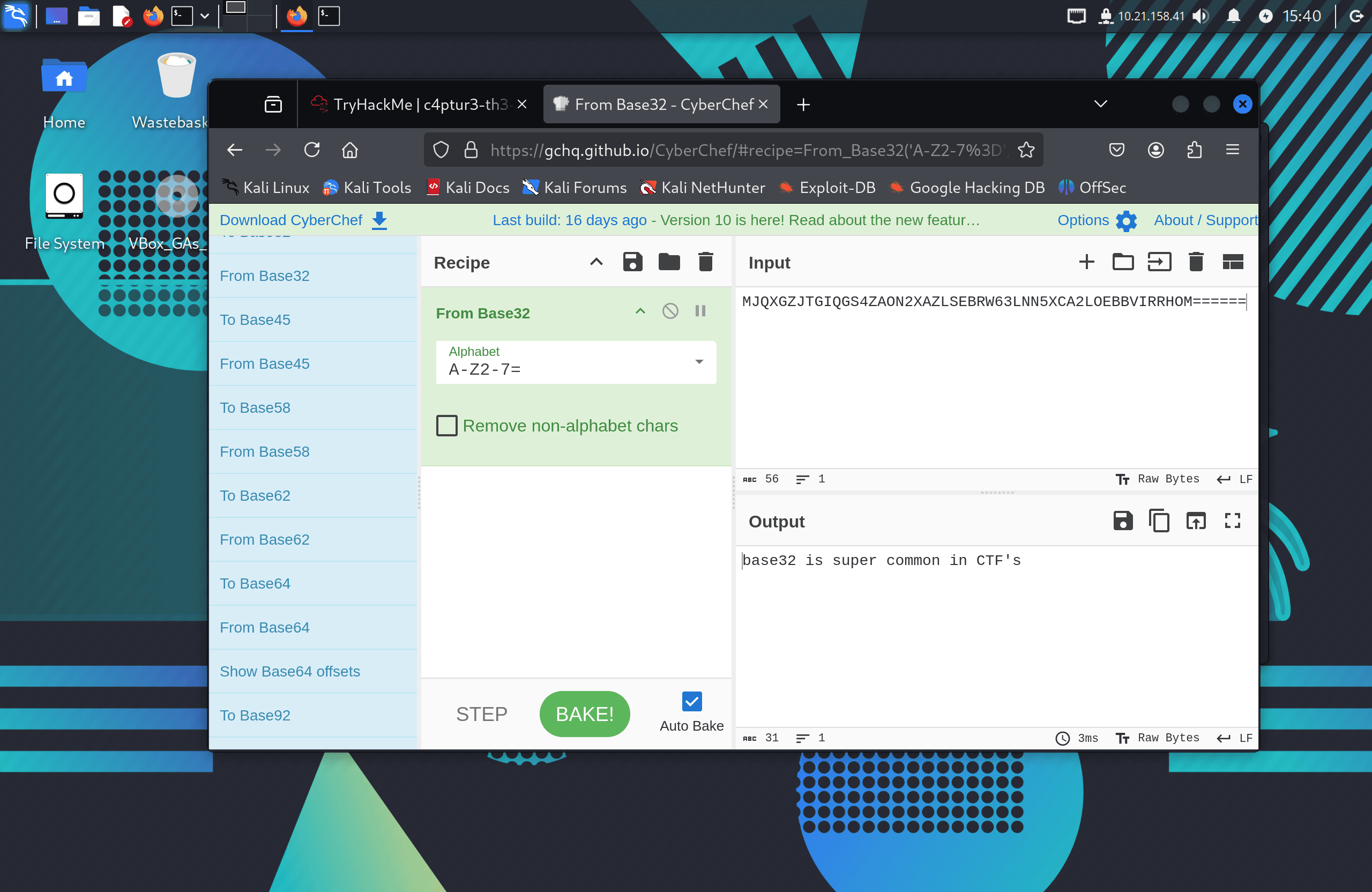
Task 3: MJQXGZJTGIQGS4ZAON2XAZLSEBRW63LNN5XCA2LOEBBVIRRHOM======
The trailing ====== padding and uppercase alphanumeric characters identify this as Base32. Decoded with CyberChef:
Flag: base32 is super common in CTF's
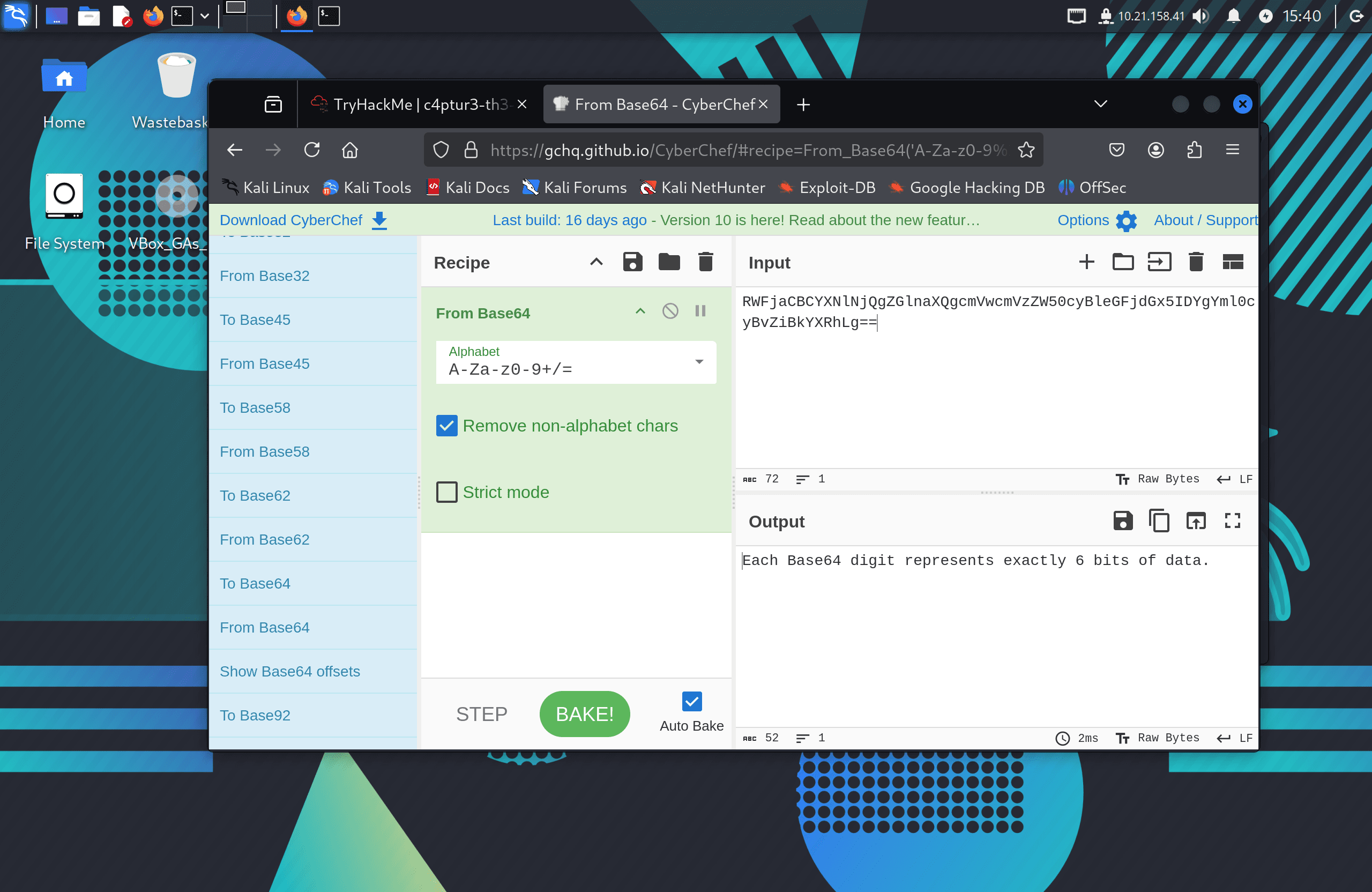
Task 4: RWFjaCBCYXNlNjQgZGlnaXQgcmVwcmVzZW50cyBleGFjdGx5IDYgYml0cyBvZiBkYXRhLg==
The == padding and mixed-case alphanumeric characters identify this as Base64. Decoded with CyberChef:
Flag: Each Base64 digit represents exactly 6 bits of data.
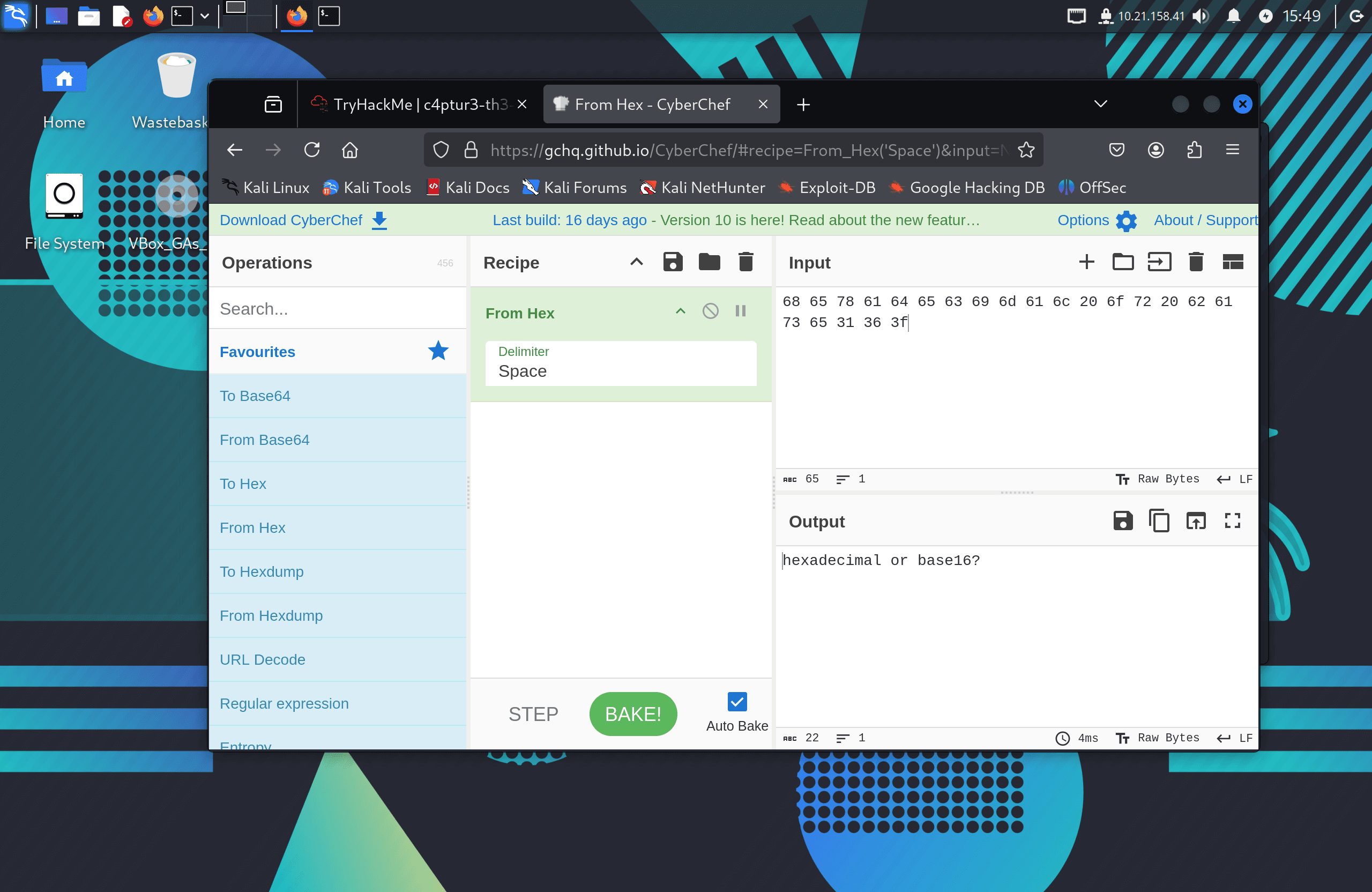
Task 5: 68 65 78 61 64 65 63 69 6d 61 6c 20 6f 72 20 62 61 73 65 31 36 3f
Space-separated two-character groups in the range 0–9 and a–f identify this as hexadecimal. Decoded via CyberChef's "From Hex" recipe:
Flag: hexadecimal or base16?
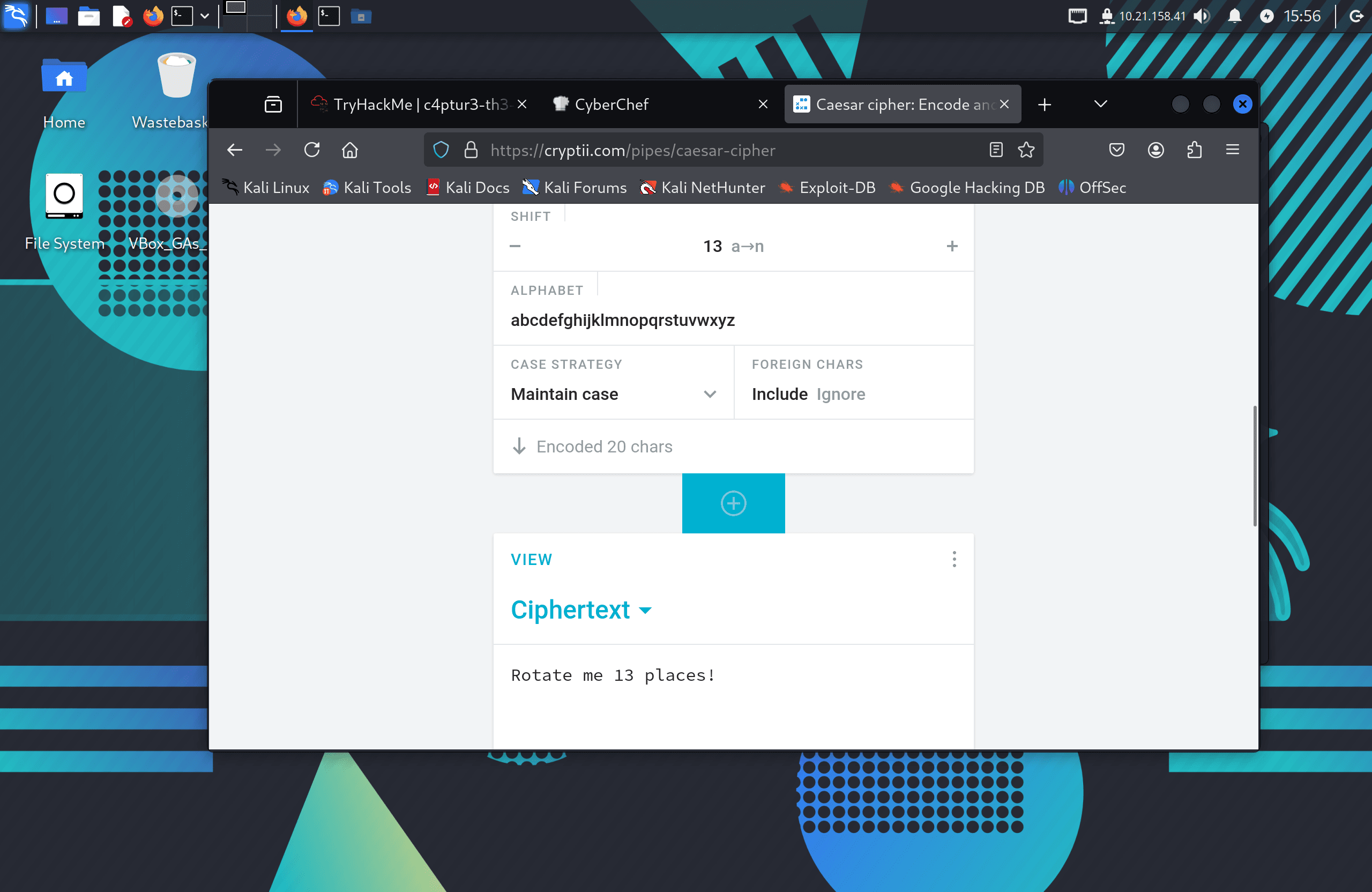
Task 6: Ebgngr zr 13 cynprf!
The mention of "13" is a direct hint at ROT13, a Caesar cipher with a shift of 13. Applied via CyberChef:
Flag: Rotate me 13 places!
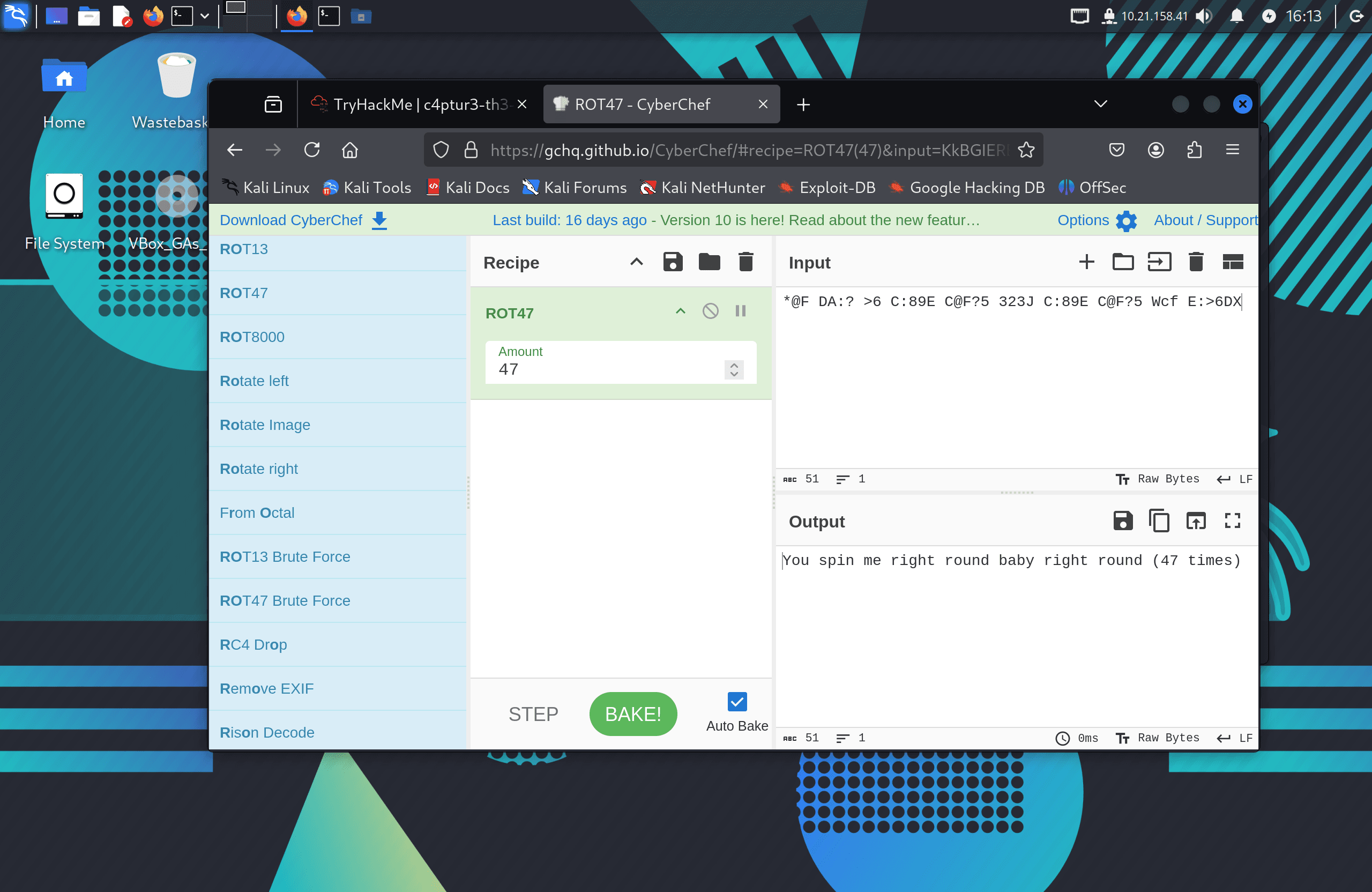
Task 7: @F DA:? >6 C:89E C@F?5 323J C:89E C@F?5 Wcf E:>6DX
The @ and other non-alphabetic substitutions point to ROT47, which operates across a wider ASCII range than ROT13. Applied via CyberChef:
Flag: You spin me right round baby right round (47 times)
Task 8:
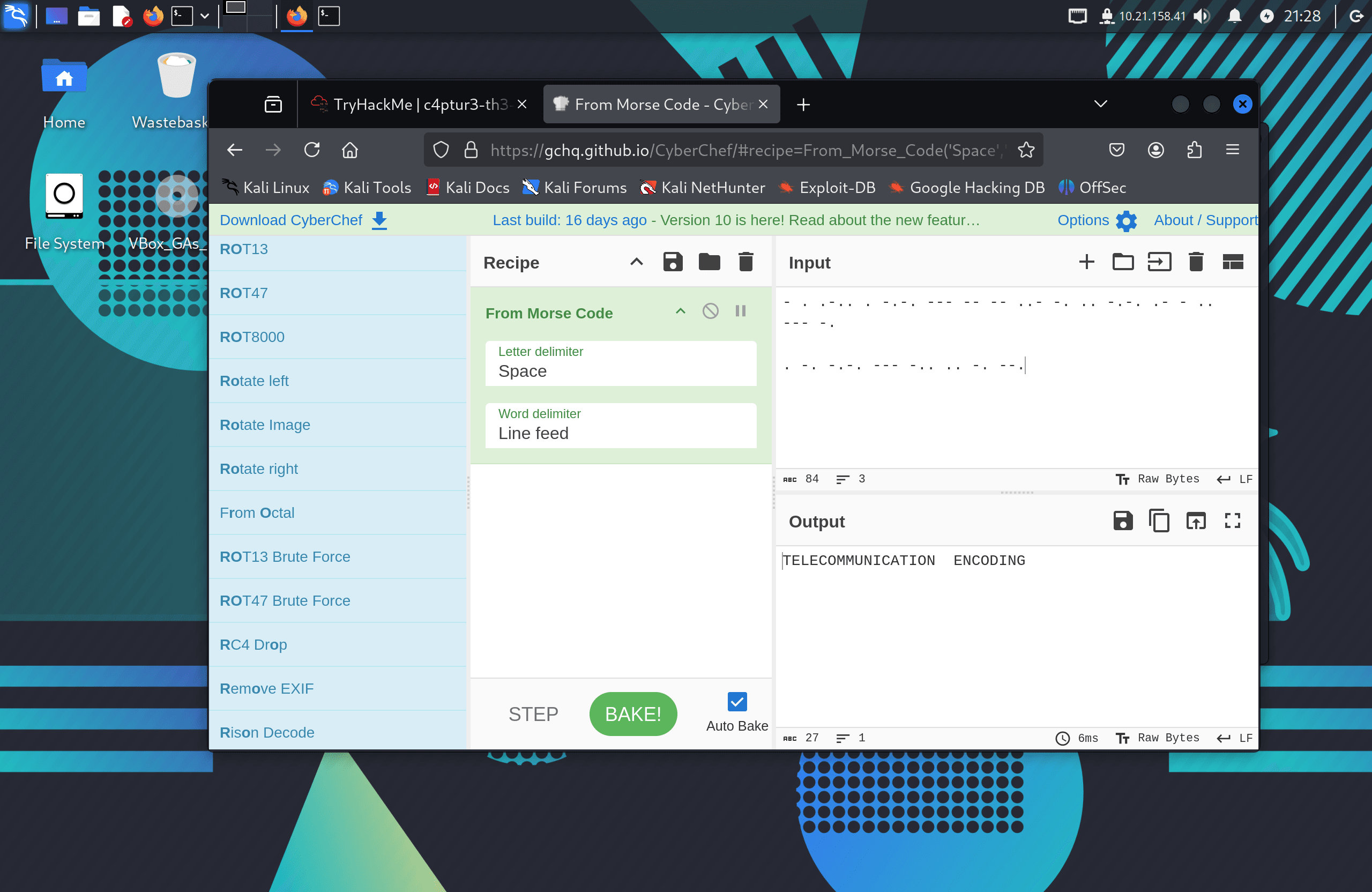
.-.. . -.-. --- -- -- ..- -. .. -.-. .- - .. --- -. . -. -.-. --- -.. .. -. --.
Standard Morse code. Decoded via CyberChef's "From Morse Code" recipe:
Flag: telecommunication encoding
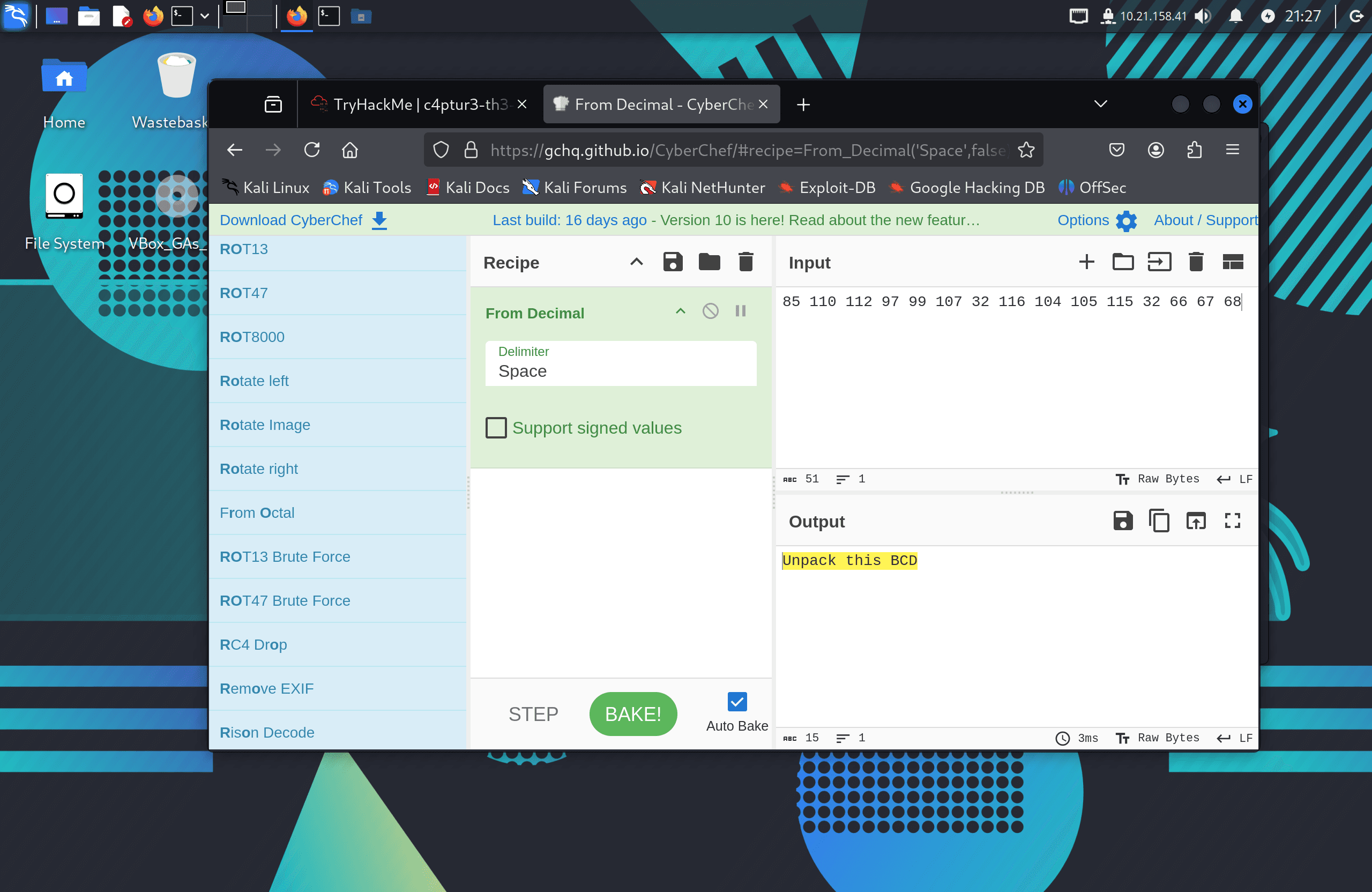
Task 9: 85 110 112 97 99 107 32 116 104 105 115 32 66 67 68
Space-separated decimal values in the ASCII range. Converting each to its ASCII character via CyberChef:
Flag: Unpack this BCD
Task 10:
LS0tLS0gLi0tLS0gLi0tLS0gLS0tLS0gLS0tLS0gLi0tLS0gLi0tLS0gLS0tLS0KLS0tLS0gLi0tLS0gLi0tLS0=
This required multiple decoding steps in CyberChef: Base64 → Morse code → further decoding. The final decoded message:
Flag: Let's make this a bit trickier…
Section Two — Spectrograms
A spectrogram is a visual representation of the frequency spectrum of an audio signal over time. Text can be embedded into audio by encoding it as visible patterns in the spectrogram.
I opened the provided secretaudio.wav file in Sonic Visualiser, then selected Layer → Add Spectrogram. Zooming in on the waveform revealed text embedded in the frequency data:
Flag: Super Secret Message
Section Three — Steganography
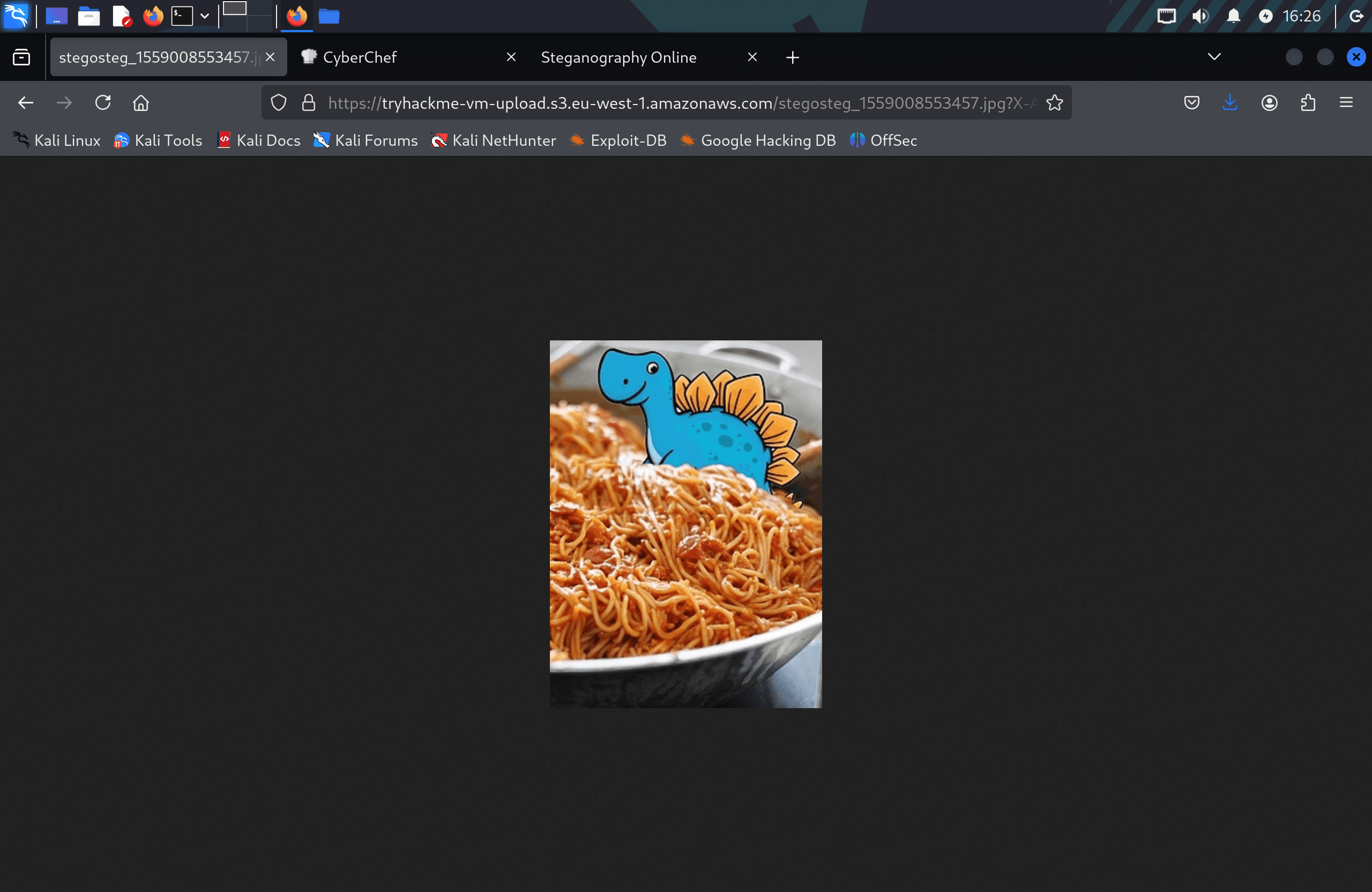
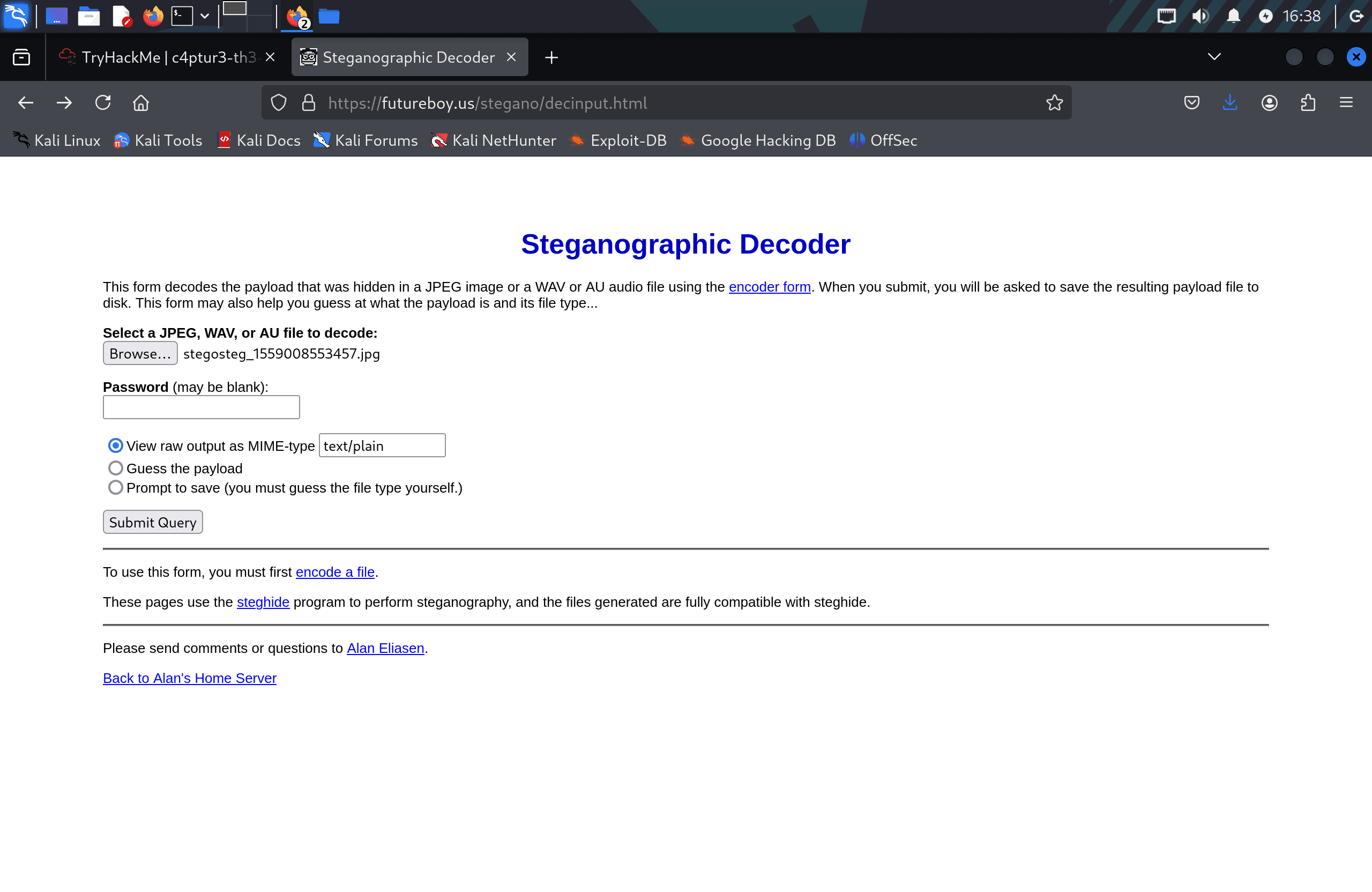
The provided image appeared to be a photo of a seal with spaghetti. I used Steghide to attempt extraction with a blank passphrase:
steghide extract -sf stegosteg.jpg
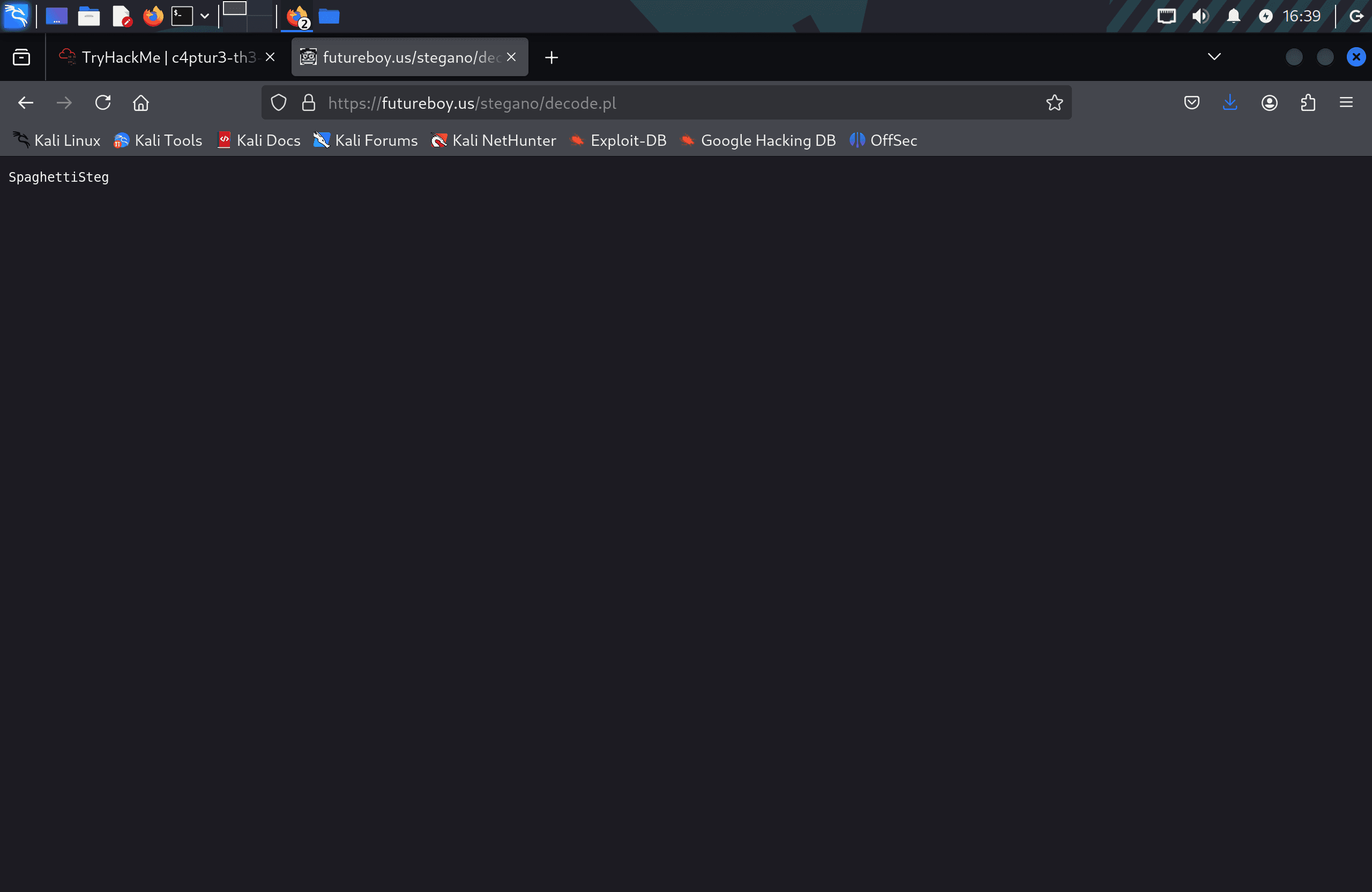
This extracted a hidden text file containing:
Flag: SpaghettiSteg
Section Four — Security through Obscurity
Security through obscurity relies on hiding information by concealing the design or implementation details of a system. This task demonstrated one of its weaknesses — data can sometimes be found without proper credentials simply by inspecting files carefully.
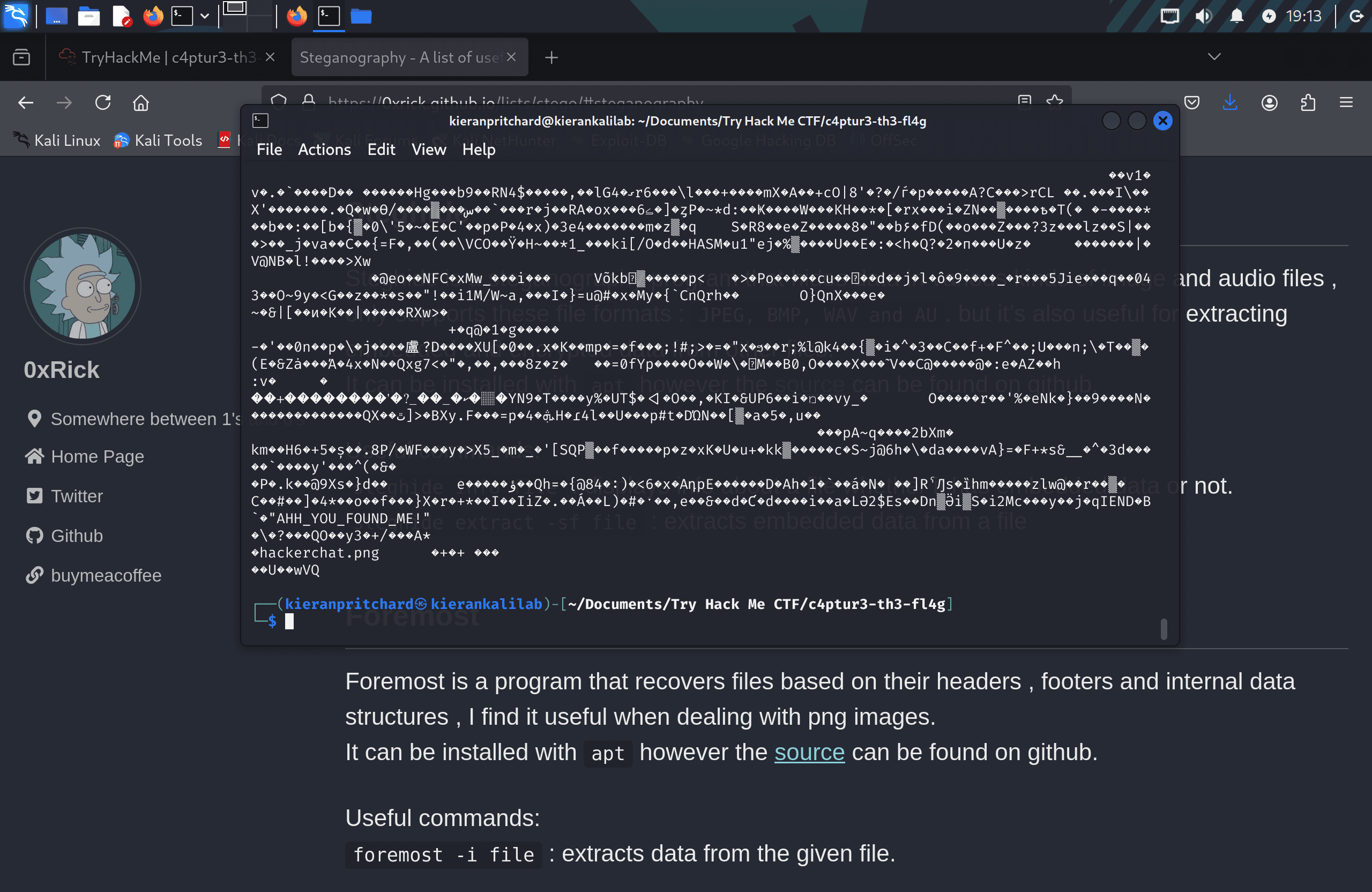
Running cat on the provided image file revealed readable strings appended beyond the normal image data:
cat meme.jpg
Inspecting the output showed an embedded archive structure. The archive contained a file named hackerchat.png, and within it, a hidden string:
Question 1 — First filename: hackerchat.png
Question 2 — Hidden text: AHH_YOU_FOUND_ME!
Flags
Flag 1:  can you capture the flag
Flag 2:  lets try some binary out!
Flag 3:  base32 is super common in CTF's
Flag 4:  Each Base64 digit represents exactly 6 bits of data.
Flag 5:  hexadecimal or base16?
Flag 6:  Rotate me 13 places!
Flag 7:  You spin me right round baby right round (47 times)
Flag 8:  telecommunication encoding
Flag 9:  Unpack this BCD
Flag 10: Let's make this a bit trickier…
Flag 11: Super Secret Message
Flag 12: SpaghettiSteg
Flag 13: AHH_YOU_FOUND_ME!
Tools Used
- CyberChef — Decoding binary, hex, base encodings, ROT ciphers, and Morse code
- Sonic Visualiser — Audio spectrogram analysis
- Steghide — Image steganography extraction
- Linux Terminal (
cat) — Inspecting raw file content for hidden data
Notes / Lessons Learned
- Leet speak, base encodings, ROT ciphers, Morse code, and hex are all common in beginner CTFs — recognising the format quickly is half the challenge.
- Spectrograms are a non-obvious but effective way to embed readable text in audio files. Sonic Visualiser's "Add Spectrogram" layer makes this immediately visible.
- Steghide can extract hidden data from images without a passphrase if none was set during embedding — always try a blank passphrase first.
- Files can contain data beyond their natural end-of-file marker. Running
caton an image is a quick first check before reaching for heavier tools. - CyberChef's "Magic" recipe can help identify unknown encoding formats automatically, which is useful when the encoding chain isn't obvious.
Screenshots
1 / 13
2 / 13
3 / 13
4 / 13
5 / 13
6 / 13
7 / 13
8 / 13
9 / 13
10 / 13
11 / 13
12 / 13
13 / 13