Challenge Description
What information can you possibly get with just one image file?
Note: This challenge was updated on 2024-02-01. If you are following older walkthroughs, expect small differences. The file is also available on the AttackBox under /Rooms/OhSINT.
Files Provided
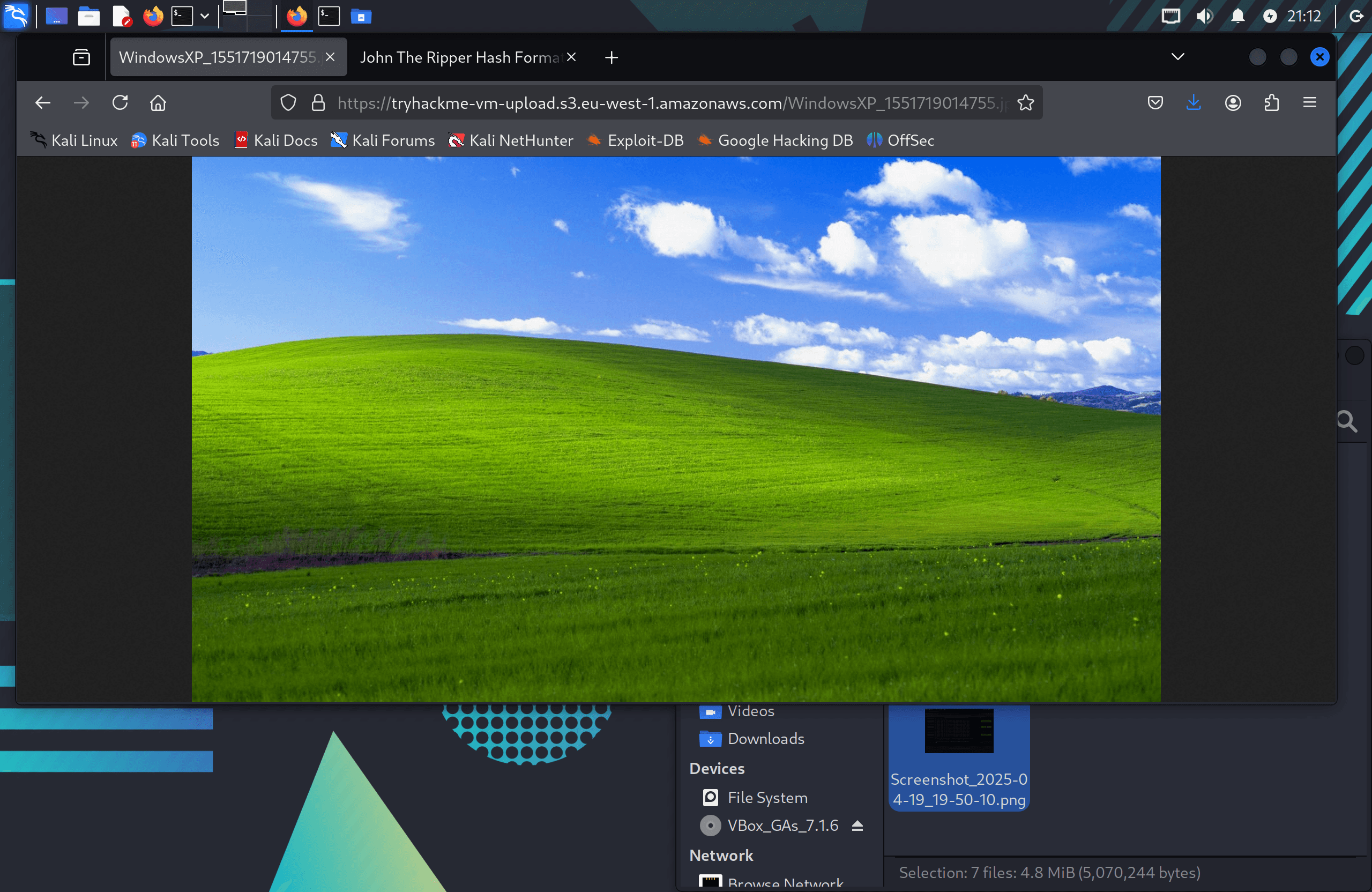
WindowsXP_1551719014755.jpg— a Windows XP wallpaper image
Challenge Setup
Tools Used:
- ExifTool — Extracting metadata from the image
- Google — OSINT investigation and account discovery
- Wigle.net — BSSID lookup and SSID identification
Environment:
- TryHackMe AttackBox / Kali Linux
Initial Recon
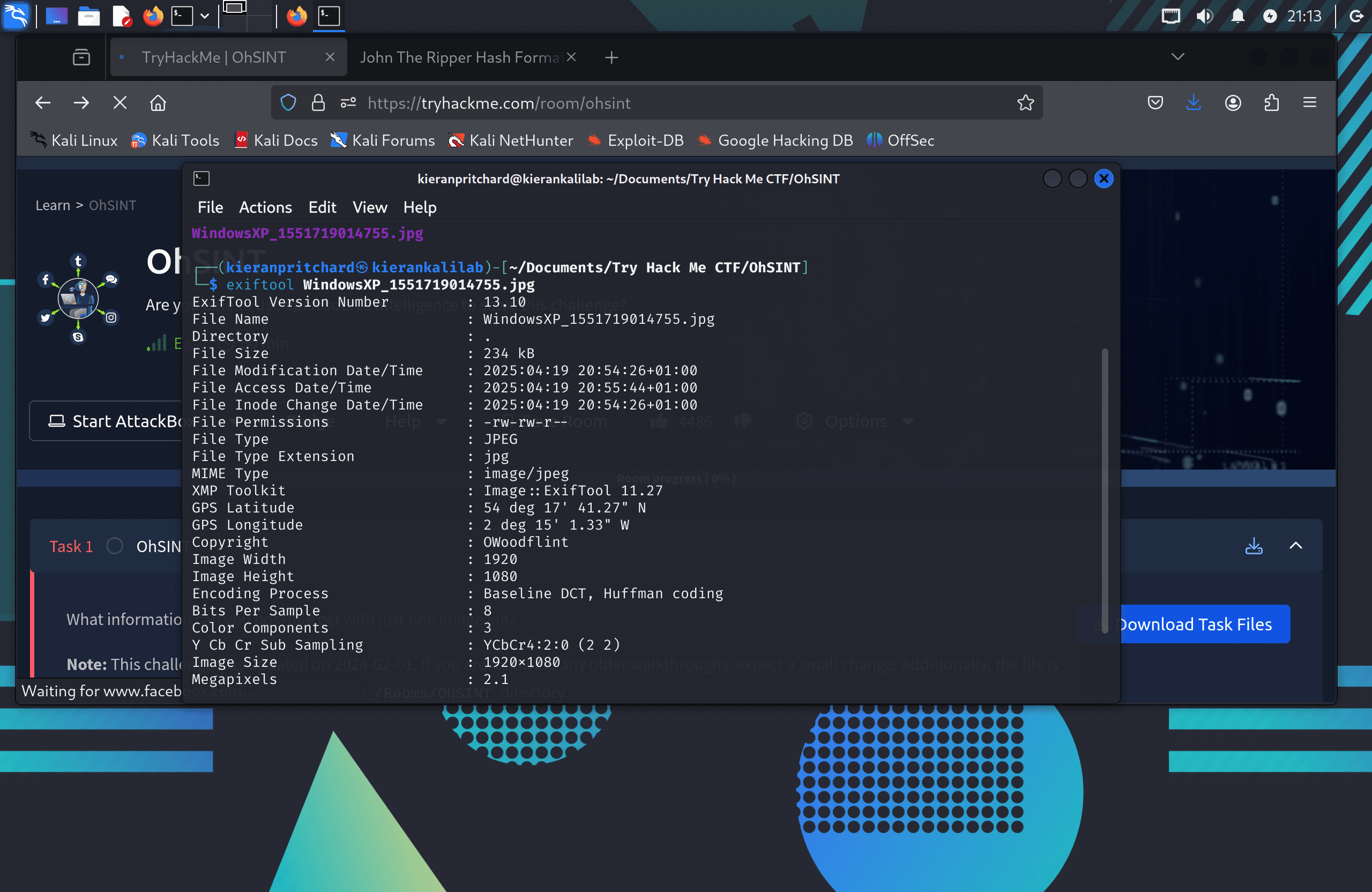
The image was a standard Windows XP wallpaper — nothing visually suspicious. In OSINT, the interesting data is often hidden in metadata rather than the image itself, so the first step was to run ExifTool:
exiftool WindowsXP_1551719014755.jpg
Two pieces of information stood out in the output:
- GPS coordinates — latitude and longitude embedded in the EXIF data
- Copyright field:
OWoodflint
The copyright tag gave a username to pivot from.
Exploitation / Solution
Step One — Discovering Online Accounts
A Google search for OWoodflint returned three results: a Twitter/X account, a GitHub profile, and a WordPress blog. All three turned out to contain useful information.
Twitter/X: The profile picture was a cat, answering the first challenge question about the user's avatar.
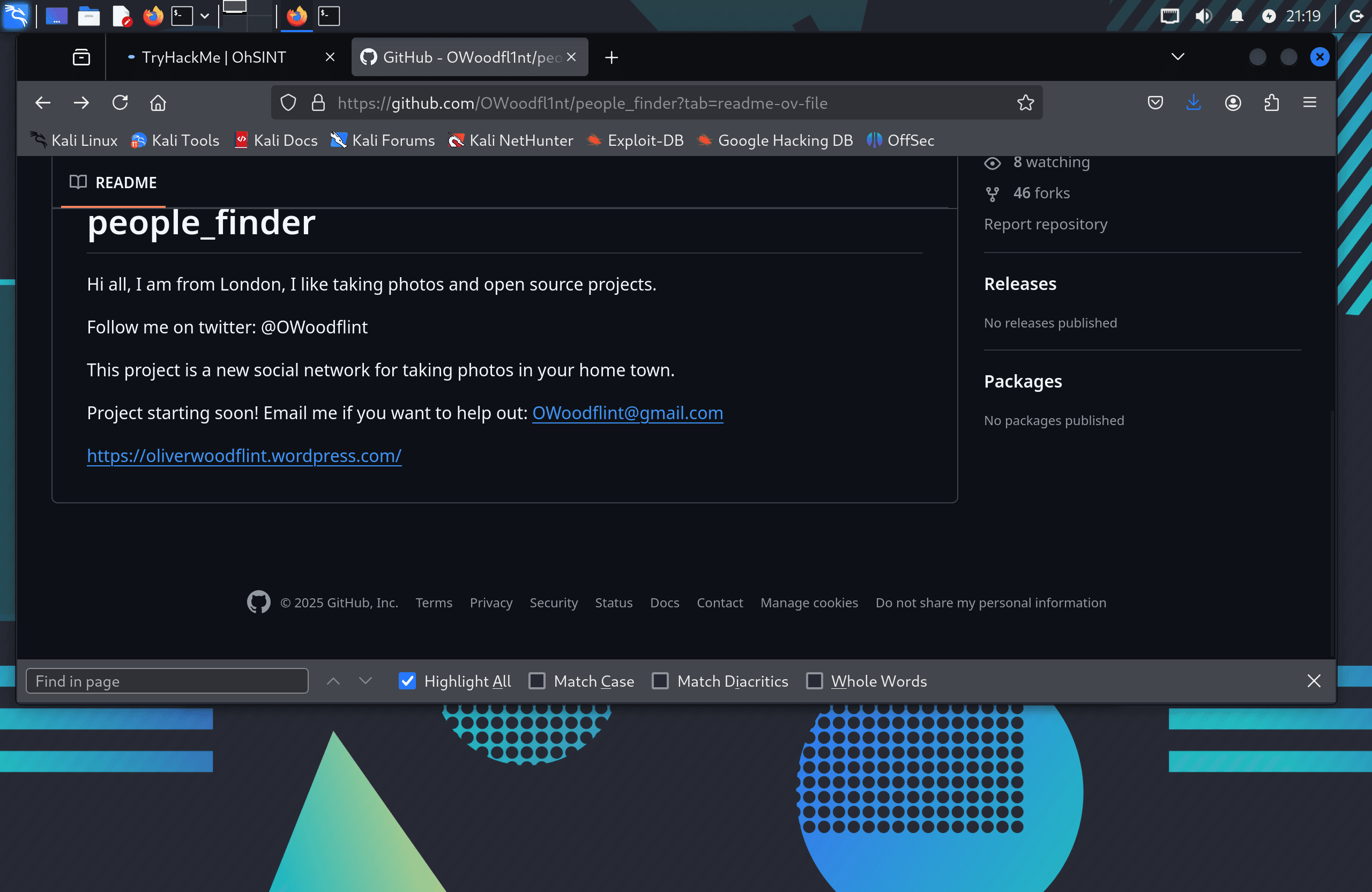
GitHub: The README file confirmed the user's home city as London and contained their personal email address: OWoodflint@gmail.com.
Step Two — Finding the SSID via BSSID
On the Twitter/X account, one tweet read:
"From my house I can get free wifi ;D Bssid: B4:5D:50:AA:86:41 - Go nuts!"
A BSSID (Basic Service Set Identifier) is the MAC address of a wireless access point — a unique hardware identifier. I used Wigle.net (a public wireless network mapping database) to look it up. Note: Wigle.net now requires a registered account, and new accounts are limited to 5 detailed queries per day.
Searching the BSSID B4:5D:50:AA:86:41 in Wigle's Advanced Search (View → Advanced Search → WiFi/Cell Detail) and clicking the map result placed the access point in London. Zooming in to street level revealed the SSID: UnileverWiFi.
Step Three — Location and Holiday Destination
The GitHub profile listed London as the user's home location.
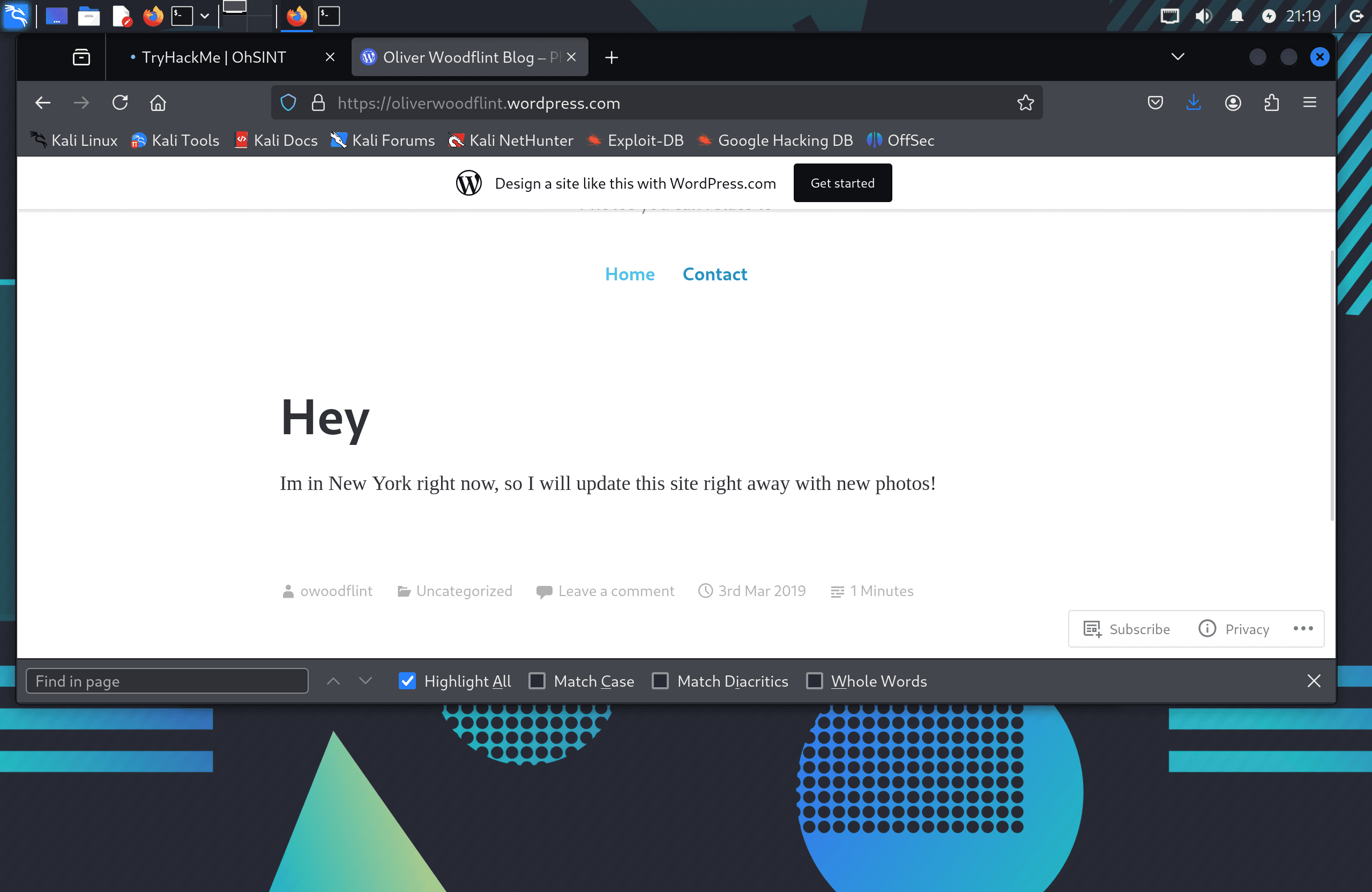
The WordPress blog (oliverwoodflint.wordpress.com) contained a post mentioning the user was on holiday in New York — a separate detail from their home city.
Step Four — Finding the Hidden Password
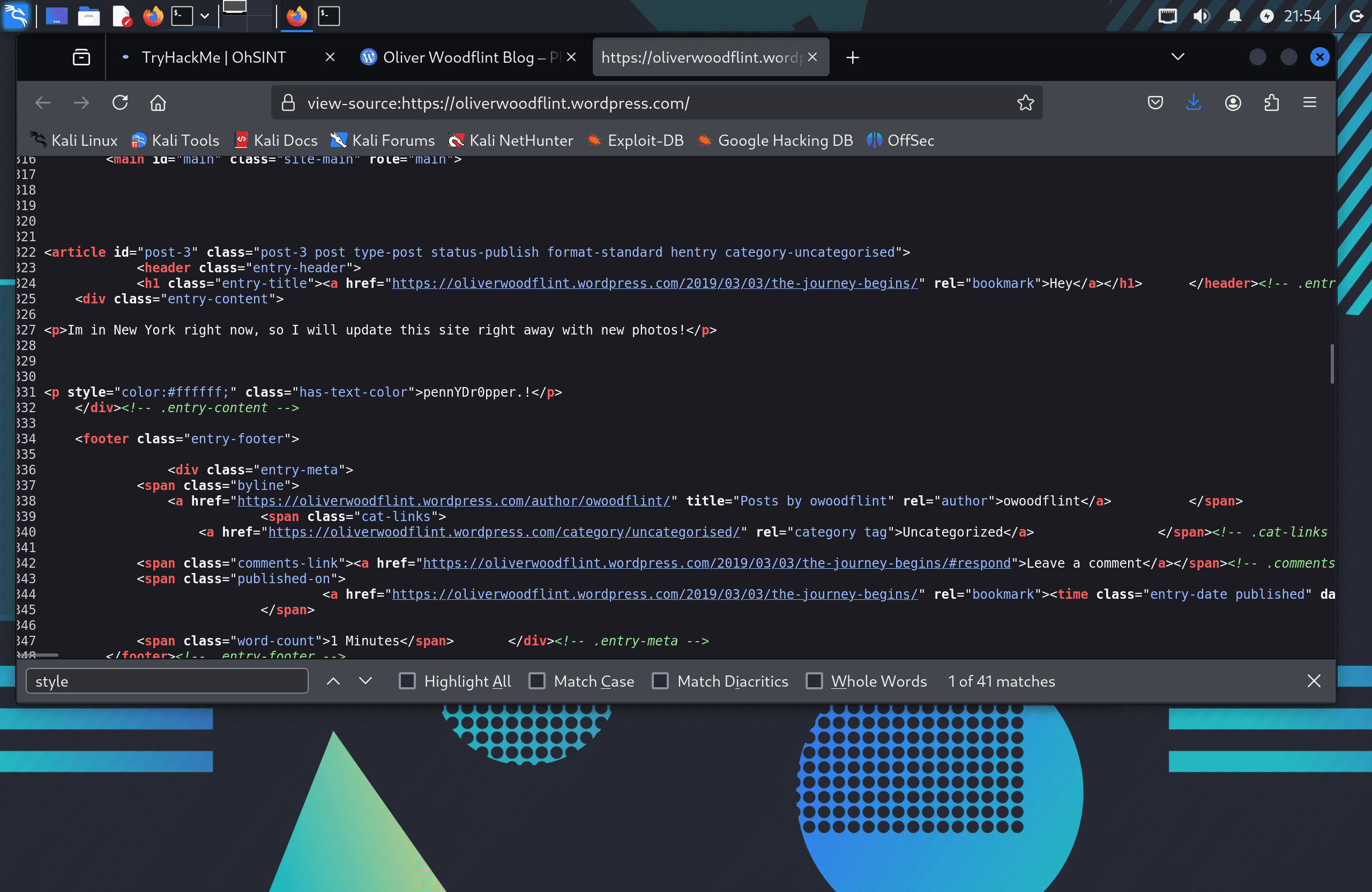
Returning to the WordPress blog, I viewed the HTML page source. A paragraph element was present in the source but invisible in the rendered page — the text was written in white font on a white background, hiding it from casual readers. Selecting all text on the page (Ctrl+A) or inspecting the source directly reveals it. This hidden string was the final answer to the challenge.
Flag
No traditional flag format — challenge answers are submitted directly to TryHackMe questions.
Challenge answers summary:
- Avatar: Cat (Twitter/X profile picture)
- City: London (GitHub profile)
- SSID: UnileverWiFi (Wigle.net lookup via BSSID)
- Email: OWoodflint@gmail.com (GitHub README)
- Email source: GitHub
- Holiday location: New York (WordPress blog)
- Password: Found in WordPress blog HTML source (white text on white background)
Tools Used
- ExifTool — Extracting image metadata to identify the username
- Google — Discovering associated online accounts
- Wigle.net — Identifying the SSID from a BSSID value
Notes / Lessons Learned
- Image metadata is often overlooked but can contain GPS coordinates, device info, and personally identifying data like copyright tags.
- A single username can link multiple accounts across platforms — GitHub, Twitter, and WordPress in this case — each leaking a different piece of information.
- BSSIDs are publicly mappable via Wigle.net. Tweeting a BSSID is equivalent to broadcasting your home network's location.
- Hidden content doesn't have to be technically complex — white text on a white background is invisible to the eye but trivially discoverable in page source or with Ctrl+A. Always inspect source code.
- OSINT investigations are cumulative: each platform answered a different question, and the full picture only emerged by cross-referencing all three.
Screenshots
1 / 5
2 / 5
3 / 5
4 / 5
5 / 5